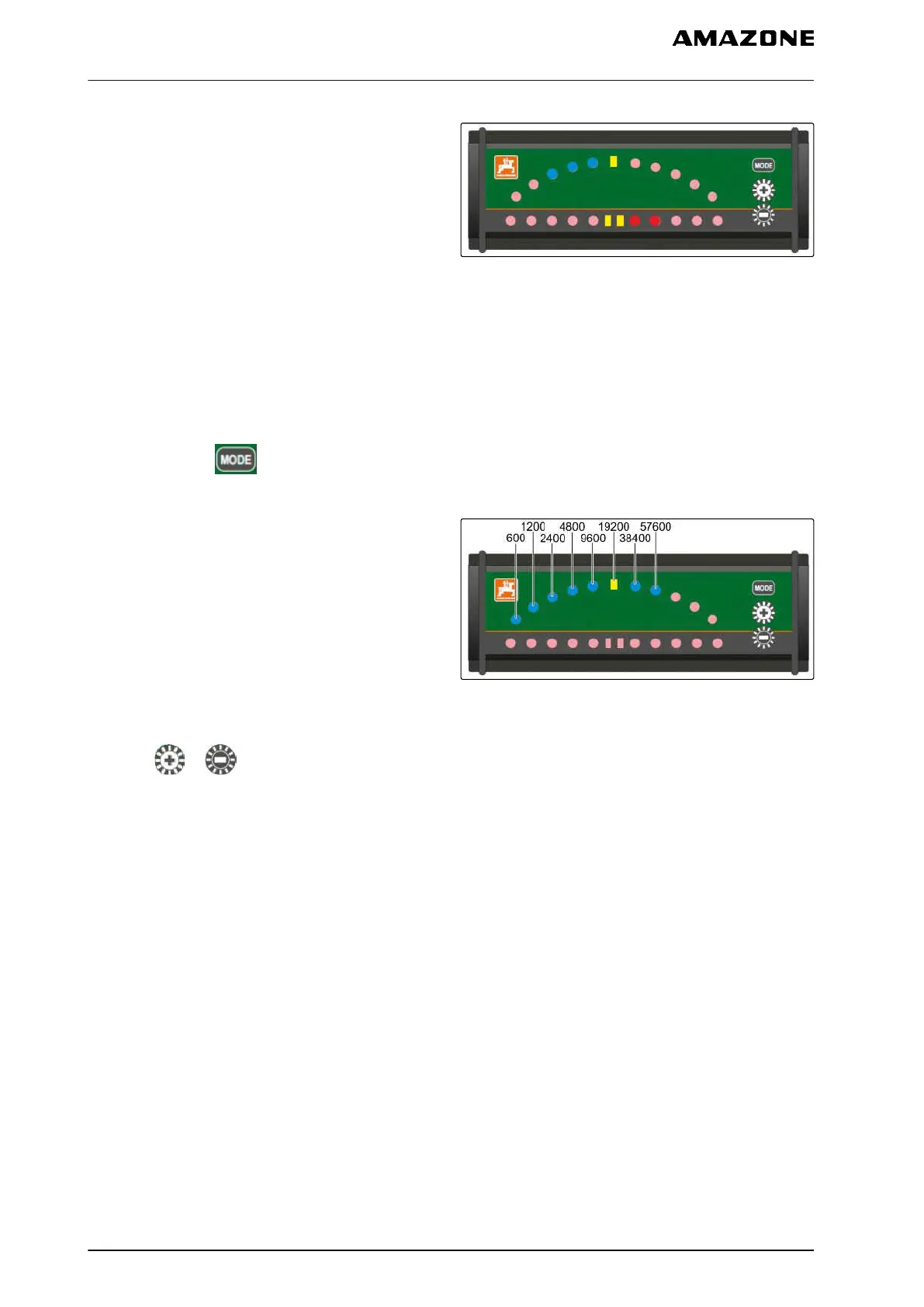
The lower LED strip shows the deviation from the
guide track to the left or to the right.
The upper LED strip shows the steering angle
required to return to the guide track. If only the yellow
LEDs are lit, the implement is on the guide track.
CMS-I-001806
The light bar must have the same baud rate as the
AMATRON 3 and the GPS receiver. The light bar is
set to a baud rate of 19200 per default. The baud rate
can be changed in the light bar configuration menu.
1. To change the baud rate of the light bar in the
configuration menu,
press and hold and switch on the
AMATRON 3.
The upper LED strip shows the baud rate in the
configuration menu: baud rates 600 to 57600
increasing from the left.
The lower LED strip shows the software version in the
configuration menu. Software version: x.x, x = 1-5 lit
LEDs).
CMS-I-001808
2. To increase or reduce the baud rate,
press or .
3. Exit the configuration menu.
4. Restart the AMATRON.
11 | Using the GPS switch
Using an external light bar
MG5560-EN-II | E.1 | 21.04.2020
130



 To Next Page