Using the AUX-N menu
12
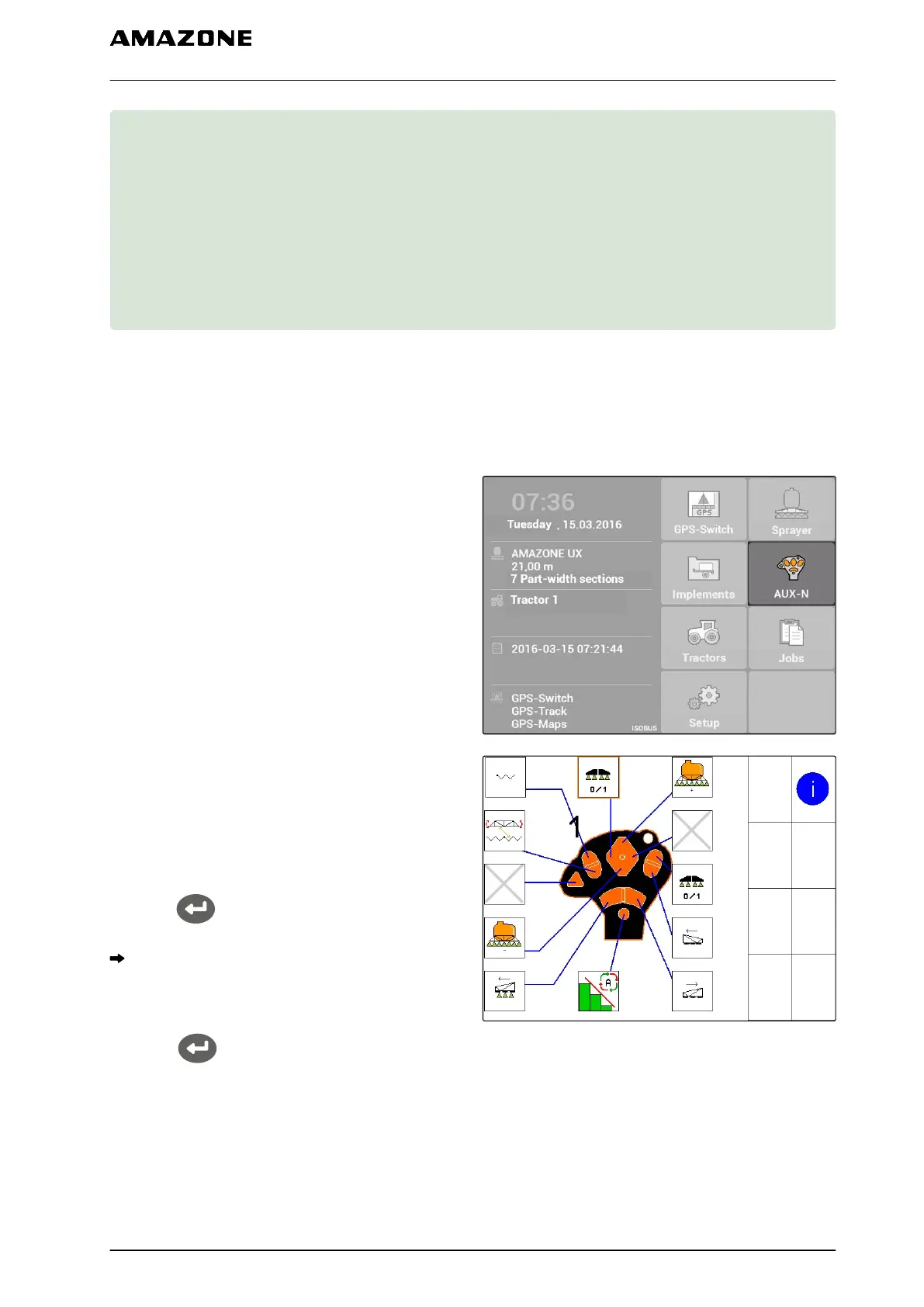
If an external input device is connected, the AUX-N
menu can be used to access this input device. The
functions within the menu depend on the connected
external device. In this operating manual, the AUX-N
menu is described based on the AmaPilot
+
.
1. Select AUX-N in the main menu.
The assignment is shown for each button on the
AmaPilot
+
.
2. Switch among the assignments with the
directional pad.
3. To call up details for an assignment,
press
.
The selected assignment will be shown together
with a symbol for the corresponding device.
4. To close the details for an assignment,
Press .
CMS-T-003875-A.1
12 | Using the AUX-N menu
MG5560-EN-II | E.1 | 21.04.2020
131



 To Next Page