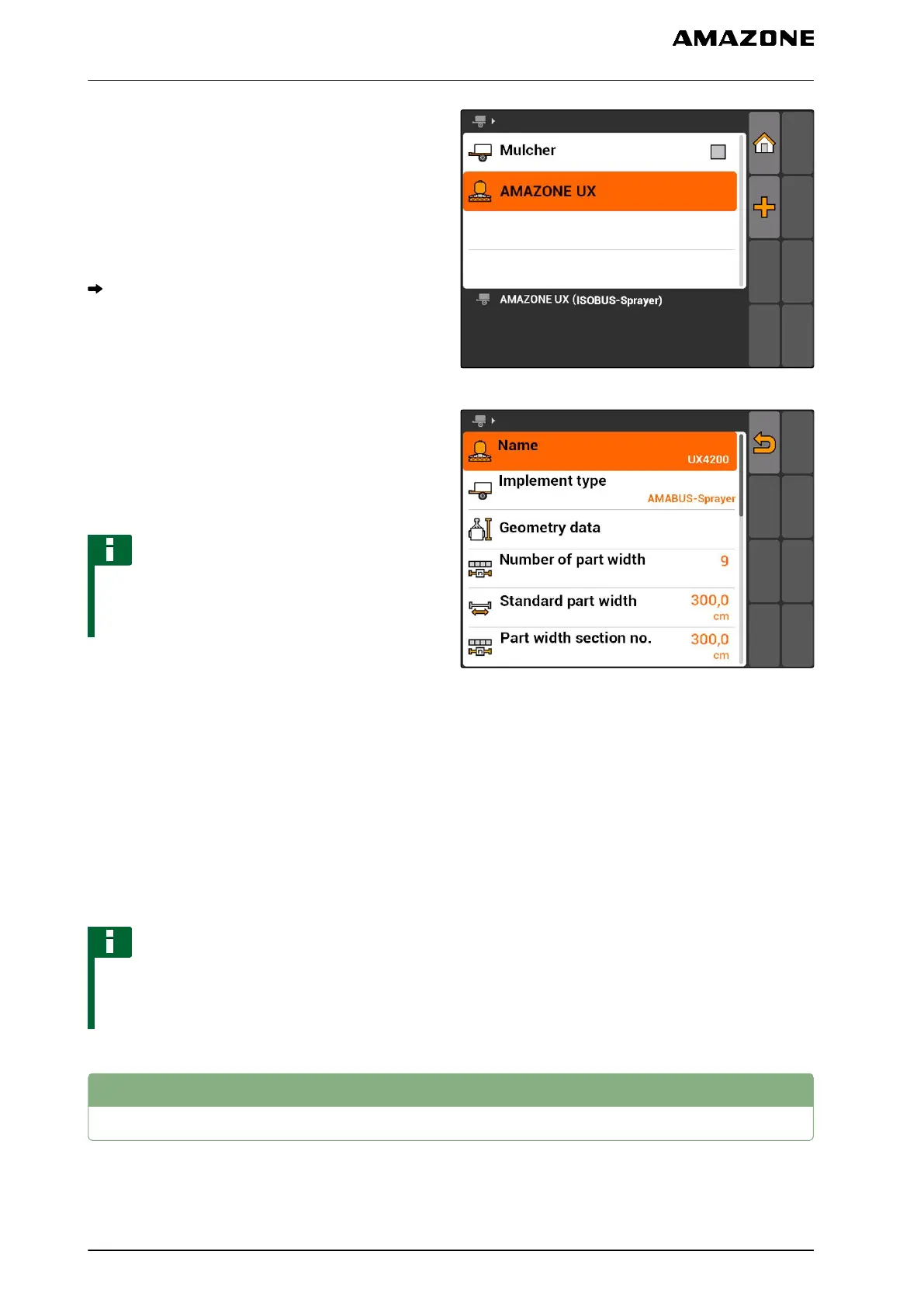
1. Select "Main menu" > "Implement".
2. Add a new implement
or
Edit an existing implement
The "Implement data" menu will be opened.
CMS-I-001685
3. Enter a name for the implement under "Name".
4. If an AMABUS implement is connected,
select the connected implement under
"Implement type".
NOTE
The implement type can only be selected if the
AMATRON 3 was started in AMABUS mode, see
page 15.
5. Under "Number of part-width sections", enter the
number of part-width sections for the implement.
6. To assign all of the part-width sections with the
same width,
enter a common value for all part-width sections
under "Standard part-width section".
7. If a width should be assigned to a specific part-
width section,
enter a value for the respective part-width section
under "Part-width section no.:".
NOTE
The numbering of the part width sections is
carried out from left to right in the direction of
travel.
CMS-I-002221
8.3
Editing the implement geometry data
For the GPS switch to function properly, the
implement geometry data is required. The part-width
CMS-T-001963-A.1
8 | Configuring implements
Editing the implement geometry data
MG5560-EN-II | E.1 | 21.04.2020
44



 To Next Page