REQUIREMENTS
Job management enabled; see page 19
select .
The job data will be saved to the USB flash drive.
7.11.2 Using the pool management
"Pool" refers to a file that describes the
representation of the implement software on the
terminal. After connecting an implement for the first
time or after an update, the pool of the implement will
be automatically loaded and saved on the terminal. A
pool can be reloaded if it was previously deleted in
the pool management and the terminal as well as the
implement were restarted.
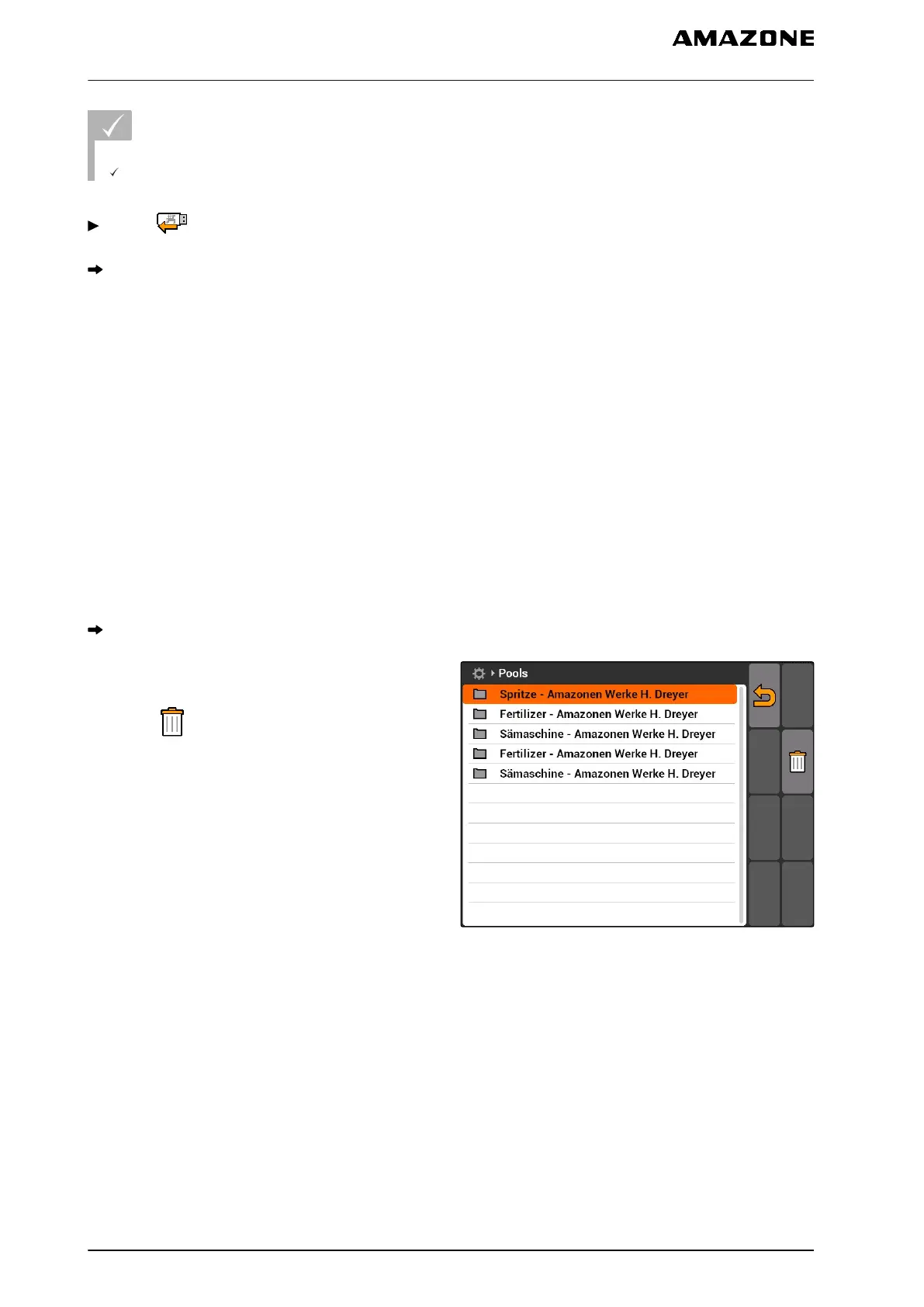
1. Select "Setup" > "Settings" > "Diagnosis" > "Pool
management".
A list with the pools will be opened.
2. Select the pool.
3. select .
4. Confirm deleting.
5. Restart the AMATRON 3.
CMS-I-001722
7.11.3
Using the CAN diagnosis
CAN diagnosis is for the exclusive use of service
employees for maintenance purposes.
CMS-T-001990-A.1
CMS-T-001995-A.1
7 | AMATRON 3 configuration
Using the diagnostics
MG5560-EN-II | E.1 | 21.04.2020
40



 To Next Page