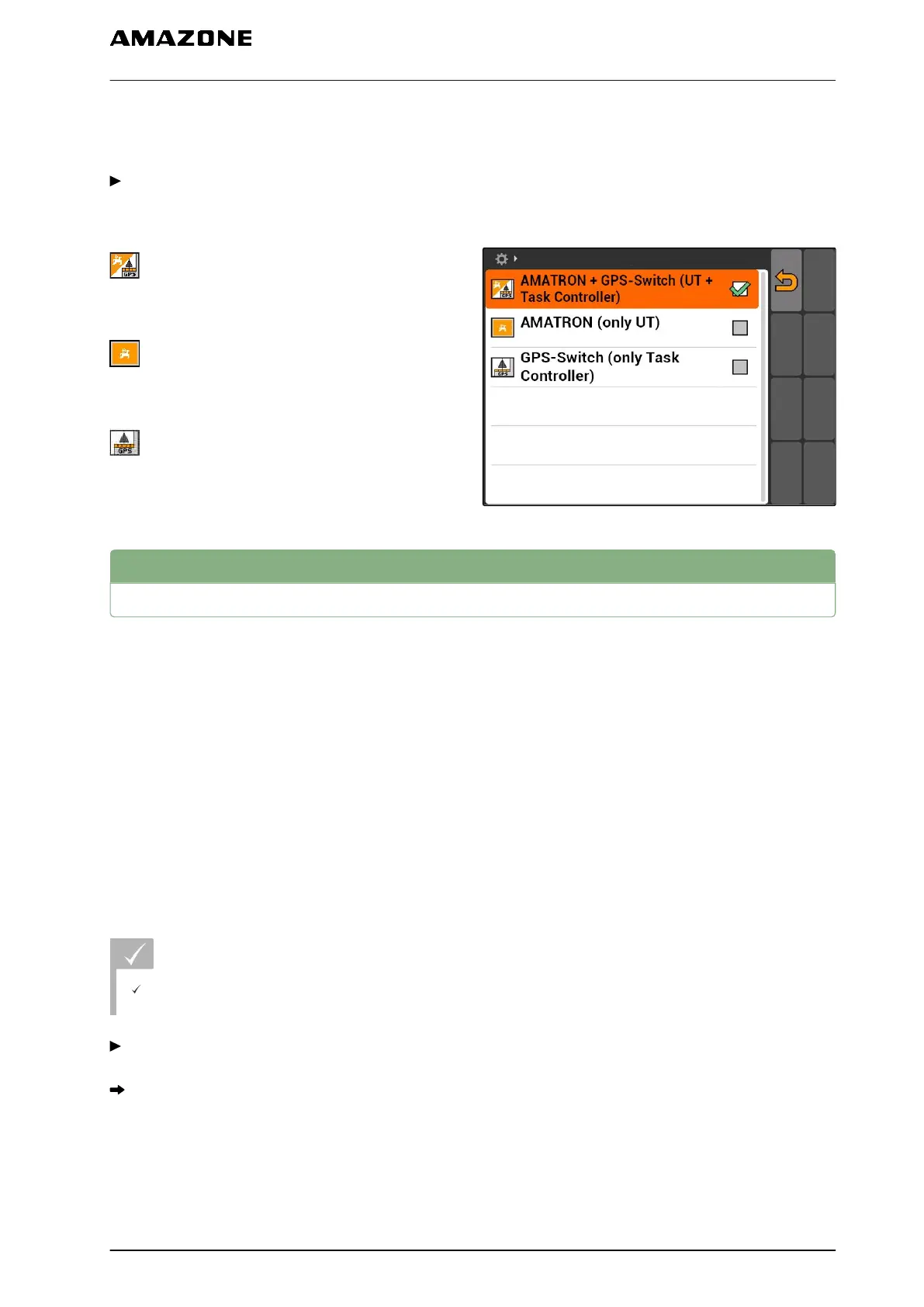
controls and the other AMATRON 3 for the GPS
functions.
Select "Setup" > "Settings" > "Parallel operation".
Possible settings:
: The AMATRON 3 can be used to access the
implement controls and the GPS functions are
available.
: The AMATRON 3 can only be used to access
the implement controls. The Task Controller is signed
off of the BUS.
: Only the GPS functions are available on the
AMATRON 3. The UT is signed off of the BUS
7.9
Using AUX-N input devices
7.9.1
Defining the AUX-N assignment
With the AUX-N assignment, specific functions of the
AMATRON 3 and the implement can be assigned to
buttons on an external input device. However, the
AMATRON 3 functions can only be assigned to an
external input device if the AMATRON 3 has the
ISOBUS-UT number 1, see page 24. An example for
such an external input device is the AmaPilot
+
. If a
button on the AmaPilot
+
is assigned to a function on
the implement, the function can be actuated with the
assigned button.
REQUIREMENTS
The AMATRON 3 is in ISOBUS mode, see
page 15
Select "Setup" > "AUX-N assignment".
A list of available functions will be displayed.
CMS-T-00004673-A.1
CMS-T-001913-B.1
7 | AMATRON 3 configuration
Using AUX-N input devices
MG5560-EN-II | E.1 | 21.04.2020
31



 To Next Page