REQUIREMENTS
Worker is created in the master data, see
page 67
Job is started, see page 64
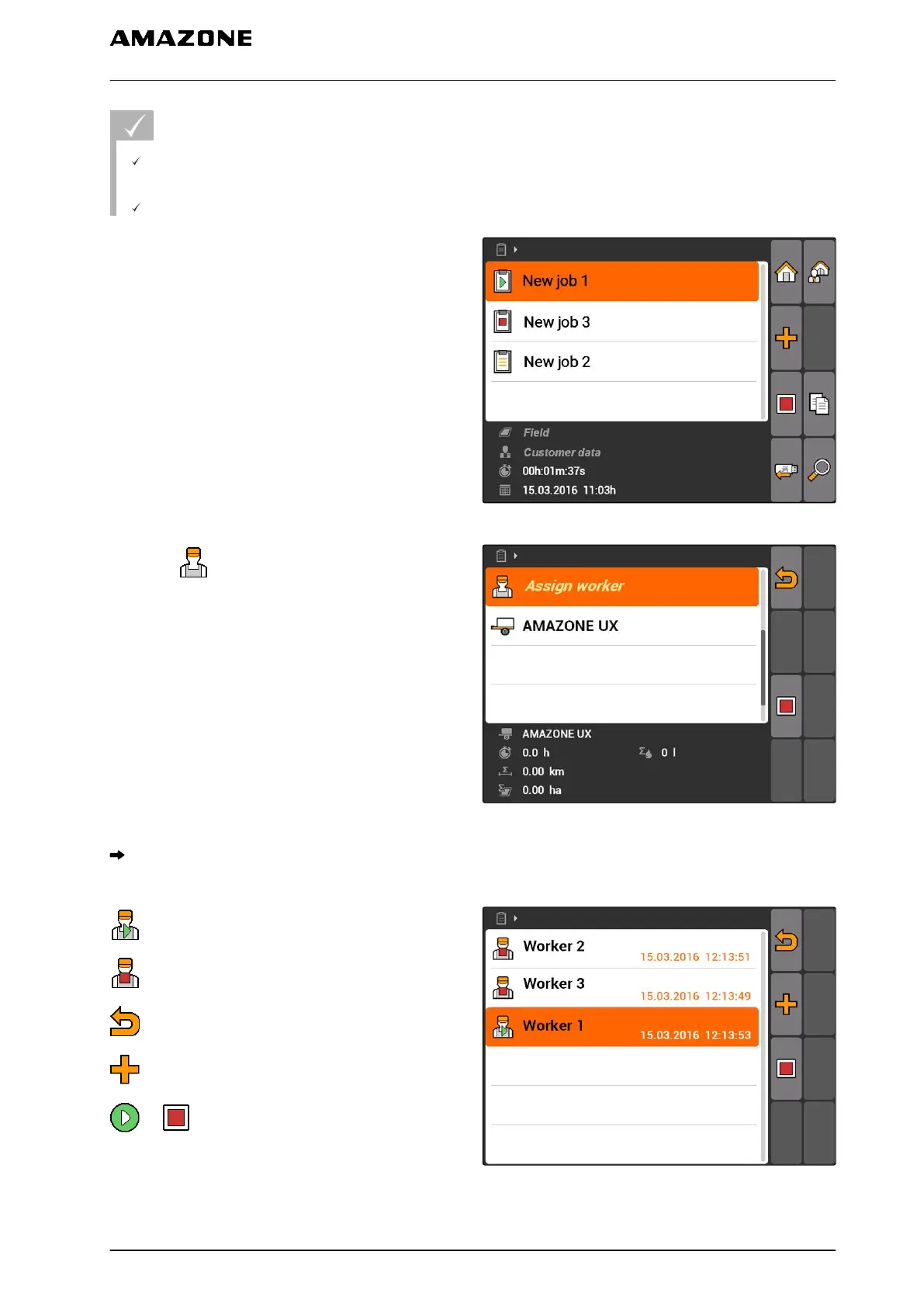
1. Select "Jobs" > Started job.
CMS-I-002248
2. select .
CMS-I-001494
The "Assign worker" menu will be opened. The
already assigned workers will be shown.
: Working time recording started
: Working time recording stopped
: Opens the selected job
: Adds a new worker
or : Starts or stops the working time
recording for the selected worker(s)
CMS-I-001489
10 | Using the job management
Editing jobs
MG5560-EN-II | E.1 | 21.04.2020
59



 To Next Page