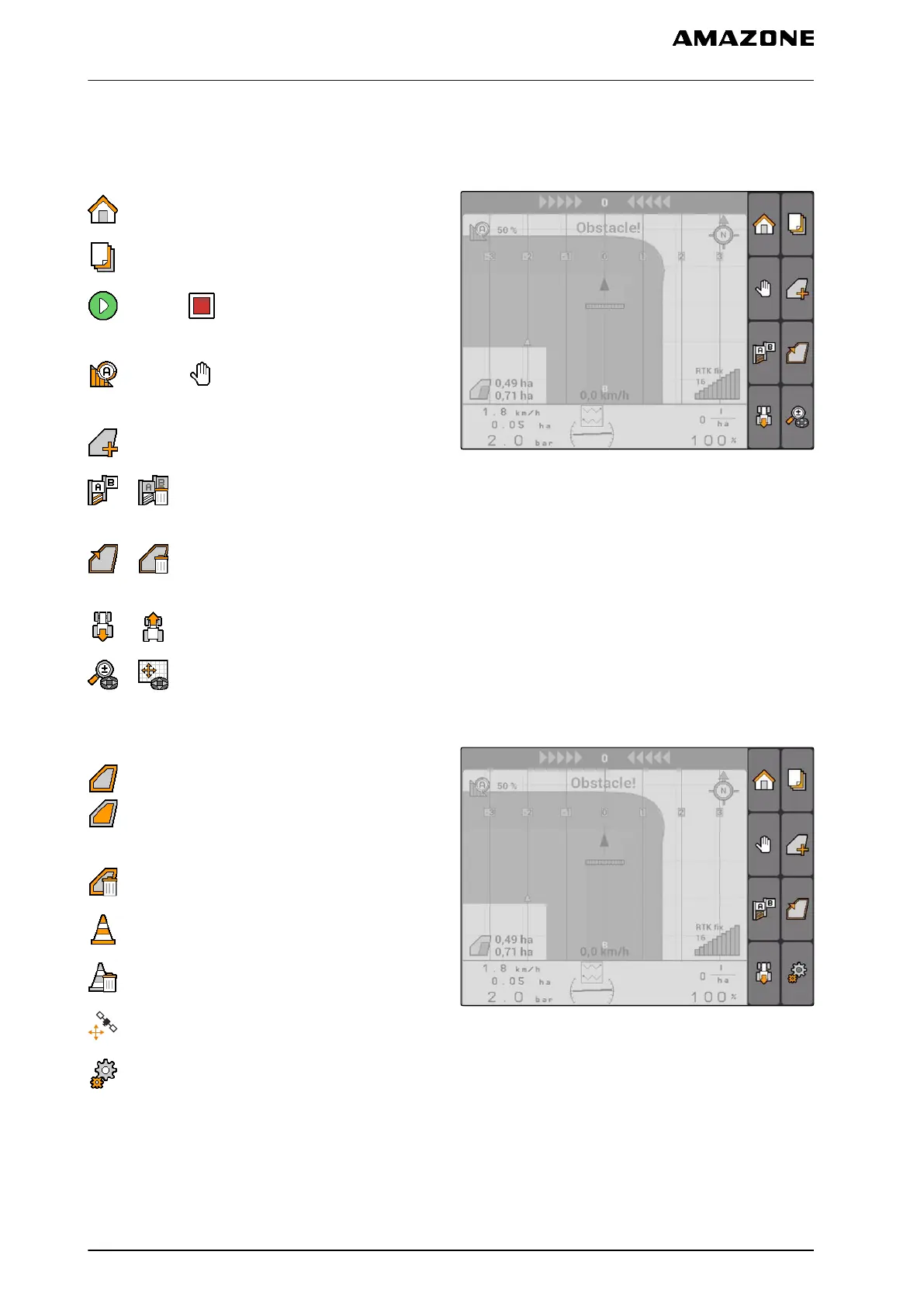
11.1.1.3 GPS switch menu
Page 1
: Opens the main menu
: Changes between Page 1 and Page 2
starts and stops the recording for a manual
implement
starts and stops the recording for an
ISOBUS or AMABUS implement
: Opens the "Field data" menu
or : Create the start point and end point for
track lines or delete the track lines
or : Create field boundary or delete field
boundary
or : Rotates the vehicle symbol
or : Switch between zoom and map panning
CMS-I-001538
Page 2
: Creates the virtual headland and enables it.
: Enables the working of the inside of the field
and blocks the virtual headland
: Deletes the "virtual" headland
: Creates an obstacle
: Deletes the obstacle
: Opens the GPS switch calibration
: Opens the GPS switch settings
CMS-I-001542
CMS-T-005248-B.1
11 | Using the GPS switch
GPS switch overview
MG5560-EN-II | E.1 | 21.04.2020
76



 To Next Page