3-19 Coverage Mapping (Option 431) Spectrum Analyzer Measurements
3-102 PN: 10580-00447 Rev. H Spectrum Analyzer MG
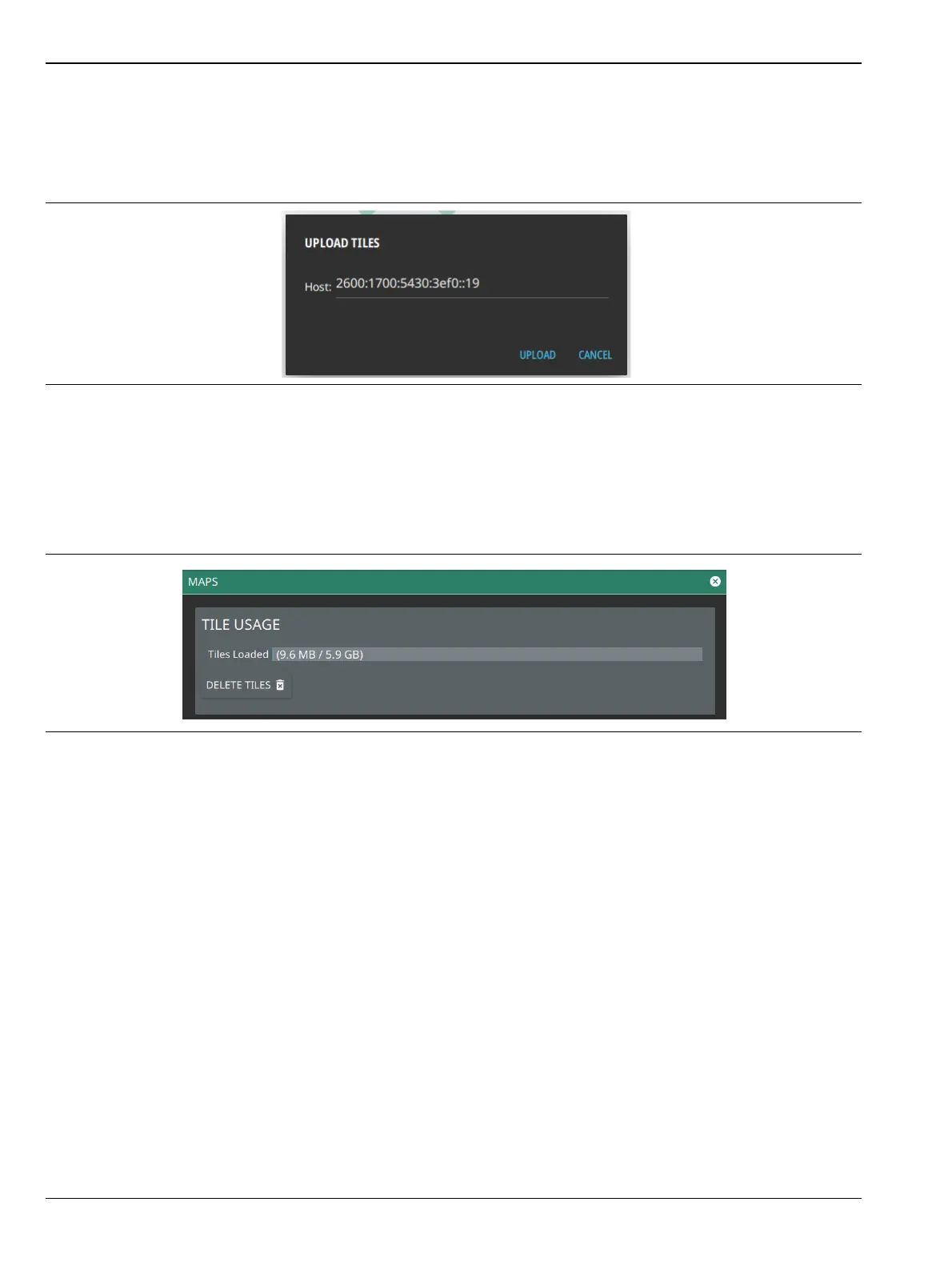
5. If you are using the PC software, click upload icon from the list of available maps to upload the specific
map tiles to the instrument. You will see a dialog to enter the instrument IP address for the upload. If
not automatically detected, enter the instrument IP address, then touch the upload icon. If more than
one map is available, then click UPLOAD ALL... button on the top right corner of the screen, to upload
all the maps.
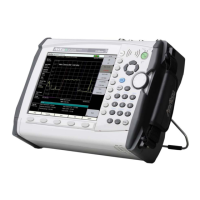
Map Tile Usage and Memory
The instrument can store up to as many tiles as the instrument’s memory. Each time tiles are generated or
uploaded to the instrument, they are added to the existing tile storage. Once full, no more map tiles can be
added and existing tiles will need to be deleted to make space. Delete tiles from the Settings > MAPS menu,
accessed from the top left System menu icon.
Figure 3-83. UPLOAD TILES Dialog
Figure 3-84. System Settings Map Menu









 To Next Page