2.10 Windows Security Measures
2-31
2
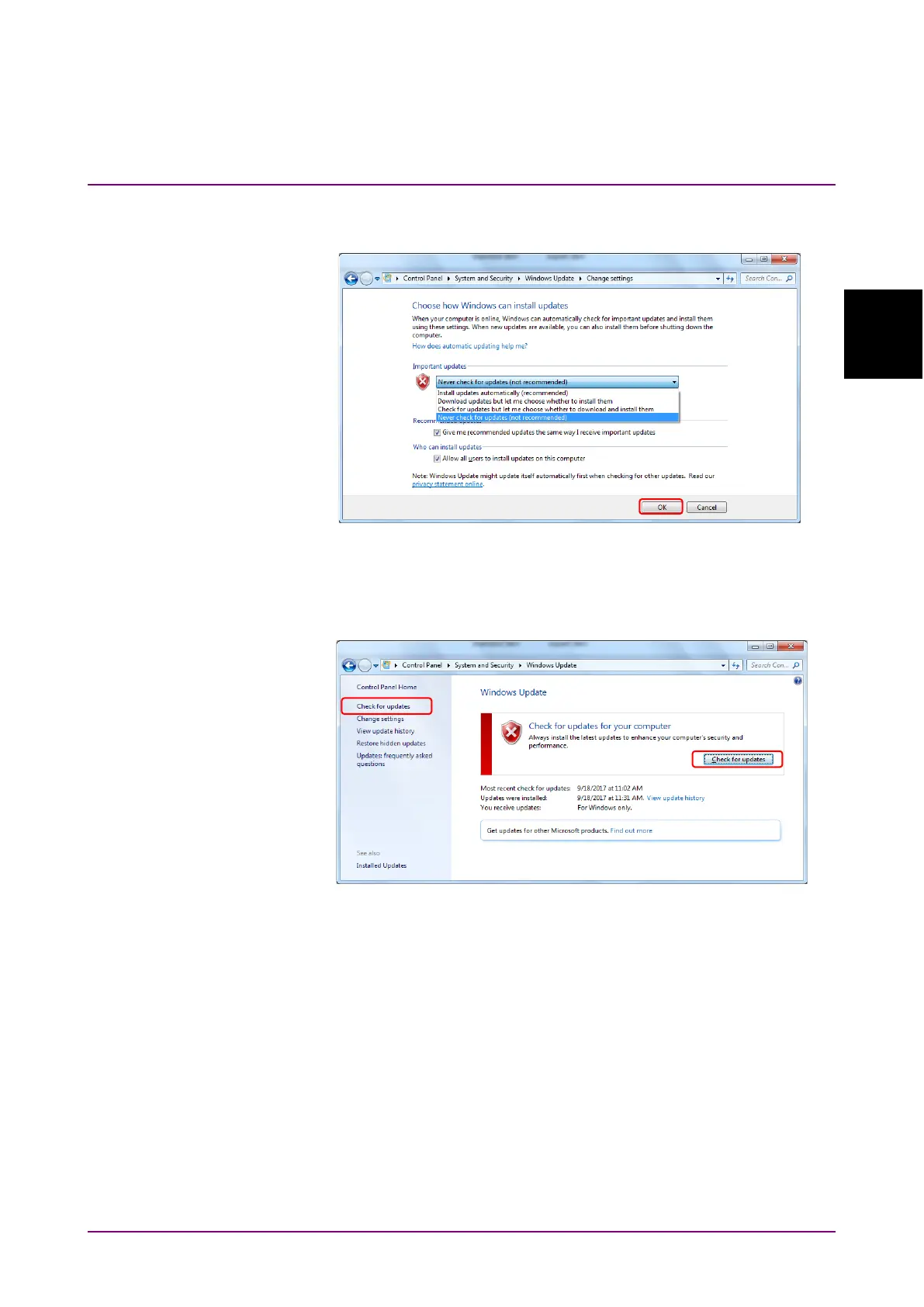
4. Select Never check for updates (not recommended) in Important
updates, then click
OK.
Figure 2.10.1-2 Change settings display
5. To check for newly available update programs (manual update), click
Check for updates in Windows Update display.
Figure 2.10.1-3 Windows Update display (manual update)
6. When a new update program is found, download and install following
the displayed instructions.














 To Next Page