Chapter 2 Before Use
2-32
When the OS is Win10
1. Click the Start ( ) to open the Start menu, and then click Settings
( ).
2. Click
Update & Security to show Windows Update window.
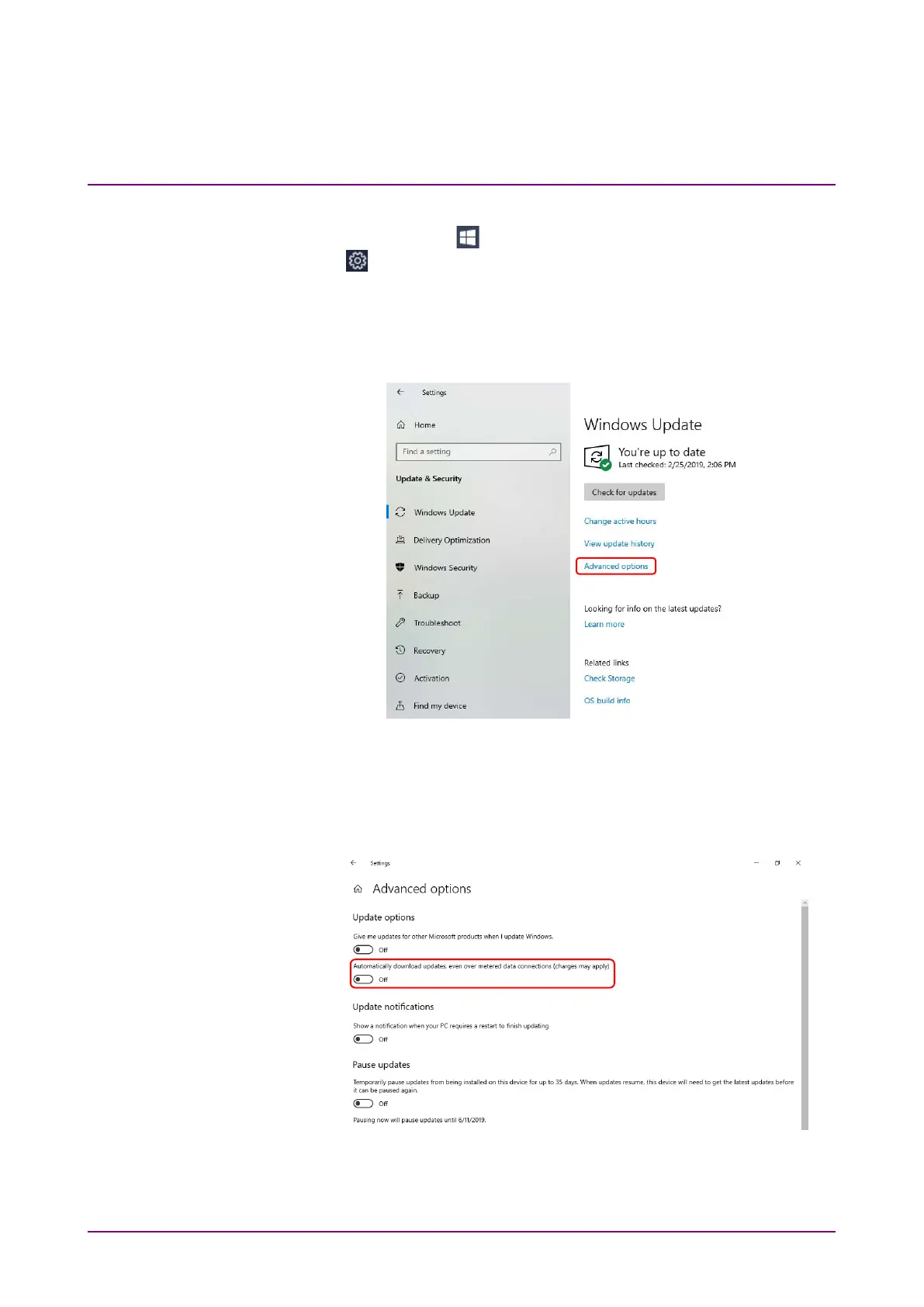
3. To turn off automatic updates, select
Windows Update found in left
side of Windows Update window, and then click
Advanced options.
Figure 2.10.1-4 Windows Update Window
4. Advanced options window will be shown.
Confirm if
Automatically download updates even over metered data
connections (charges may apply) is set to Off.
Figure 2.10.1-5 Advanced options Window














 To Next Page