What is AttitudeControl and how to use it
Gyro channel (combined switch mode)
As an alternative to using a separate channel for activating the AttitudeControl
you can also use the gyro gain channel, i.e. when you only have a 6-channel
transmitter or when using a receiver with standard wiring (here we simply
can't connect an additional channel physically). The activation of AttitudeControl
will work quite similar as described above for the separate switch channel. Moving the
channel into one direction will activate the AttitudeControl and the amount of deflection
of the channel determines the stabilization gain, when moving the gyro channel into
the other direction the leveling is disabled. But additionaly here the gyro gain channel
also still adjusts the gyro gain. Precisely this happens when the channel is moved in
the direction where the leveling is disabled. Here the amount of deflection adjusts the
gyro gain and sets the gyro into heading lock mode. So for example you would assign a
switch to the gyro gain channel and adjust the throw into one direction to let's say -50%
and in the other direction to +60%, resulting in a gyro gain of 50% and a stabilization
gain of 60%. By flipping the switch you can activate/deactivate the AttitudeCon-
trol instead of toggling the tail gyro between ”Normal-Rate” and ”HeadingLock” mode.
The gyro gain value of -50% will be saved internally when switching into positive direction.
Menu-
LED
N M L K J I H G F E D C B A B C D E F G H I J K L M N
Tail gyro
gain
100% 96% 88% 80% 72% 64% 56% 48% 40% 32% 24% 16% 8% 0% last value
Atti-
tude-
Control
gain
- 8% 16% 24% 32% 40% 48% 56% 64% 72% 80% 88% 96% 100%
Aux-
iliary
channel
-100 -96 -88 -80 -72 -64 -56 -48 -40 -32 -24 -16 -8 0 8 16 24 32 40 48 56 64 72 80 88 96 100
Atti-
tude-
Control
Status
off on
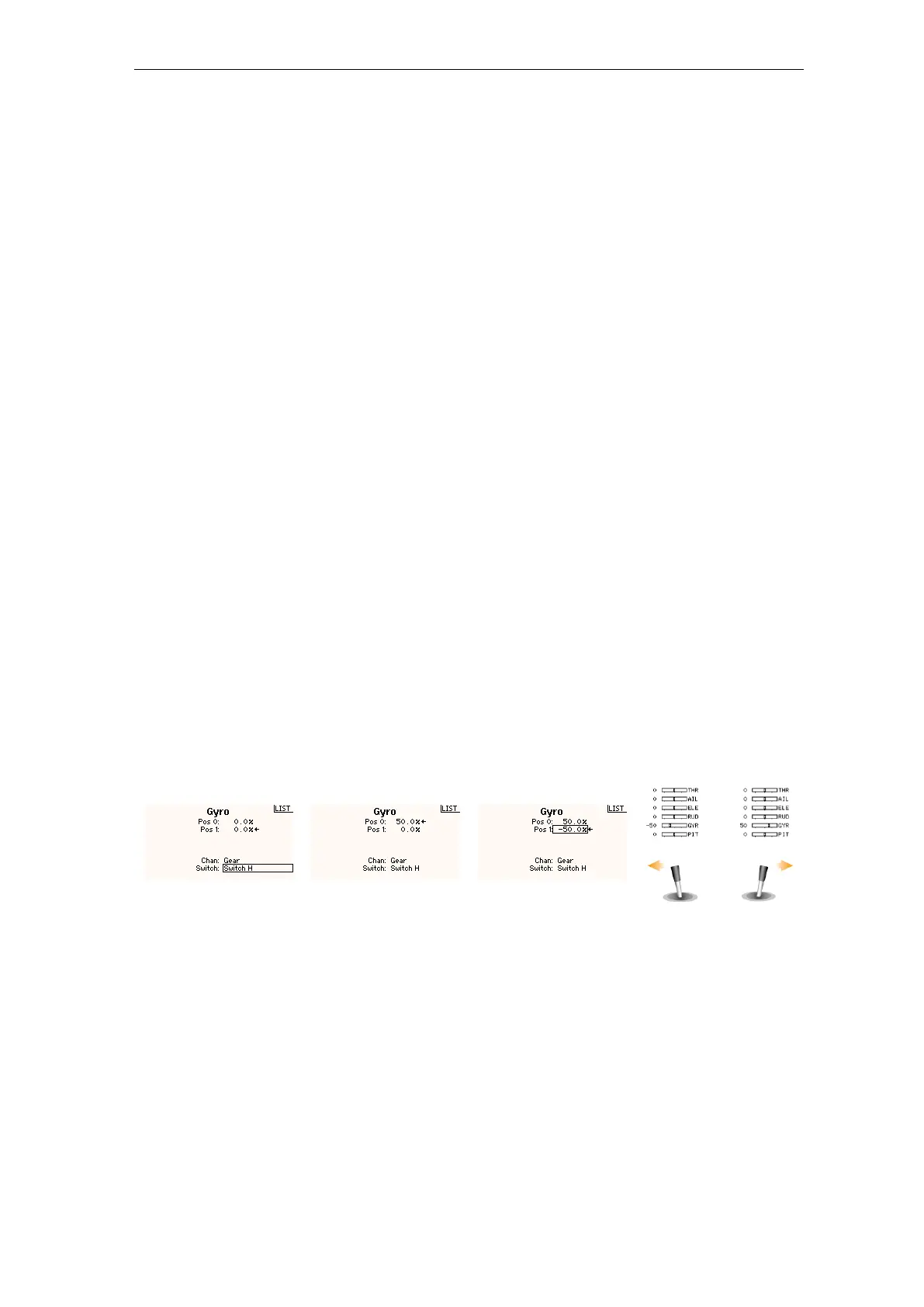
Figure 135 Figure 136 Figure 137
Figure 138
In the transmitter's gyro menu we assign a switch to control
the gyro channel (channel 5).
When the switch is released we can set the tail gyro gain. As
starting point we use 50% gain (=50% deflection).
When we pull the switch for AttitudeControl the channel is
moved to the opposite direction. Here we set -50% deflection
which sets the AttitudeControl gain to 50% as well.
Use the servo monitor to check if the gain channel is changing
direction when actuating the ”rescue switch”.
266



 To Next Page