Usage instructions
Following the Bank display you will see the AttitudeControl display for additional 4
seconds. When LED A flashes AttitudeControl is off, otherwise one of the Menu LEDs B -
N shows the amount of AttitudeControl gain, see AttitudeControl instructions
1
for further
informations.
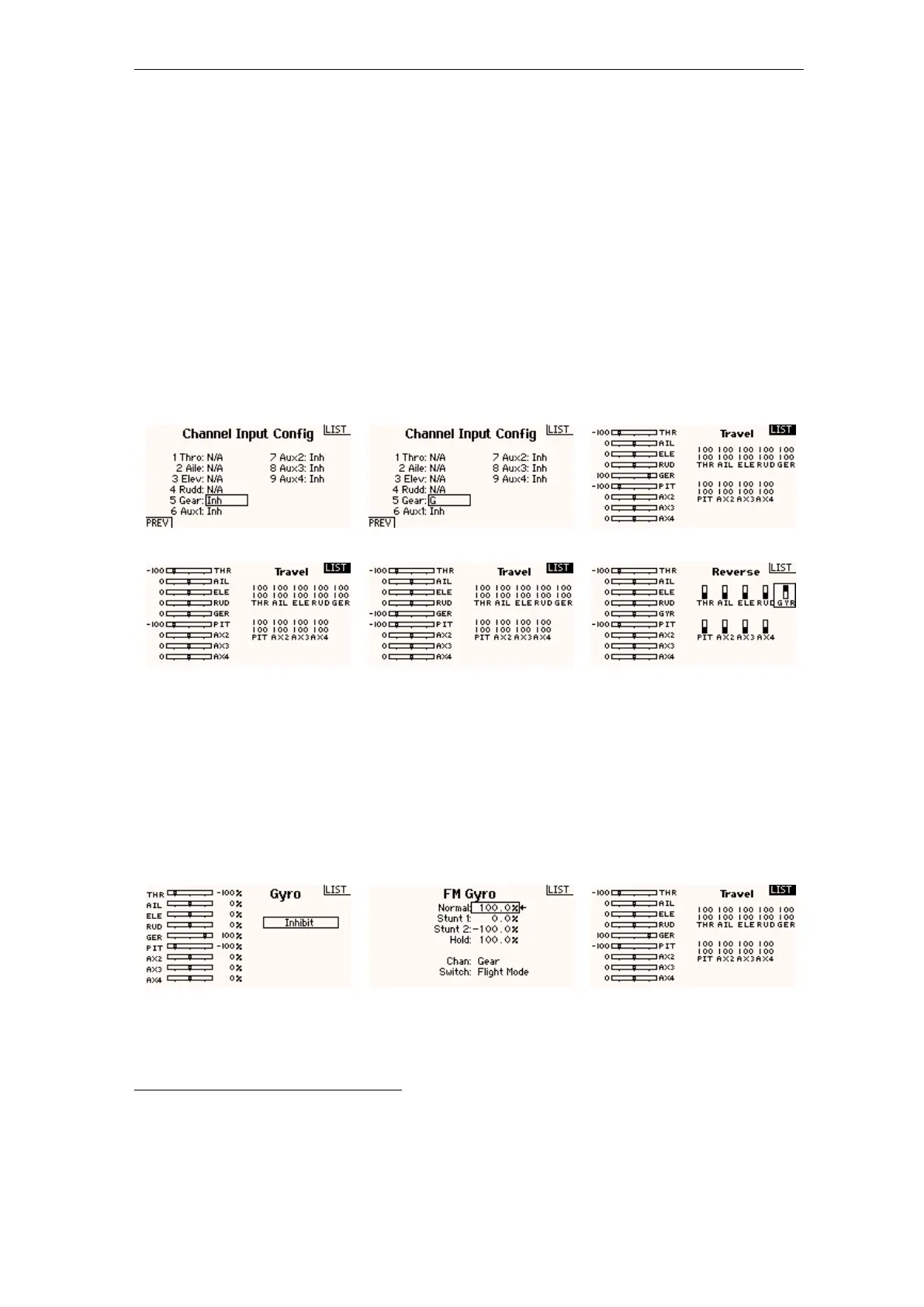
In order to use bank switching in flight either you can assign a 3 - position switch on
your transmitter to the gyro channel (which is used for bank switching now) and select
banks randomly or you can link the gyro channel with you flight mode switch, so that the
parameter banks are set automatically for each flight mode.
Using a 3-Position switch to toggle parameter banks
Figure 150 Figure 151 Figure 152
Assign a switch to the gyro channel... ... here we use switch G In the servo monitor you can see how the switch changes the output
of gyro channel
Figure 153 Figure 154 Figure 155
0% (=Bank 2) -100% (=Bank 3) If you like to inverse the switch direction just reverse the gyro
channel in your transmitter
Using the flight mode system of your radio to automatically switch parameter
banks
Figure 156 Figure 157 Figure 158
Activate the gyro function in your transmitter... ... and use the flightmodes to control the gyro channel. Set the
values to select banks for each flight mode as necessary.
As already mentioned use the servo monitor and the display on the
device to check whether everything is working as expected.
1
https://wiki.beastx.com/./index.php/Manuals:MBPlusFblV5:AttitudeControl/en
284



 To Next Page