Buttonholes
120
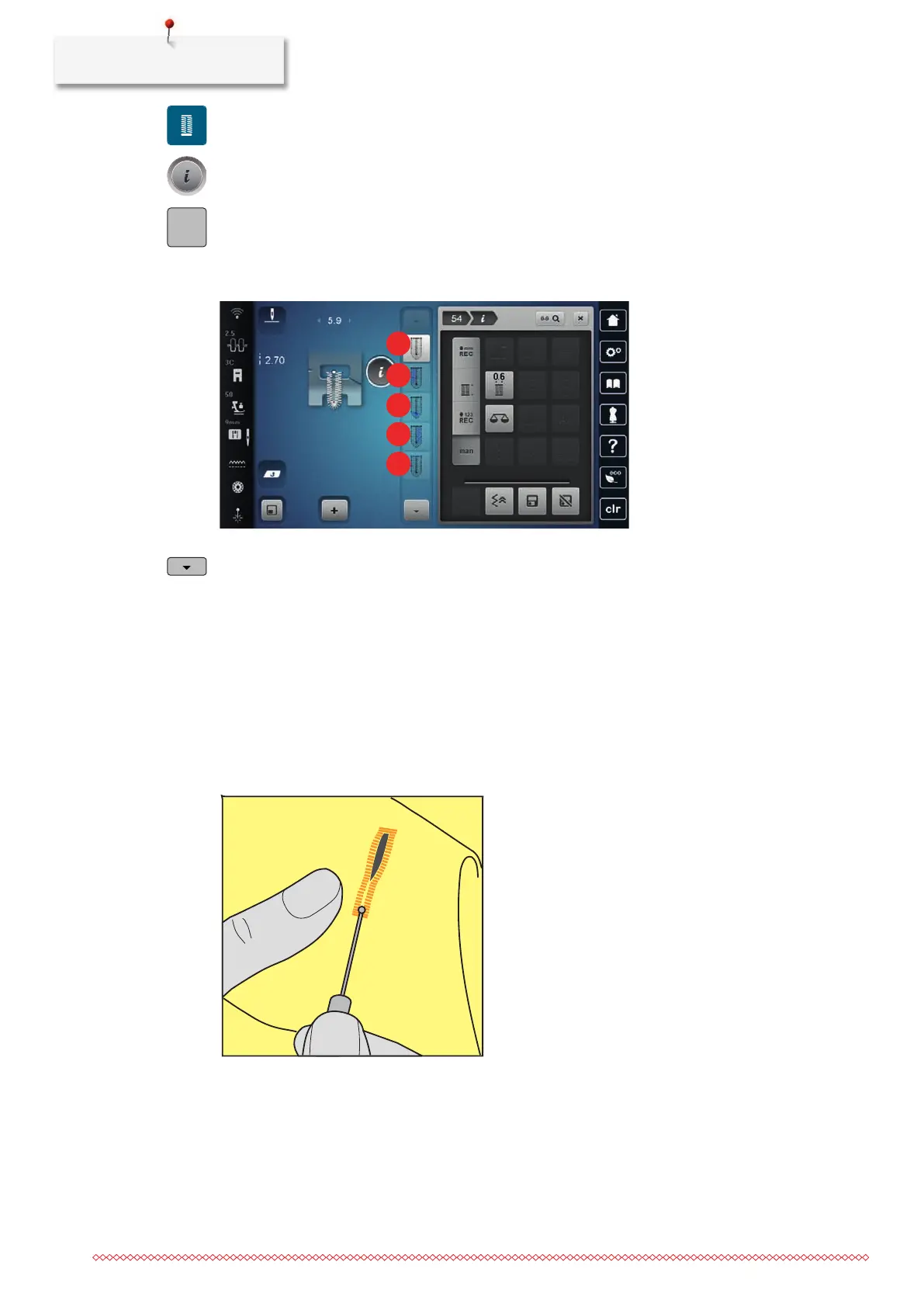
> Tap «Buttonholes».
> Select Round Buttonhole with Normal Bartack54.
> Tap «i-Dialog».
> Tap «Manual Length Adjustment».
– Step1 is activated in the display to start the buttonhole.
> Sew the desired length of the buttonhole.
– Step2 is activated.
> Stop when the required length of the bead or the length marking is reached.
> Step3 appears by tapping «Scroll Down».
> The machine sews the curve or the eye and stops automatically.
> Step4 appears by tapping «Scroll Down».
– The machine sews the second bead in reverse.
> Stop the machine at the level of the first stitch where the buttonhole begins.
> Step5 appears by tapping «Scroll Down».
– The machine sews the upper bartack and secures automatically.
9.14 Cutting the Buttonhole Open with the Seam Ripper
> Place a pin in each end of the buttonhole to avoid accidental cutting into ends of buttonhole.
> Cut the buttonhole from both ends to the middle.


 To Next Page