Creative Embroidering
154
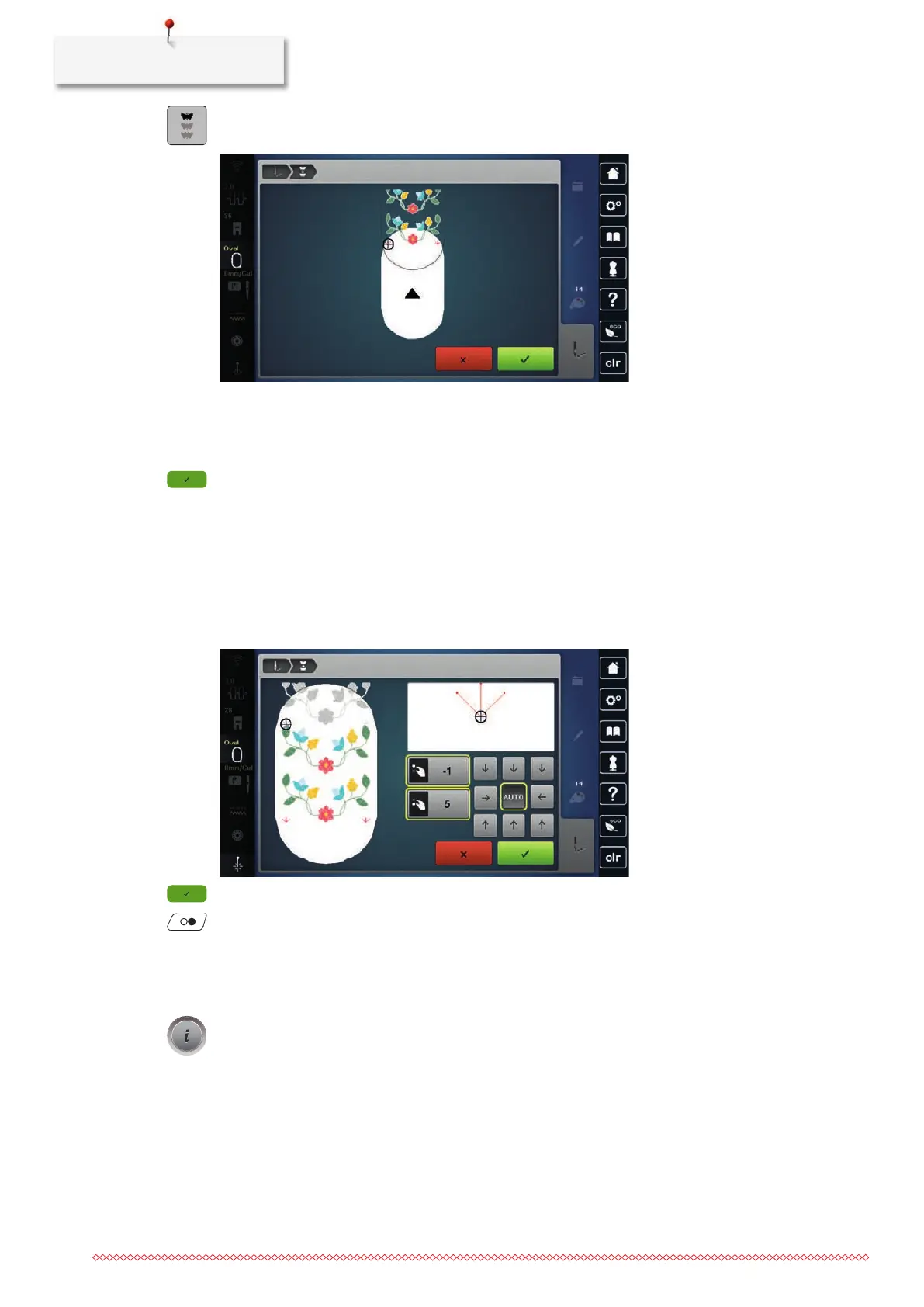
> After the reference points have been embroidered, tap «Endless Embroidery».
– An animation appears to indicate that the fabric needs to be rehooped.
> Remove the hoop and hoop the fabric in such a way that the embroidered reference points are in the
upper embroidery area of the hoop and the reference points are located at least 3cm (1.18inch) away
from the upper edge of the hoop.
> Attach the hoop.
> Tap «Confirm».
– The hoop is automatically moved close to the reference point.
– The icon «AUTO» is activated, and the hoop automatically moves to the vicinity of the last reference
point.
> Use the arrow icons to determine on which side of the embroidered part the next reference point should
be placed.
> To position the embroidery hoop precisely, turn the «Upper Multi-function Knob» or the «Lower Multi-
function Knob».
> Tap «Confirm».
> Press the button «Start/Stop» and continue embroidering.
> Repeat these steps until the desired length of the border is completed.
Duplicating the Embroidery Design
> Select the embroidery design.
> Tap «i-Dialog».



 To Next Page