BERNINA Stitch Regulator (BSR)
127
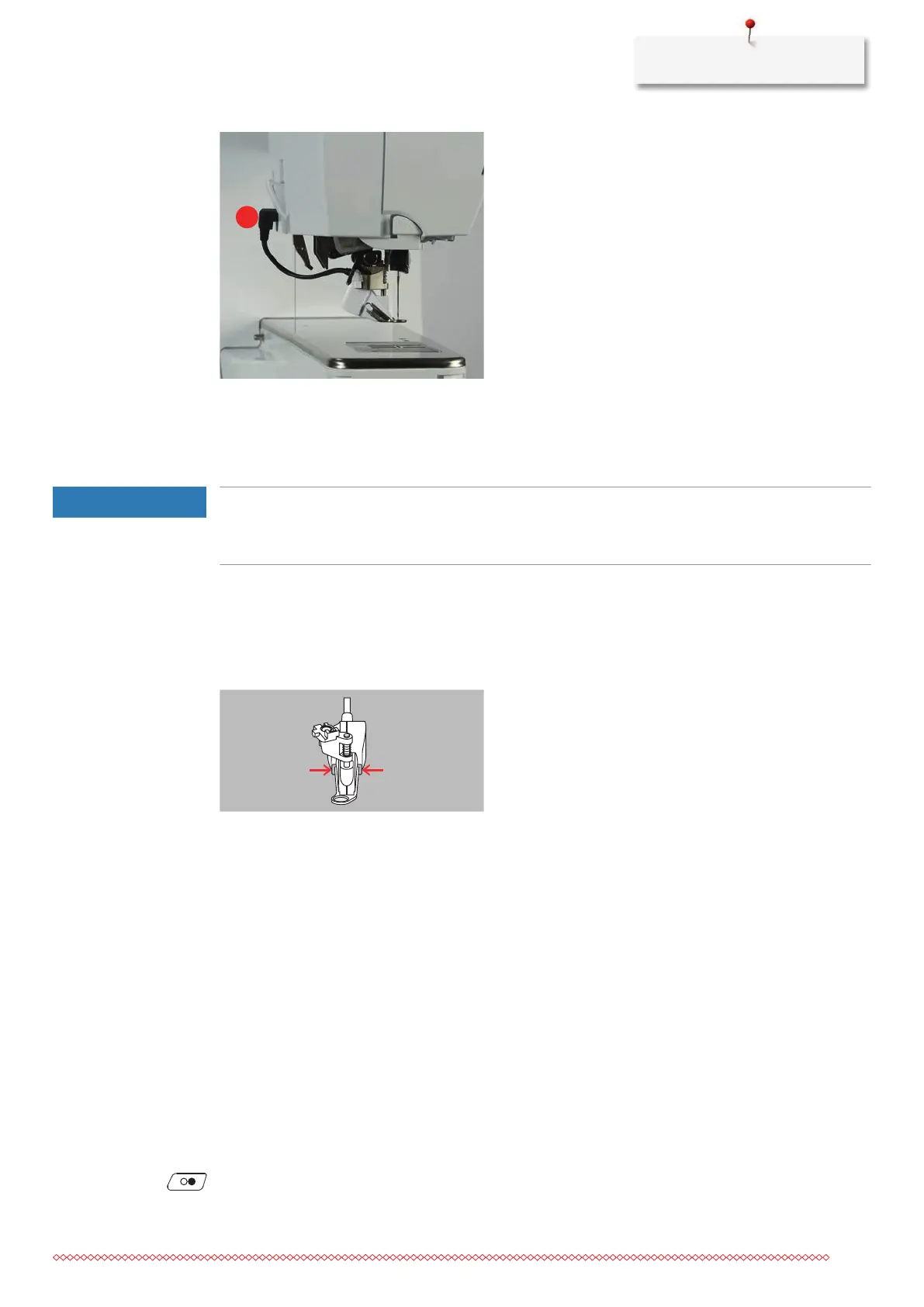
> Insert the cable of the BSR Foot into the connection (1).
> Switch the machine on.
– The BSR display opens and the BSR1 Mode is activated.
Changing the Presser Foot
The Lens of the BSR Presser Foot is Dirty
The machine doesn't recognize the BSR presser foot.
> Clean the lens with a soft, slightly damp cloth.
> Raise the needle.
> Raise the BSR foot.
> Switch off the machine.
> Remove the BSR foot from the machine.
> Press both push buttons at the BSR foot against each other.
> Pull the presser foot sole out of the guide downwards.
> Insert the new presser foot sole into the guide and push upwards until it clicks into place.
> Attach the BSR presser foot.
11.7 Using the BSR Mode
The BSR function can either be operated via the foot control or via the button «Start/Stop».
Start via the Foot Control: The foot control must be pressed down while quilting is in progress. The machine
keeps running in BSR Mode1 until the foot control is released, even if the fabric is not moved.
If quilting in BSR Mode2 is stopped, the machine sews another stitch depending on the needle position and
stops with needle position up.
• The slide-on table has been fitted.
• The knee lifter is attached.
> Lower the feed dog.
> Select the desired BSR Mode.
> To lower the presser foot, push the button «Start/Stop» or press the foot control.
> To start the BSR Mode, push the button «Start/Stop» again or press and hold the foot control again.
– A red light is lit on the BSR Presser Foot.


 To Next Page