Creative Sewing
80
5.8 Stitch Designer
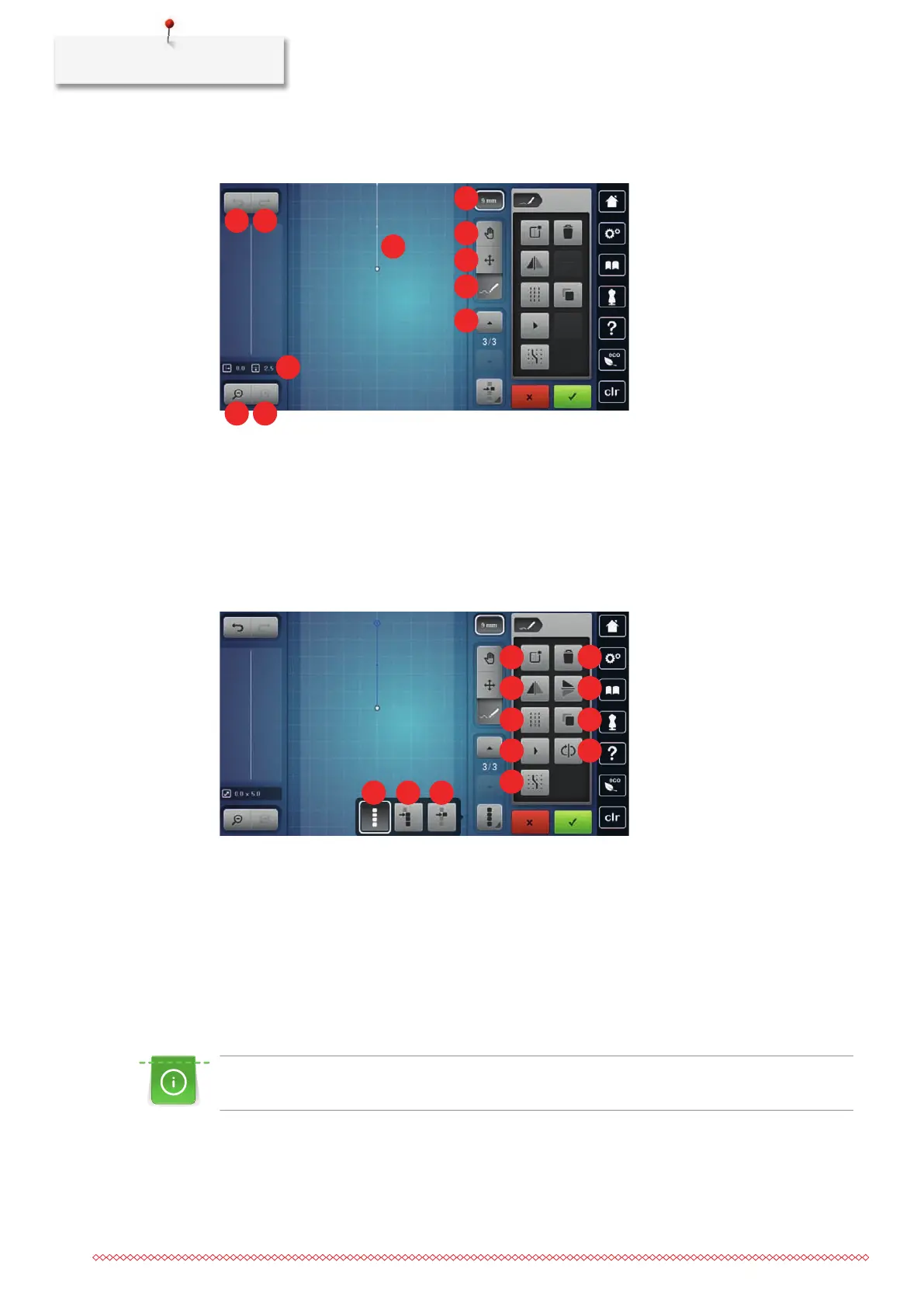
Overview Stitch Designer
1 «Undo Entries» 7 «Limit Pattern Width»
2 «Redo Entries» 8 «Move View»
3 Point Position 9 «Relocate Points»
4 «Zoom Out» 10 «Insert/Edit a Stitch»
5 «Zoom In» 11 «Scroll Through Points»
6 Stitch Pattern View
1 «Select all Points» 7 «Mirror Image Up/Down»
2 «Select from a Particular Point» 8 «Triple Stitch»
3 «Select a Single Point» 9 «Duplicate»
4 «Create a New Stitch Pattern» 10 «Virtual Sew Out»
5 «Deleting» 11 «Reverse the Stitch Sequence»
6 «Mirror Image Left/Right» 12 «Snap to Grid»
Creating Your Own Stitch Pattern
The stitch patterns which have been created in the Stitch Designer can be saved in your «Personal
memory».
The Stitch Designer allows creating your personal stitch patterns as well as editing existing stitch patterns.
You can create your own stitch patterns on the display by free movement.
In the left portion of the display the position of the currently active point is indicated additionally: The
horizontal distance of the point to the center line is indicated in millimeters. The vertical distance of the point
to the previous point is also indicated in millimeters.



 To Next Page