Creative Embroidering
170
• A trim embroidery design must be saved on a separate storage medium. The reference points must be
included in the embroidery design.
> Select trim embroidery designs from the separate storage medium.
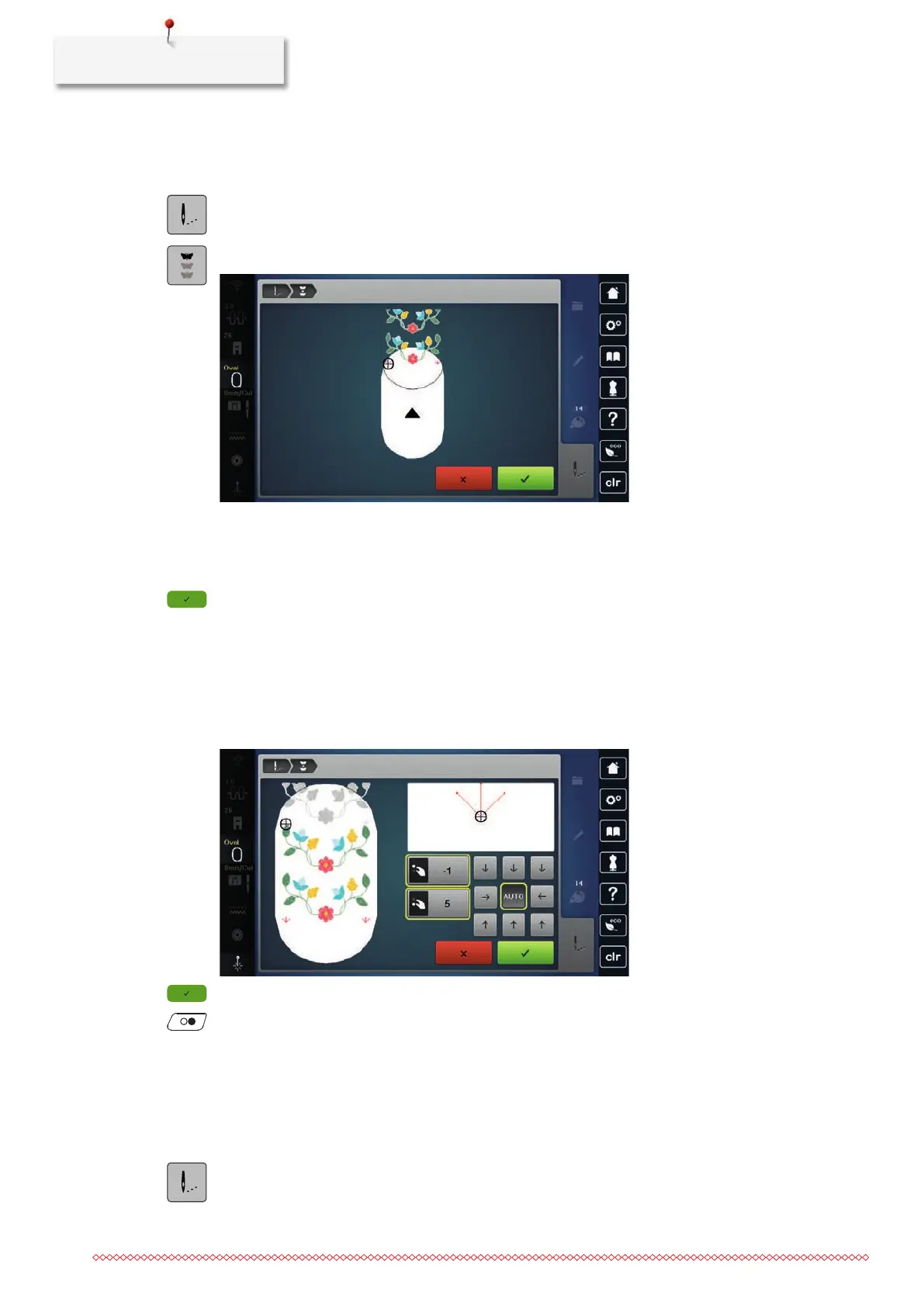
> Tap «Embroidery».
> Tap «Endless Embroidery».
> Remove the hoop and spin the fabric in such a way that the embroidered reference points are in the
upper embroidery field of the hoop and the reference points are located at least 3cm (1.18inch) away
from the upper edge of the hoop.
> Attach the hoop.
> Tap «Confirm».
– The hoop is automatically moved close to the last stitch.
– The icon «AUTO» is active and the hoop automatically moves close to the last reference point.
> Use the arrow icons to determine the side of the embroidered section on which you want to position the
next reference point.
> To position the embroidery hoop precisely, turn the «Upper Multi-function Knob» or the «Lower Multi-
function Knob».
> Tap «Confirm».
> Press the button «Start/Stop» and continue embroidering.
> Repeat these steps until the required length of the trim has been achieved.
Color Indication
Every color of the embroidery design can be selected individually. The hoop moves to the first stitch of the
current color. The currently active color can be embroidered individually or in another sequence.
> Select the embroidery design.
> Tap «Embroidery».
> Touch the icon Scroll up to select the previous color of the embroidery design.



 To Next Page