Creative Embroidering
167
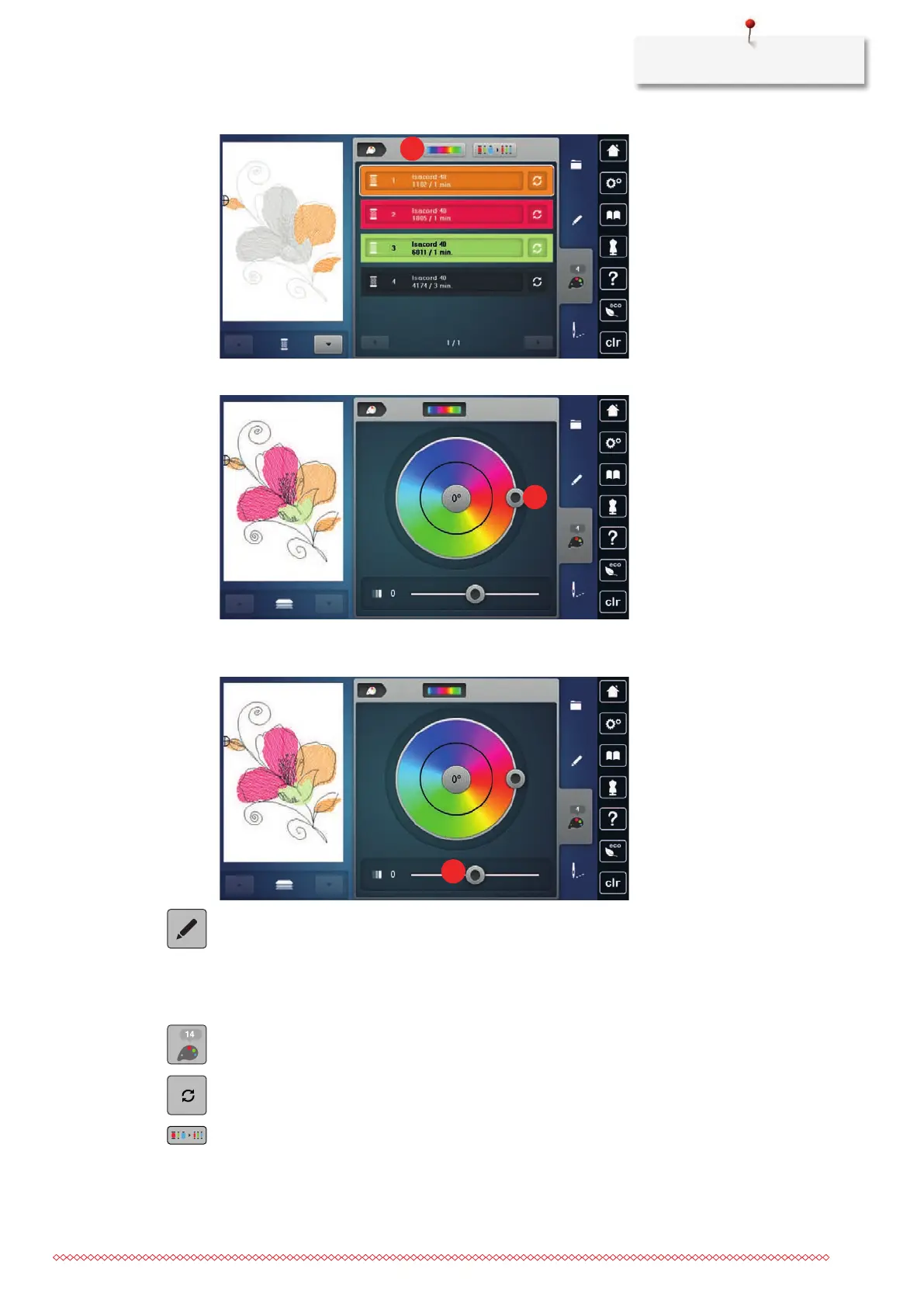
> Tap «Color Wheel»(1).
> To change the colors of the embroidery design, turn the knob(2) clockwise or counterclockwise.
> To undo the changes, tap the value in the center of the color circle.
> To modify the brightness of the colors, move the slider(3).
> Tap «Edit».
– The settings are applied, and the embroidery design can be seen in the new colors.
Changing the Thread Brand
> Select the embroidery design.
> Tap «Color Information».
> Tap «Altering Color/Brand».
> To display other thread brands, scroll to the left and to the right.
> Tap «Assign Thread Brand».
– Any thread colors of the selected embroidery design will be matched with the selected thread brand.



 To Next Page