Creative Sewing
65
5 Creative Sewing
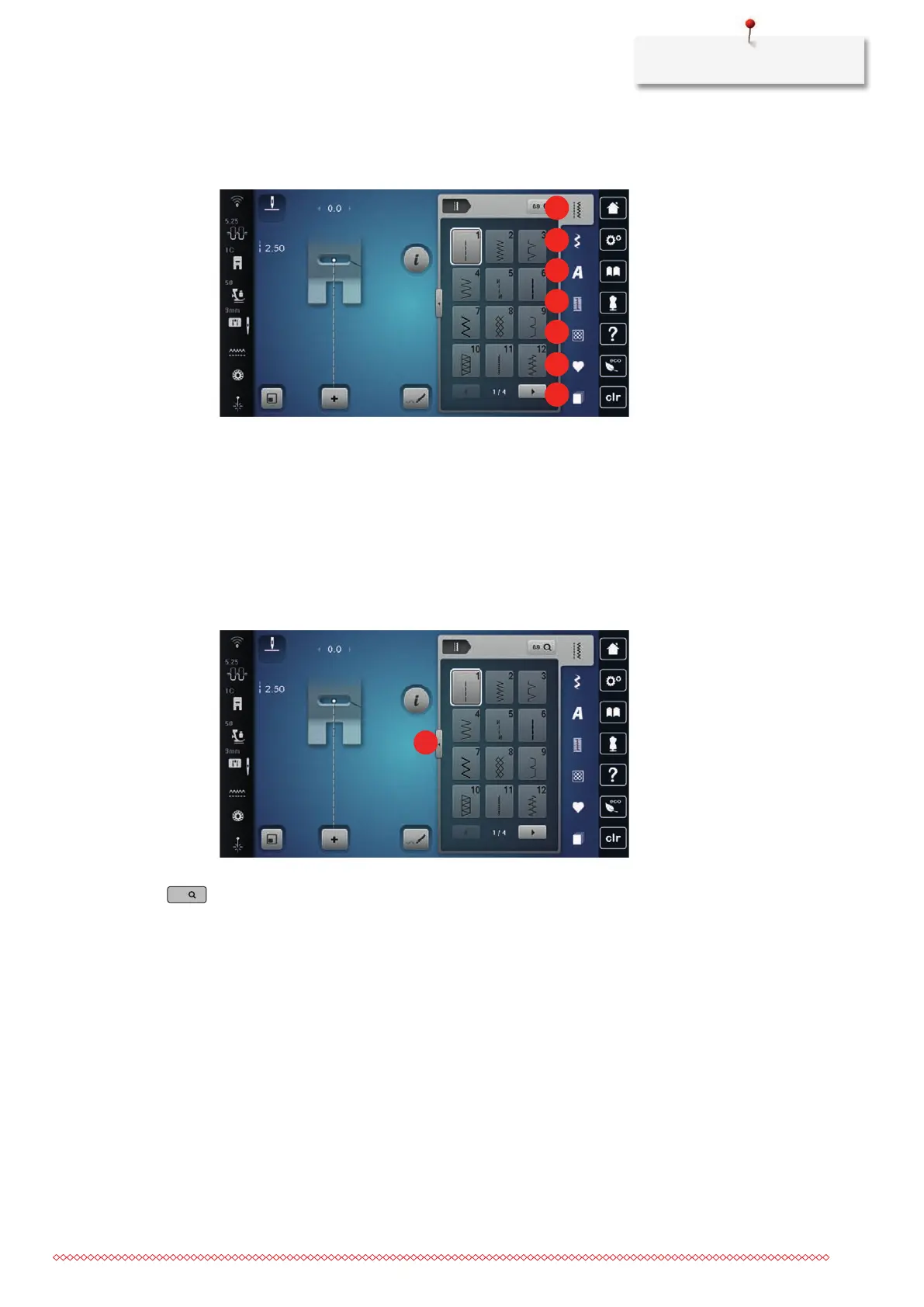
5.1 Overview Selection Menu Sewing
1 «Practical Stitches» 5 «Quilt Stitches»
2 «Decorative Stitches» 6 «Personal Memory»
3 «Alphabets» 7 «History»
4 «Buttonholes»
Selecting a Stitch Pattern
> Select a stitch pattern, alphabet or buttonhole.
> To increase the view, tap «Increasing/Decreasing the Display Size»(1).
> To decrease the view, tap «Increasing/Decreasing the Display Size» again.
> To select the stitch pattern via the stitch number entry, tap «Select Stitch Pattern by Number».
5.2 BERNINA Dual Feed
The BERNINA Dual Feed feeds the fabric from above and from beneath simultaneously. This provides an even
and careful feed forward even for smooth and thin materials. Striped and checkered patterns can be
matched perfectly by even feeding.
In general, the BERNINA Dual Feed is used for the following sewing projects:
• Sewing: All sewing projects with difficult fabrics, e.g. seams, zippers
• Patchwork: With accurate stripes, blocks and with decorative stitches up to a stitch width of 9mm
• Appliqués: Sewing on ribbons and bias binding
Difficult-to-work-with fabrics are:
• Velvet, normally sewn with the grain
• Toweling
• Jersey, especially when sewing it crosswise to knit
• Fake fur or coated fake fur



 To Next Page