Setup Program
56
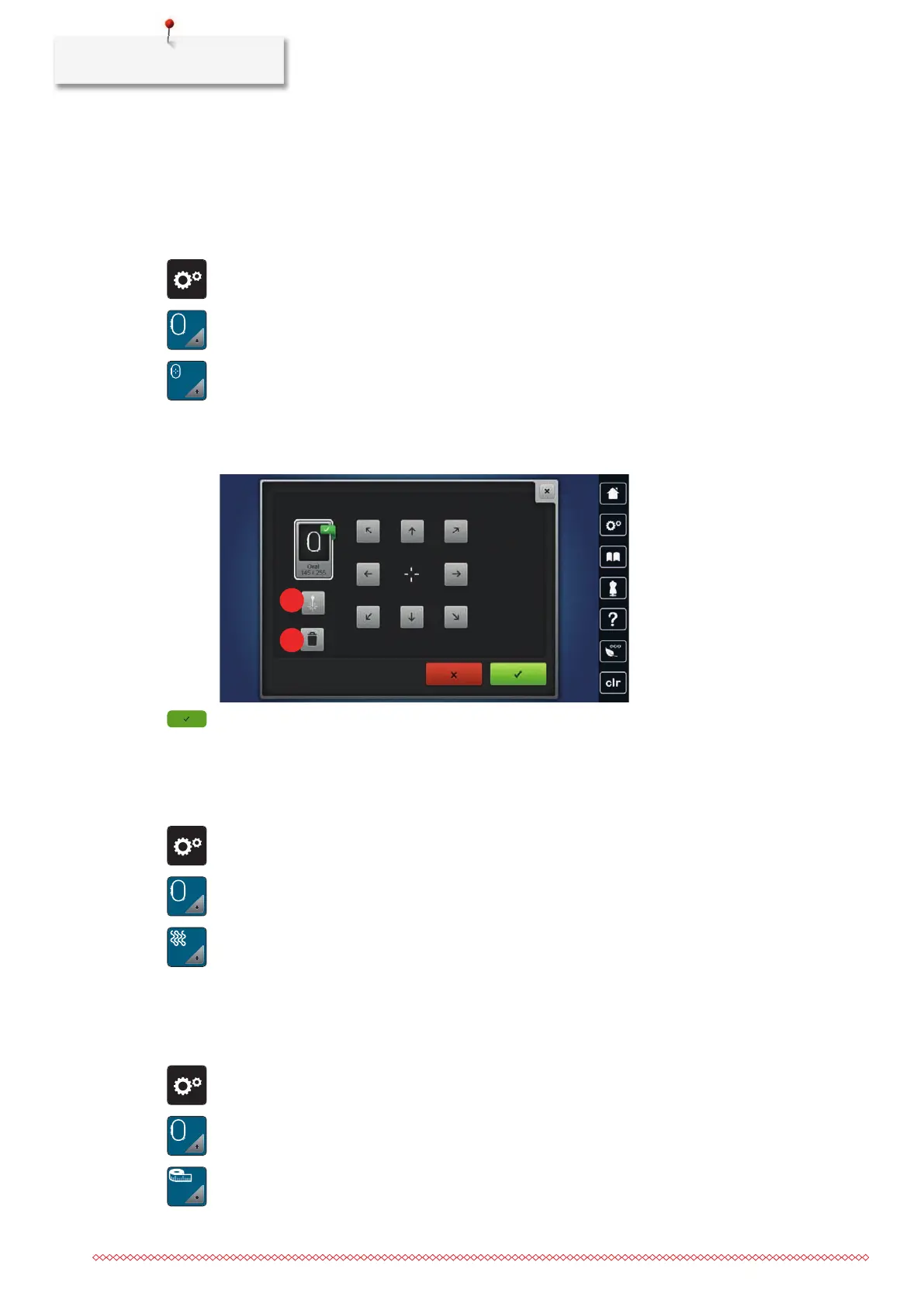
Calibrating the Embroidery Hoop
The calibration of the embroidery hoop is the coordination of the needle to the center of the embroidery
hoop.
• The embroidery module is connected and the embroidery hoop with the appropriate embroidery
template is attached.
> Tap «Setup Program».
> Tap «Embroidery Settings».
> Tap «Calibrating the Embroidery Hoop».
– The machine recognizes the embroidery hoop automatically.
> To delete the current calibration, tap «Deleting»(1).
> Center the needle via the arrow icons on the display. For the precise positioning of the needle, the laser
(2) can be switched on.
> To save the calibration, tap «Confirm».
Setting the Stitch Length
The set stitch length (stitches per inch) is used when embroidering quilt patterns, even if the quilt pattern has
been changed in size.
> Tap «Setup Program».
> Tap «Embroidery Settings».
> Tap «Stitch Length».
> Set the stitch length.
Changing the Measuring Unit
The measuring unit in the Embroidery Mode can be changed from mm to inch. The standard setting is in
mm.
> Tap «Setup Program».
> Tap «Embroidery Settings».
> Tap «Measuring Unit».
> To display the measurements in the Embroidery Mode in inch, tap «inch».
> To display the measurements in the Embroidery Mode in mm, tap «mm».



 To Next Page