Sewing Preparation
48
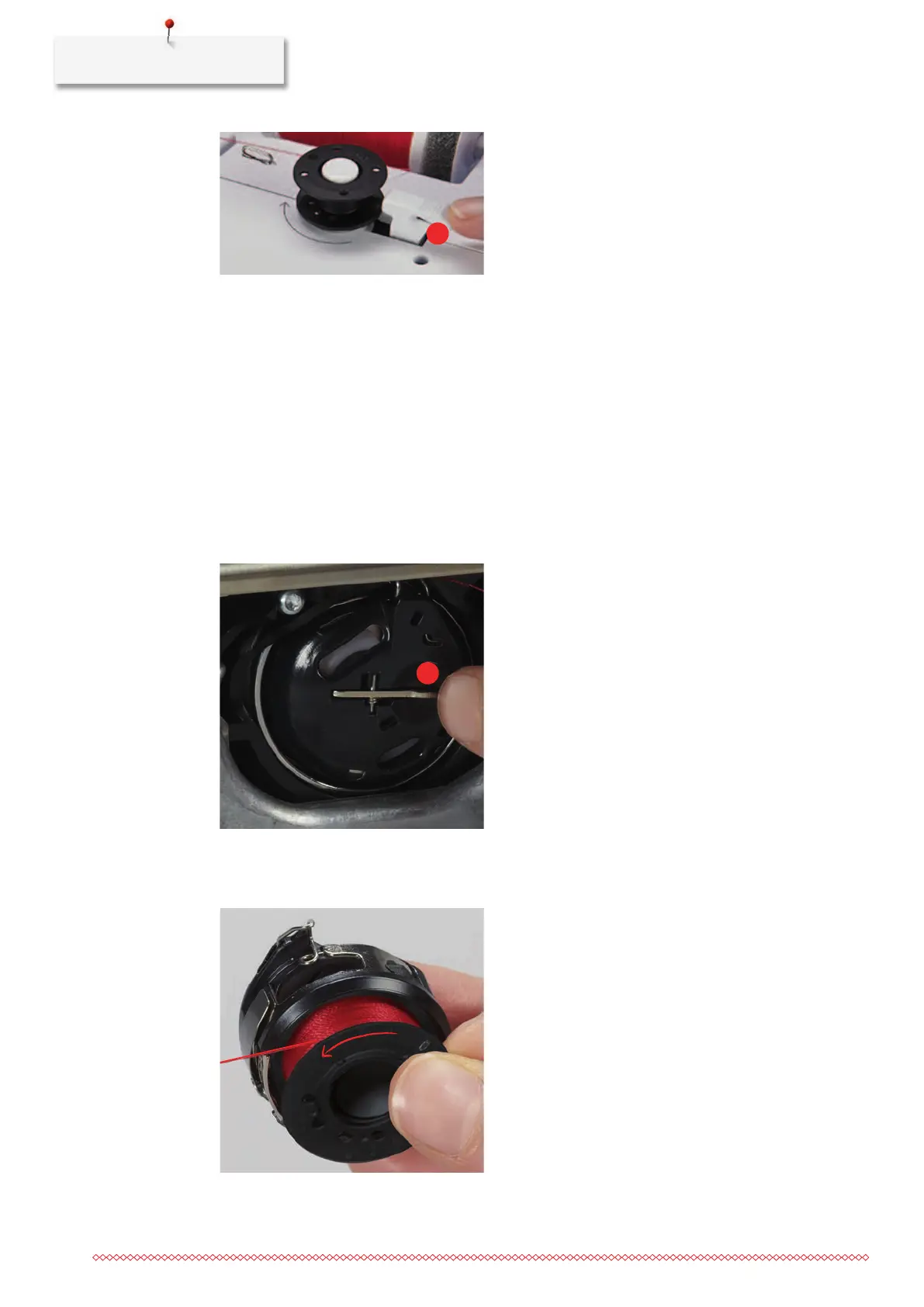
> Push the engaging lever (6) against the bobbin.
– The machine winds and the display to wind the bobbin appears.
> Set winding speed.
> To stop the winding process, push the engaging lever to the right.
> To continue the winding process, push the engaging lever against the bobbin again.
– As soon as the bobbin is full, the machine stops the winding process automatically.
> Remove the bobbin and cut the thread using the thread cutter at the engaging lever.
Threading the Bobbin Thread
• The needle is raised.
• The machine is switched off and the bobbin cover is opened.
> Press the bobbin case release at the bobbin case(1).
> Remove the bobbin case.
> Remove the bobbin from the bobbin case.
> Insert the new bobbin so that the silvery sensor surface is facing the back of the bobbin case.



 To Next Page