Creative Embroidering
162
> Select the embroidery motif group.
> Tap «Ungroup».
– The grouping is canceled.
or
> Create an embroidery motif combination.
> Select all embroidery motifs (2).
> Tap «i-Dialog».
> Tap «Group».
– All embroidery motifs are added to the embroidery motif group.
> Select the embroidery motif group.
> Tap «Ungroup».
– The grouping is canceled.
Align the Embroidery Design
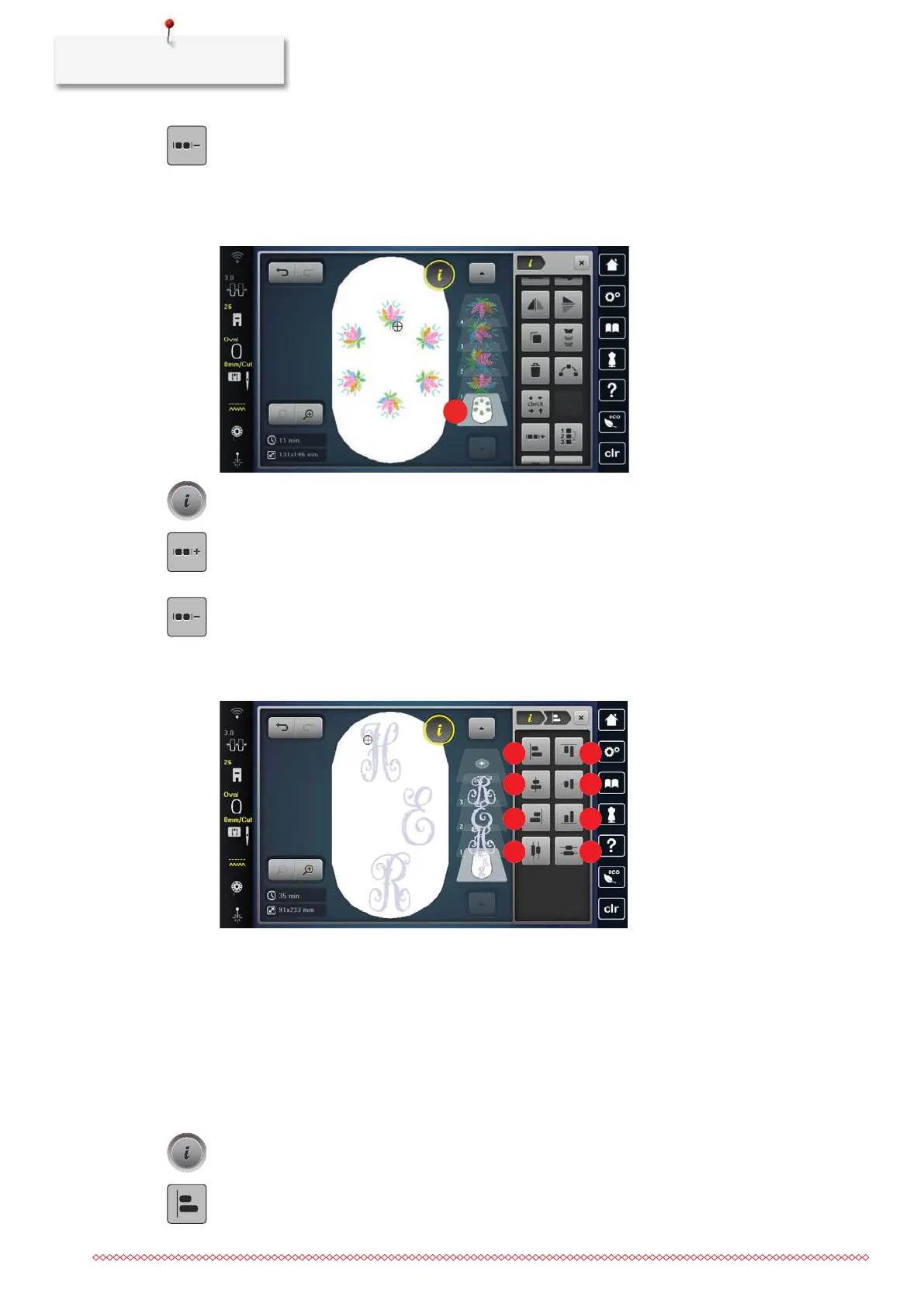
1 «Align Horizontally Left» 5 «Align Vertically at the Top»
2 «Align Horizontally Centered» 6 «Align Vertically Centered»
3 «Align Horizontally Right» 7 «Alig Vertically at the Bottom»
4 «Distributre Horizontally Centered» 8 «Distribute Vertically Centered»
• The embroidery design combination has been created or the motif has been ungrouped.
> Select a combination.
> Tap «i-Dialog».
> Tap «Align the Embroidery Design».
> To align the embroidery designs.



 To Next Page