162 MAX Operation & Service Manual162 Section7:Troubleshooting MAX Operation & Service Manual
Sensors
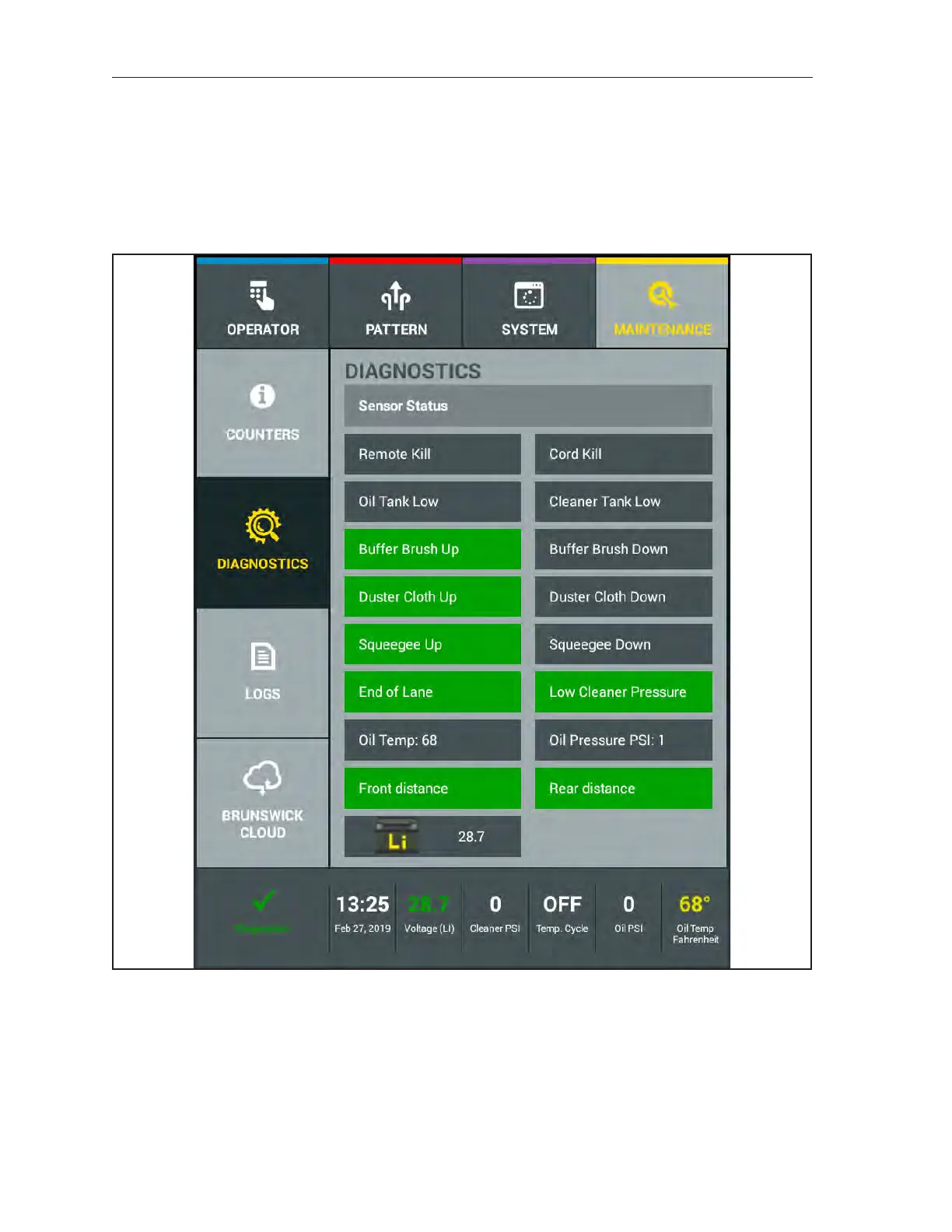
The “Sensors” diagnostic screen displays the current status of all sensors and switches used in the lane
machine. Refer to Figure 7-8. The display can inform you of the position of a motor or components,
such as the “squeegee up”, or can give you a digital reading, such as the temperature or pressure sensors.
To test a particular sensor or switch, you can manually activate it by engaging the plunger on the switch
or spinning the rear shaft to activate the “speed” encoder. Certain functions can also be tested through
the diagnostics for the “Cleaning”, “Conditioning”, and “Drive” systems. Refer to Figure7-9.
Figure7-9.Diagnostics-Sensors
1. Select the “Sensors” button with your nger.
2. Identify the sensor that is suspect to failure.
3. Physically actuate the switch or sensor and the sensor status will be displayed.
Sensors, such as the uid level sensors, can only be checked by draining and lling the tank. However,
if the Warning message appears and the tank is full, there may be a failure of the sensor.



 To Next Page