MAX Operation & Service Manual 29MAX Operation & Service Manual Section4:UnderstandingTheTabletInterface29
THE OPERATOR SCREEN
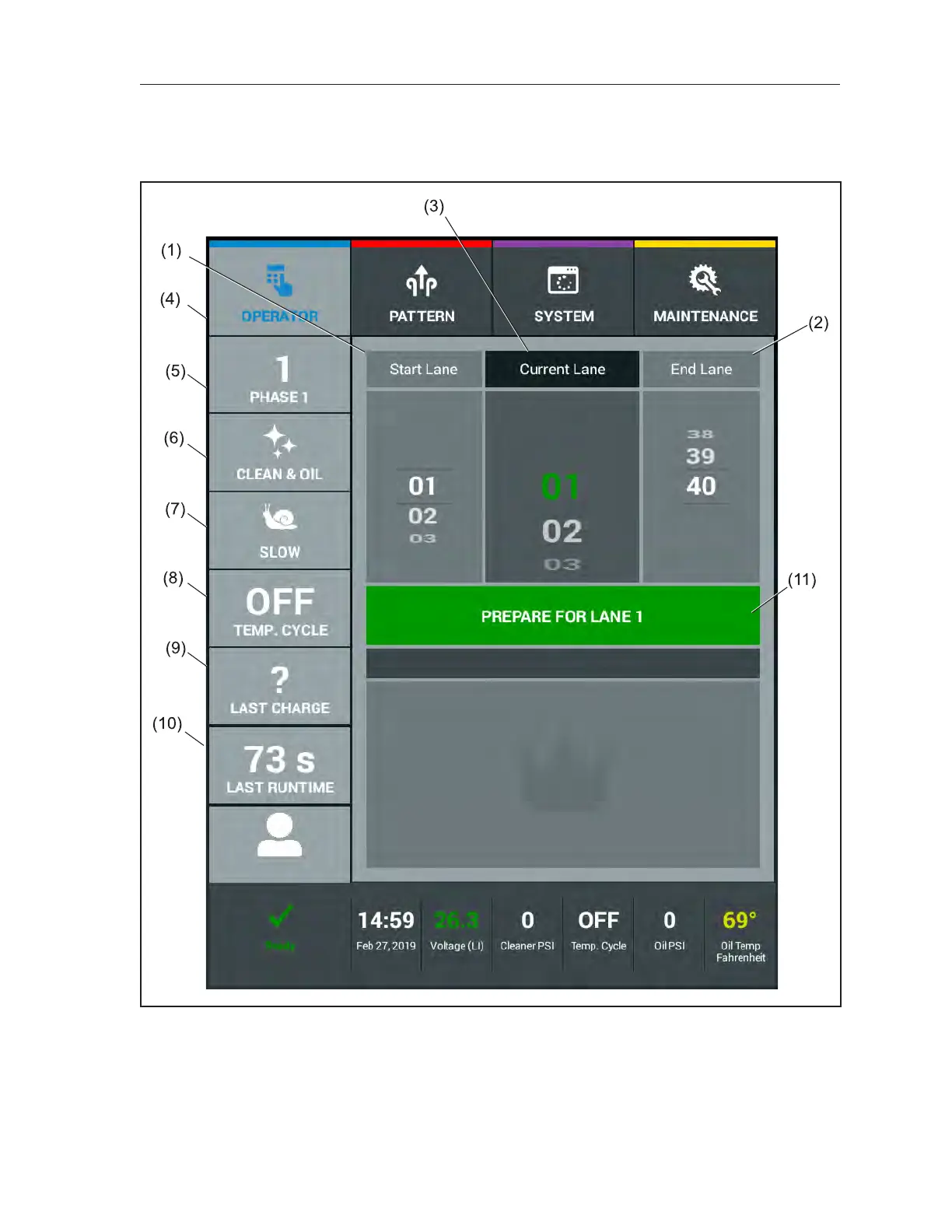
This screen displays during the normal operation of the machine. As you work, it gives you general
information about the current setup and operation. Refer toFigure4-3.
Figure4-3.OperatorScreen
(1) START LANE
(2) END LANE
(3) CURRENT LANE
(4) PATTERN NAME/NUMBER/OVERRIDE
(5) MODE OF OPERATION/OVERRIDE
(6) TRAVEL SPEED/OVERRIDE
(7) OIL TEMPERATURE OVERRIDE
(8) LAST CHARGE STATUS
(9) LAST LANE RUNTIME
(10) LOGIN/LOGOUT USER
(11) PREPARE MACHINE TO RUN



 To Next Page