26 MAX Operation & Service Manual26 Section4:UnderstandingTheTabletInterface MAX Operation & Service Manual
The Basic Elements of Tablet Screens
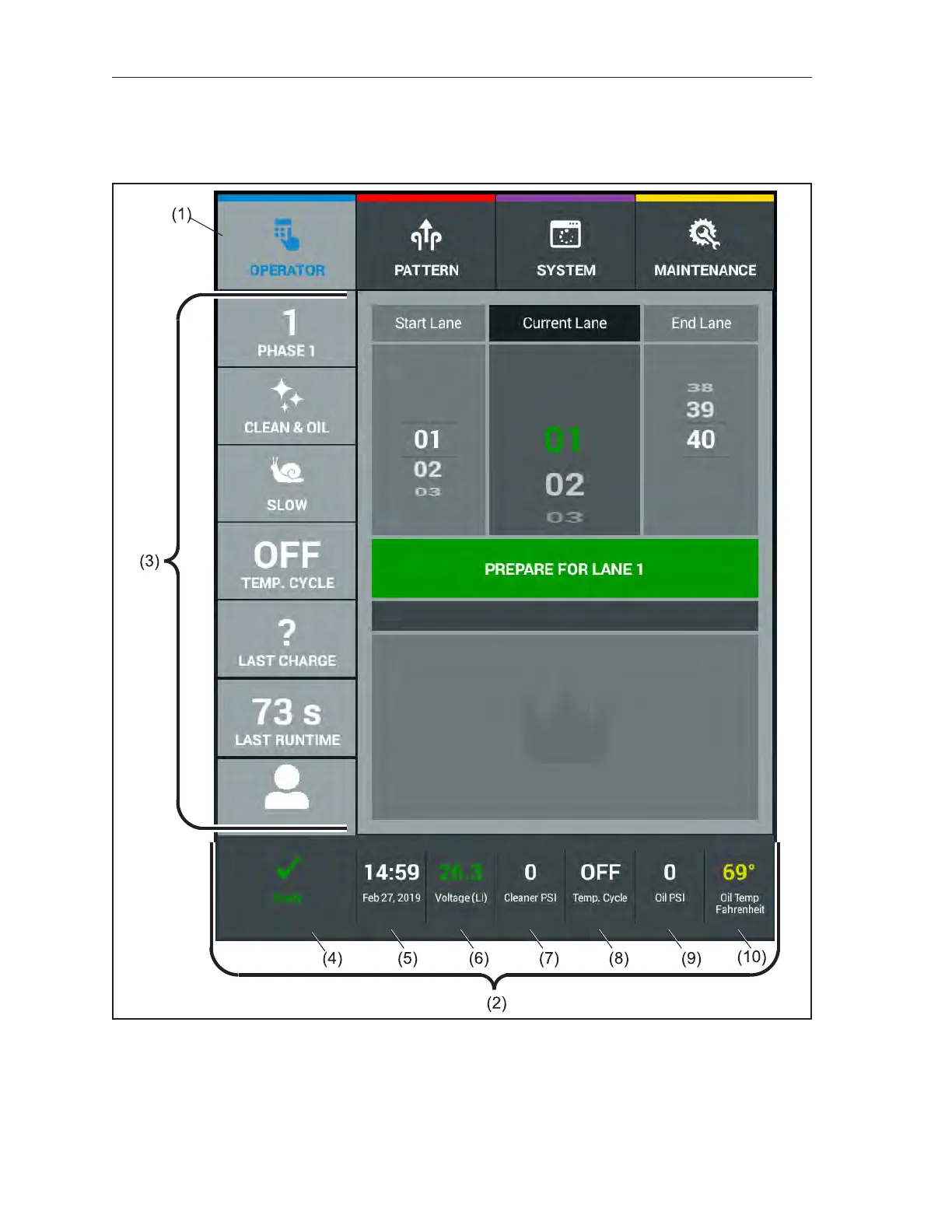
Most Tablet screens have an upper menu bar that shows the four main content areas, a left-hand menu
bar that lets you choose options within those four main screens. A lower status bar also provides you
with the machine status, date and time as well as specic sensor information. Refer to Figure4-1.
Figure4-1.ScreenElements
(1) MENU BAR
(2) STATUS BAR
(3) MENU OPTIONS
(4) MACHINE STATUS
(5) DATE AND TIME
(6) BATTERY VOLTAGE
(7) CLEANER PRESSURE
(8) TEMPERATURE CYCLE STATUS
(9) OIL PRESSURE
(10) OIL TEMPERATURE



 To Next Page