MAX Operation & Service Manual 43MAX Operation & Service Manual Section4:UnderstandingTheTabletInterface43
Oil Level Screen
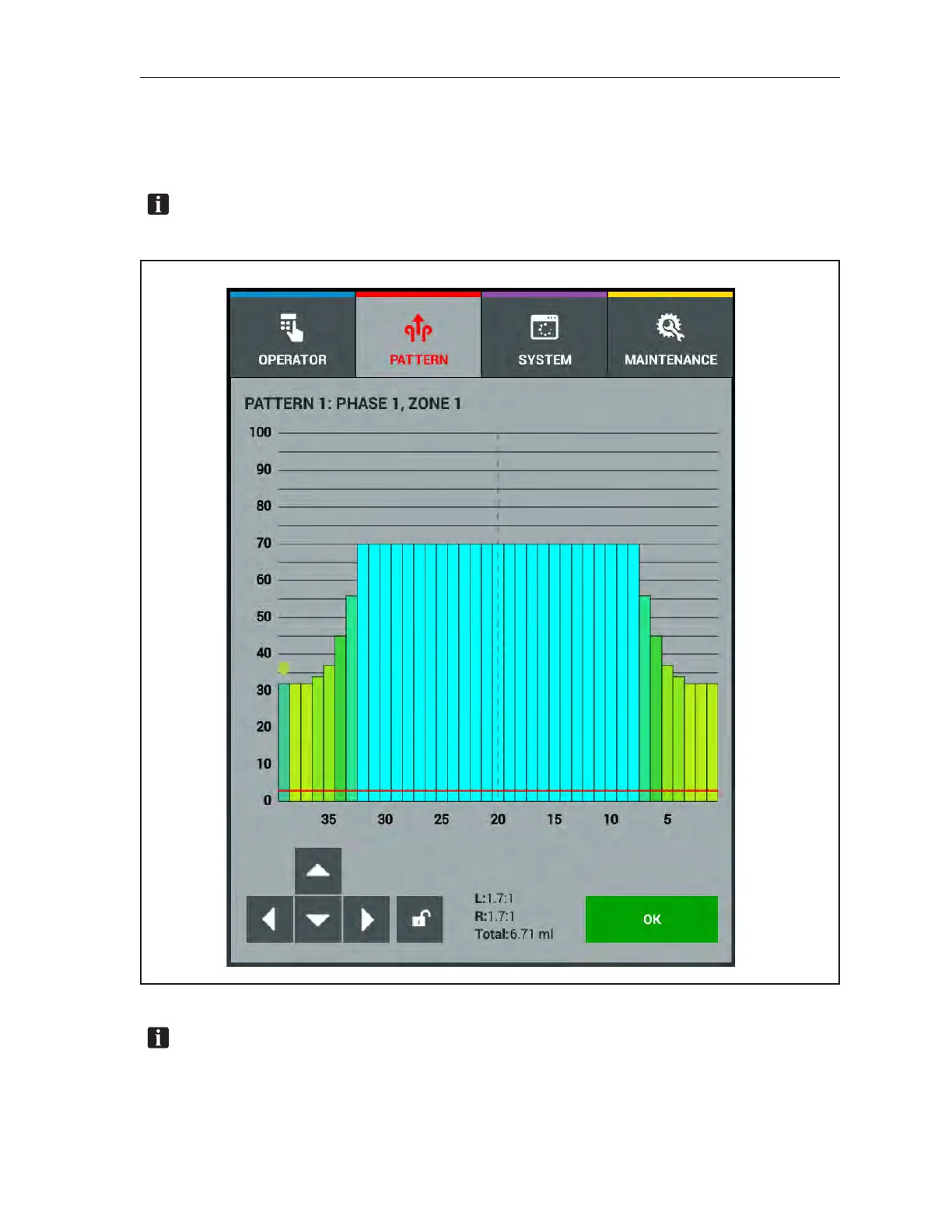
The Oil Levels screens allow you to look at the shape of the pattern within a zone. You can make
adjustments to individual boards or you may select a group of boards to adjust. This screen is accessed
through the Zone Conguration screen in the Pattern menu. Refer to Figure4-12.
NOTE: ChangesmadeintheOilLevelsscreenwillrequireanewdownloadofthepatternto
themachinecontrolboard.
Figure4-12.OilLevels
NOTE: TheOilLevelsscreenletsyouadjusttheamountofoilappliedtoeachofthe39boards
ineachzoneofyourpattern.Oillevelsaremeasuredin“unitsofoil”,theUSBCstandard,and
areadjustablein1-unitincrements.TheUSBCminimumoilvolumeof3unitsisshownasared
lineontheoillevelsgraph.



 To Next Page