22 MAX Operation & Service Manual22 Section3:MAXPowerSystem MAX Operation & Service Manual
CHARGING SYSTEM
The MAX Lithium battery is intended to have the power remain ON at all times in order to
monitor the performance and charging of the batteries. However, the battery will charge if the
machine is powered OFF.
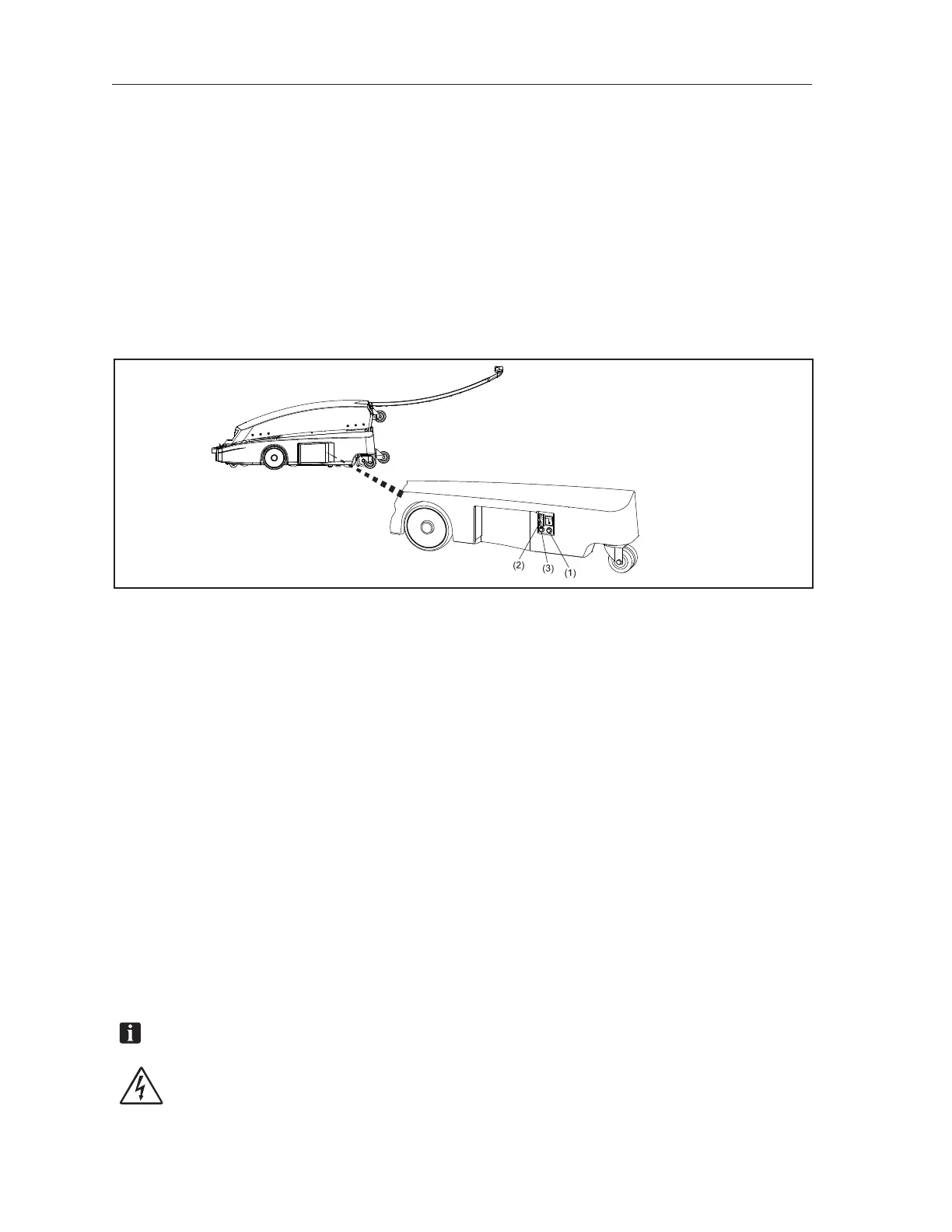
A power switch and two indicator lights are located on the left hand side cover to display proper
operation. Refer to Figure 3-2. The Green “Power” LED should be ON to indicate that it is ready for
operation or charging. The most common causes for Green ‘POWER’ LED being OFF include:
• Emergency Stop switch being depressed – Twist to pop up/ON
• Power Switch (on LH Side Cover) being OFF – Press switch to ON
• Battery Cable being disconnected from Electrical Enclosure – Open top cover to reconnect
Figure3-2.BatteryChargerConnections
(1) GREEN POWER LED MUST BE ON TO
CHARGE AND MONITOR BATTERIES
(2) CONNECT RED CHARGER CONNECTOR
TO PORT ON LEFT HAND SIDE COVER
(3) BLUE LED WILL ILLUMINATE ONLY
WHEN USING AC POWER CABLE
Remember, always connect the battery charger to MAX lane machine when not running lanes:
• The MAX green ‘POWER’ LED must be on to charge the batteries and monitor charging
• Connect the RED Charger Connection to the port on the LH cover BEFORE plugging the
battery charger into the proper AC input power
• The battery charger is designed to remain connected to the battery charger whenever not
running the lane machine. It will keep the batteries in optimal condition and will not
overcharge them.
• Leaving the lane machine on for any extended time without connecting the battery charger will
slowly discharge the batteries and reduce their capacity.
Make sure that the battery charger is positioned so it has adequate clearance to allow air circulation
by the cooling fan. Disconnect the AC Input Power before disconnecting the DC Output. Detailed
operating instructions are supplied with the battery charger. Refer to Figure 3-2.
NOTE:Alwaysproperlyrecycleyourbatteriesbyreturningtoanauthorizedrecyclingcenter.
WARNING! Never use any batteries, other than the type supplied with the
machine or other options authorized by Brunswick. Use of alternate batteries,
power supplies or chargers will void the machine warranty.



 To Next Page