64 MAX Operation & Service Manual64 Section4:UnderstandingTheTabletInterface MAX Operation & Service Manual
The Maintenance Screen
About the Maintenance Screen
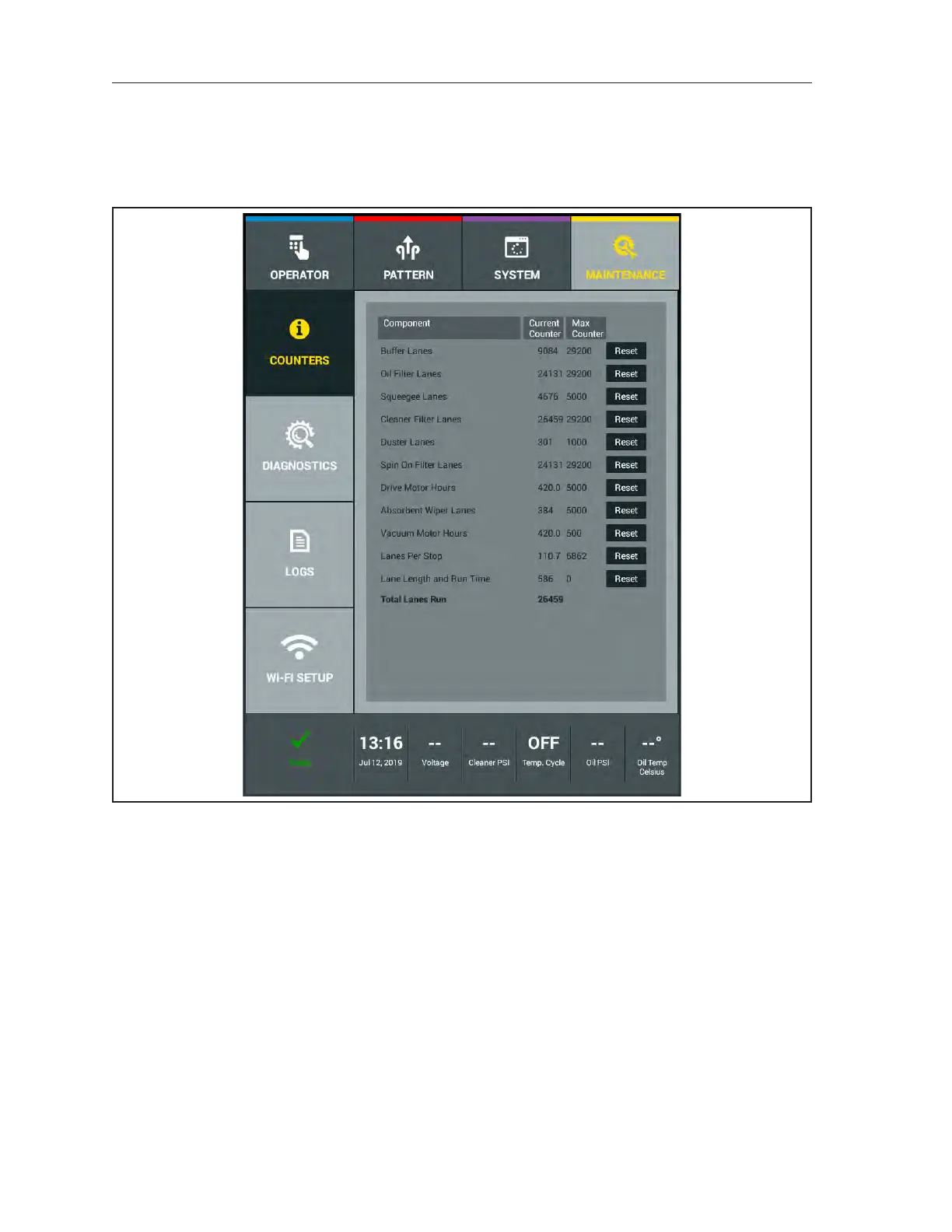
The maintenance screen provides information about the long-term use and maintenance of the machine.
Refer to Figure4-32.
Figure4-32.MaintenanceScreen
Counters display the total lanes run, the amount of use on a variety of replaceable parts, and alerts
you when a part is reaching the end of its useful life. These will generate a warning message when the
counter expires. The maintenance message will continue to appear before running each lane until the
counter is reset.
Diagnostics shows the current state of all major hardware devices and allows you to cycle motors on
and test sensors and switches for troubleshooting purposes.
Logs keeps and displays records of pattern changes, patterns run, maintenance, error messages, lane
length, runtimes, battery charging, and voltage run.
WIFI Setup allows you to connect to WIFI for software updates, accessing the Brunswick Shared
Library, Private cloud account and sharing Log les with Brunswick Technical Support.



 To Next Page