MAX Operation & Service Manual 65MAX Operation & Service Manual Section4:UnderstandingTheTabletInterface65
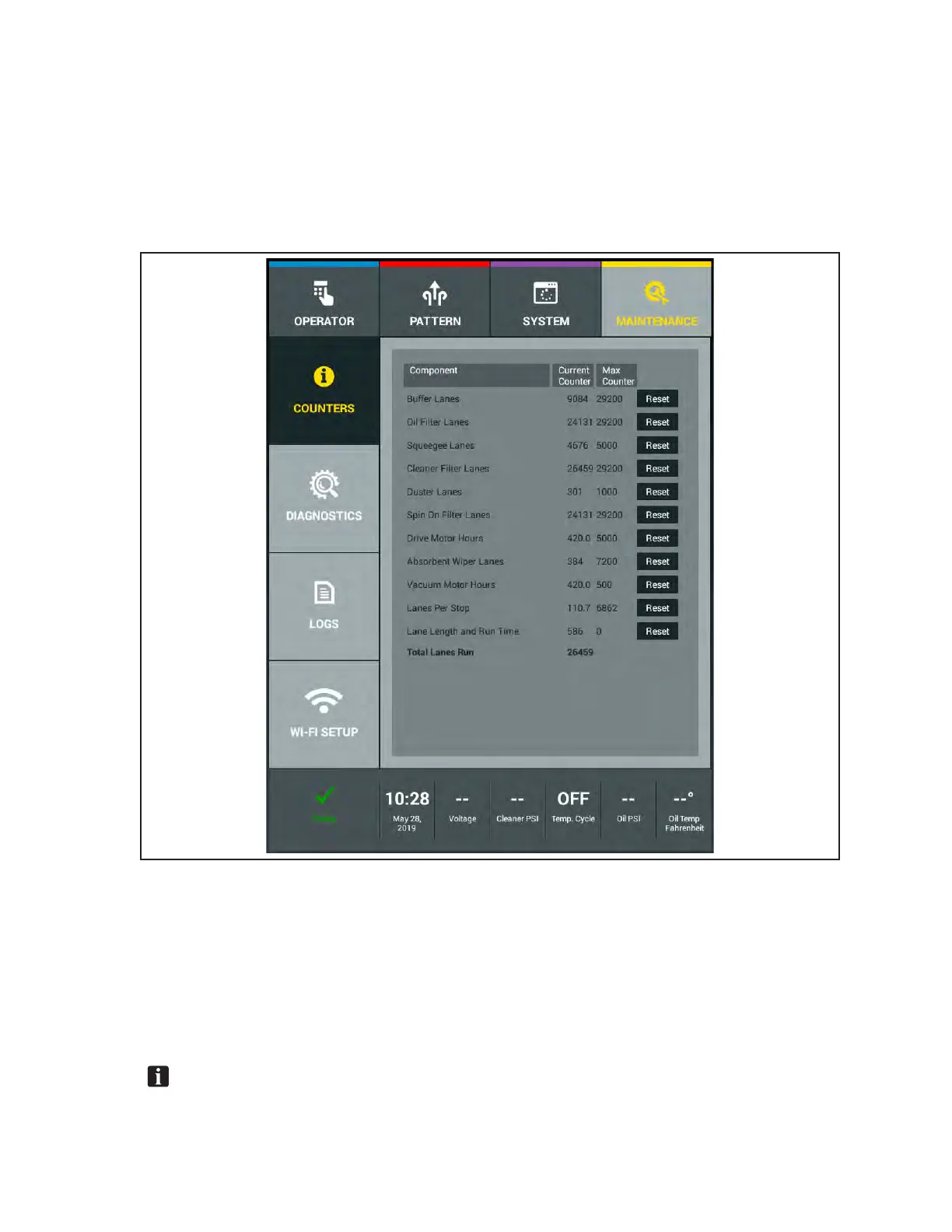
Maintenance Counters
The MAX monitors the life of consumable items that will need periodic replacing or cleaning. Life
expectancy of most items are based on the number of lanes they will perform. Motors are monitored in
the number of hours they are used. After you replace a part, you must reset the counter for that part to
start the counter for the new part (the duster cloth counter will reset automatically if the duster cloth is
changed during a running session via the “change duster cloth” button in the Operator’s Screen). A list
of the counter values is shown in section 7. Refer to Figure4-33.
Figure4-33.MaintenanceCounters
Resetting a Counter
1. Go to the Maintenance screen and select Counters.
2. Find the counter that requires a reset.
3. Press the Reset button to the right of the counter and that counter will reset to 0.
4. Exit to another menu to save changes.
NOTE:Youcan’tresetthecounterforTotalLanesRun.



 To Next Page