ProfiMessage
Giveeachconnectedmoduleauniquenumberbetween1and99.Numbersthat
havealreadybeenallocatedaremarkedwiththe symbol.Whenanumberhas
beenallocated,themodulesymbolisdisplayednexttothenumber.
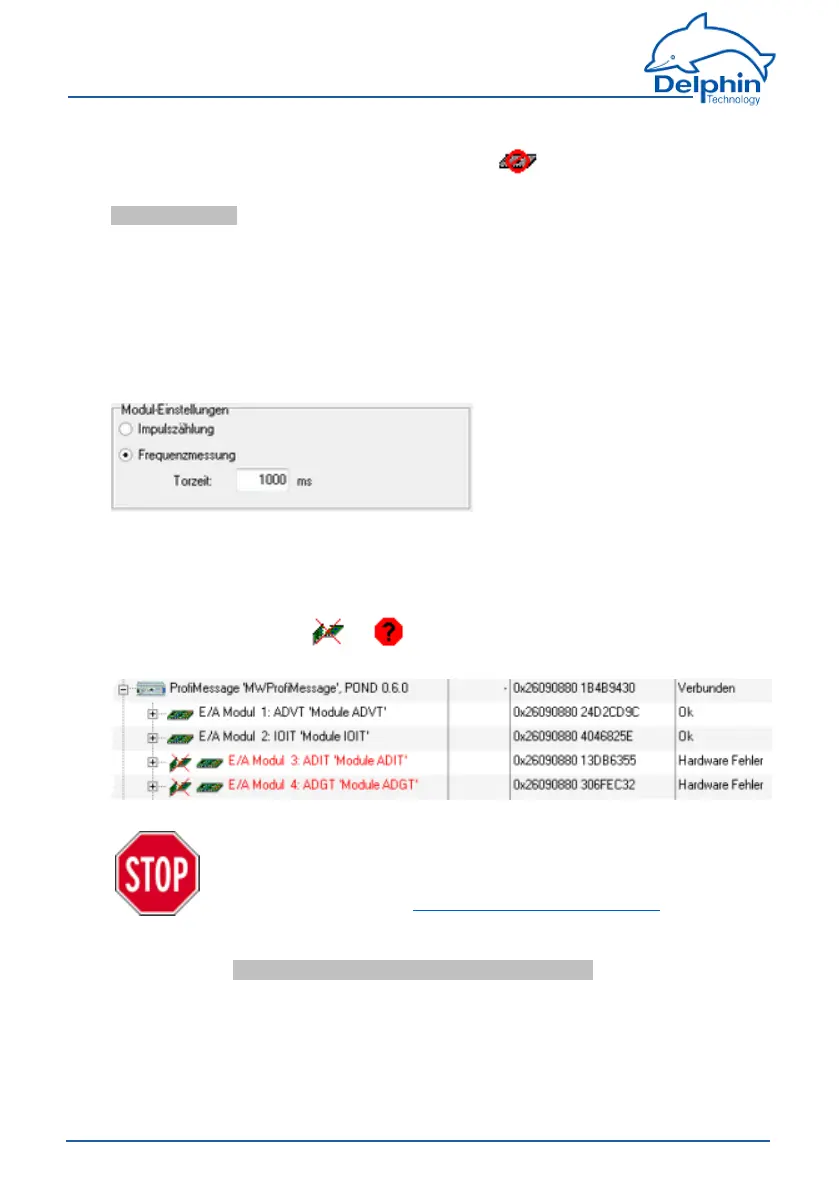
Module settings(forI/OmodulesDIOTandADFTonly)
Thesemodulesprovidetheoptionofusingthecounterinputseitheraspulsecoun-
tersorfrequencymeasurements.Forfrequencymeasurements,settheperiod
overwhichincomingimpulsesaretotalledtoenablethefrequencytobedeterm-
ined.Lowfrequenciesrequireacorrespondinglylongertimetoacquiremultiple
vibrations,butmeasurementisslowforlongtimeperiods.Measurementismore
dynamicforsmalltimes,butfewervibrationsaredetectedandmeasurementdata
fluctuatesmorestrongly.Ensurethegatetimeissmallenoughathigherfre-
quenciesbecausethemaximumnumberofpulsesthatcanbecountedis65535.
delete module entries
Modulescanalsobedisplayedthatcurrentlyhavenoconnection,buthavebeen
previouslyconnectedorconfigured.Aslongastheyhavenotbeendeleted,they
appearwiththesymbols or beforethemodulesymbolinredfont.The
configurationisretainedandreloadedassoonasthemoduleisreconnected.
Deleting a module entry permanently deletes the entire
module configuration, including all hardware channels.
Therefore, prior to deleting, back up the current con-
figuration. Refer to save/ load configuration.
Deletetheentiremoduleentrywhenthemoduleconfigurationisnolonger
required.ClickDelete channel along with subchannels/links fromthemodule's
contextmenu.
79
Delphin Technology AG
Dezember 2015
ProfiMessage Manual


 To Next Page