U60 Diagnostic Ultrasound System User Manual Cardiac Measurements and Calculations
- 150 -
To calculate MVCF:
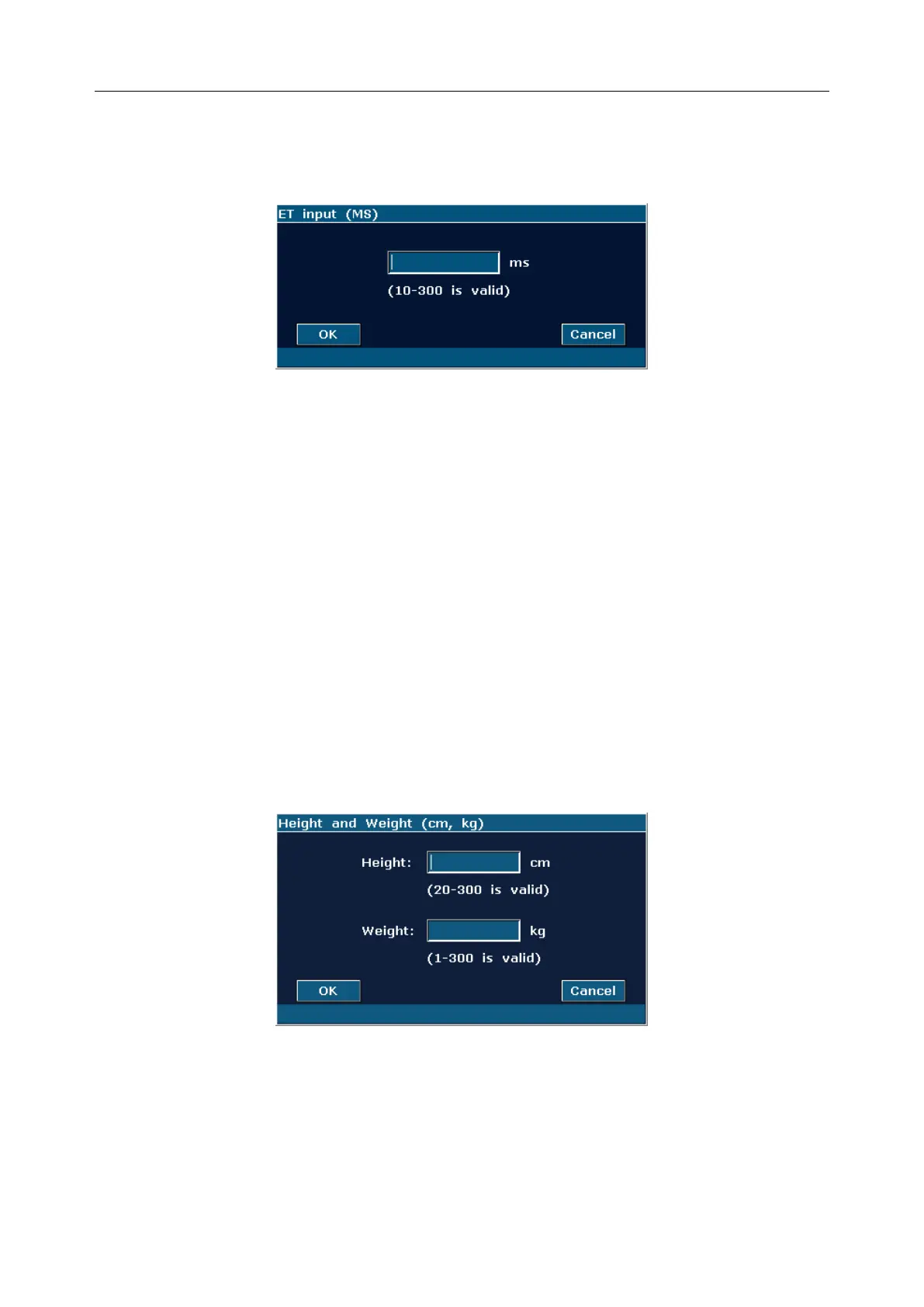
1. Move the cursor to Input. Then select the submenu LVET and press Set to display an
ET input dialog box, as shown below.
Figure 9-7 ET Input Dialog Box
2. Input a suitable value in the LVET (ms) box.
3. Roll the trackball to highlight OK and press Set. After measuring LV, MVCF will be
displayed in the measurement result window.
CI and SI calculations are as below.
Measurement and input items:
Measure: LV and HR;
Key in: Height and Weight
To calculate CI and SI:
1. In the B-cardiac measurement menu, roll the trackball to highlight Input. Then select the
submenu Height & Weight and press Set to display a Height and Weight entering
dialog box, as shown below.
Figure 9-8 Height and Weight Input Dialog Box
2. Input suitable values in the Height (cm) and Weight (Kg) boxes.
3. Roll the trackball to highlight OK and press Set. BSA will be displayed in the
measurement result window. After measuring LV and HR, SI and CI will also be
displayed in measurement result window.



 To Next Page