U60 Diagnostic Ultrasound System User Manual System Control
- 30 -
⑦Menu Controls Field:
Image parameters adjustment/ program menus control, the items correspond to system
menus in different modes or status.
⑧ Status Prompt Field:
The lower left side of the field displays operation prompt, examination type;
The lower right side of the field shows the state of USB, the state of power supply, input
method, brightness or volume adjusting information (the icon is displayed only during
adjustment)
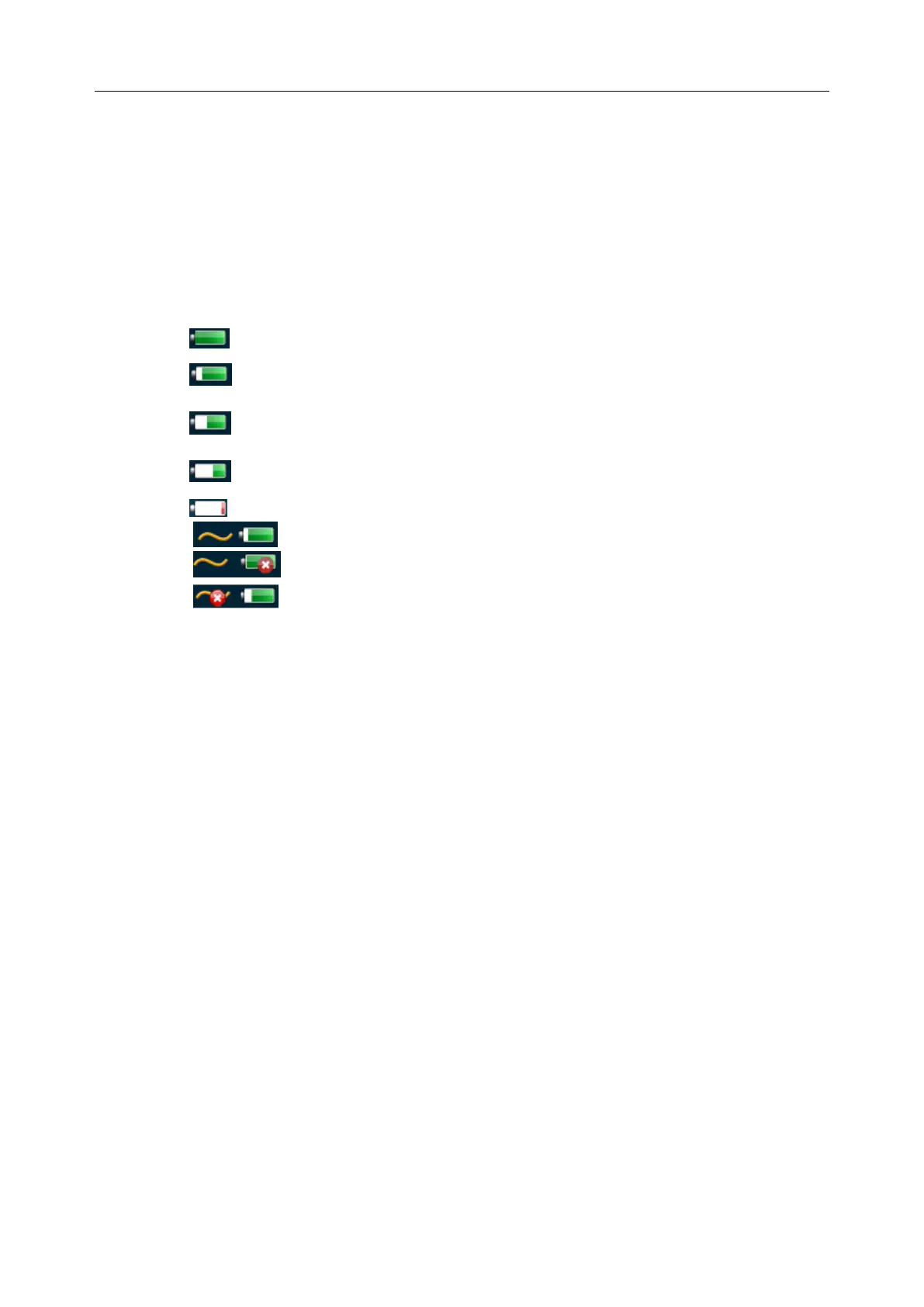
Battery Status Icon:
: Battery capacity more than 80%.
: Battery capacity 60%-80%.
: Battery capacity 40%-60%.
: Battery capacity 20%-40%.
: Battery capacity lower than 20%, turns red.
: AC power supply, with the battery connected;
: AC power supply, without battery connected.
: Battery power supply.
When the battery capacity is ≤20%, the battery status icon turns red.
When the battery capacity is reduced to 20%, the system displays a prompt “Battery capacity is
too low, please recharge!”
When the battery capacity is reduced to 10%, the system displays the prompt again “Battery
capacity is too low, please recharge!”



 To Next Page