EPSON Stylus Pro 9000
Disassembly & Assembly 91
4.6.2 Disassembling the I/C Holder
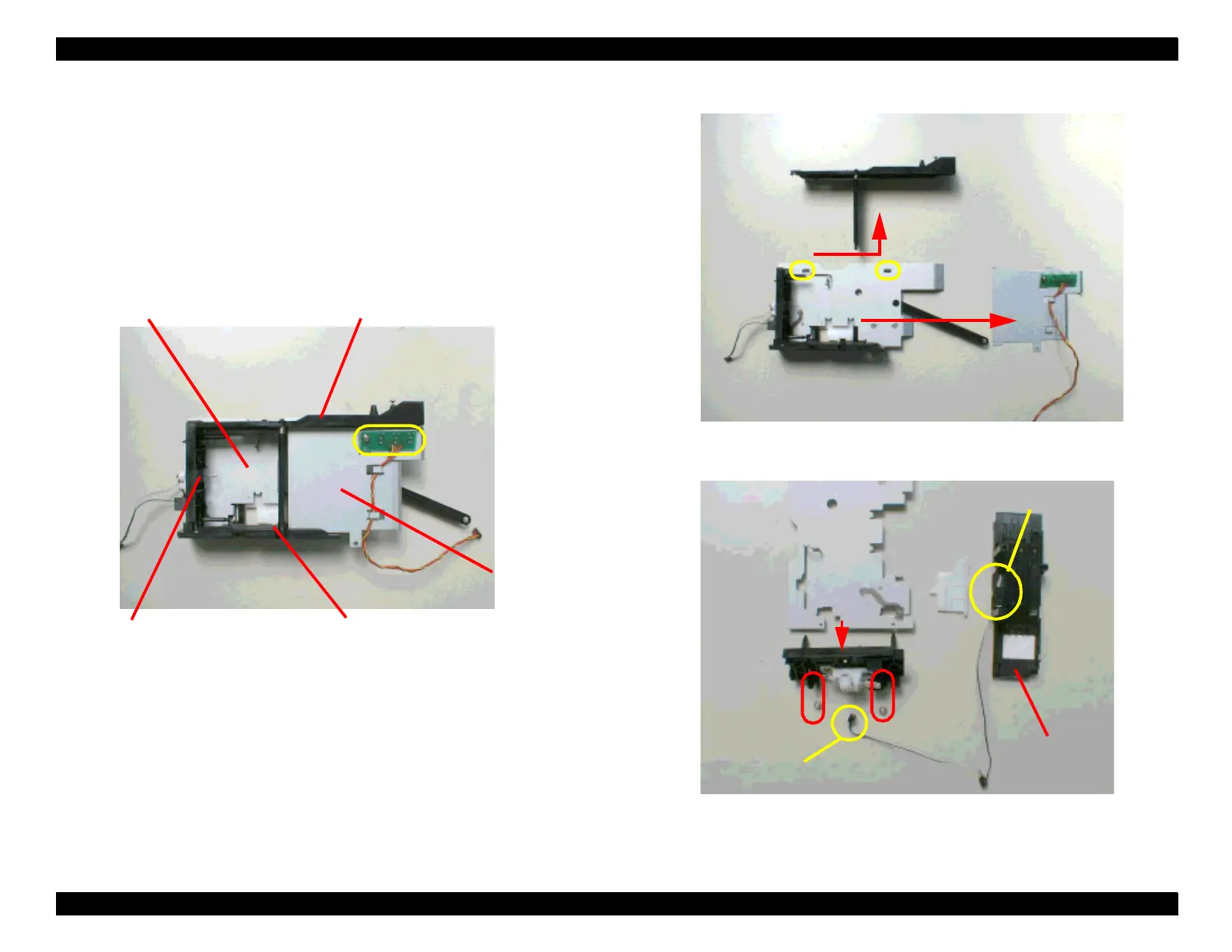
1. Unhook the hooks fixing the upper I/C guide and slide it backward. Then
slide out the metal bracket that holds the I/C ID sensor board.
2. Remove the two screws (CP(W2) M3x4) securing the “HOLDER ASSY.,
VALVE, A” to a base frame.
3. If necessary, remove the I/C In sensor assembly or the Ink Low sensor
assembly.
Figure 4-62. I/C Holder
Figure 4-63. I/C Holder Disassembly (1)
Figure 4-64. I/C Holder Disassembly (2)
I/C ID Sensor board
Upper I/C guide
Base frame
“HOLDER ASSY., VALVE,A”
Metal bracket
Bottom I/C guide
Upper I/C guide
Metal bracket
Bottom I/C guide
I/C In sensor
Ink low sensor










 To Next Page