Fire Alarm Computer 8000C / M
Page 119
Switch S1 / S2 Adjustment of the relays
Relay
Status
Contacts
switch S 1
open
closed
* Application
example A
* Application
example B
10 k
Ω
monitore
--- X K 1
not monitored
1 + 2
X ---
10 k
Ω
monitore
--- X K 2
not monitored
3 + 4
X ---
10 k
Ω
monitore
--- X K3
not monitored
5 + 6
X ---
Relay without
function!
* see examples on the following page(s)
☞
The
monitored / non-monitored
mode for individual relays must be programmed in addition to
the setting on the 4-relay micro module using the service PC in menu item
Function
assignment
of the customer data editor.
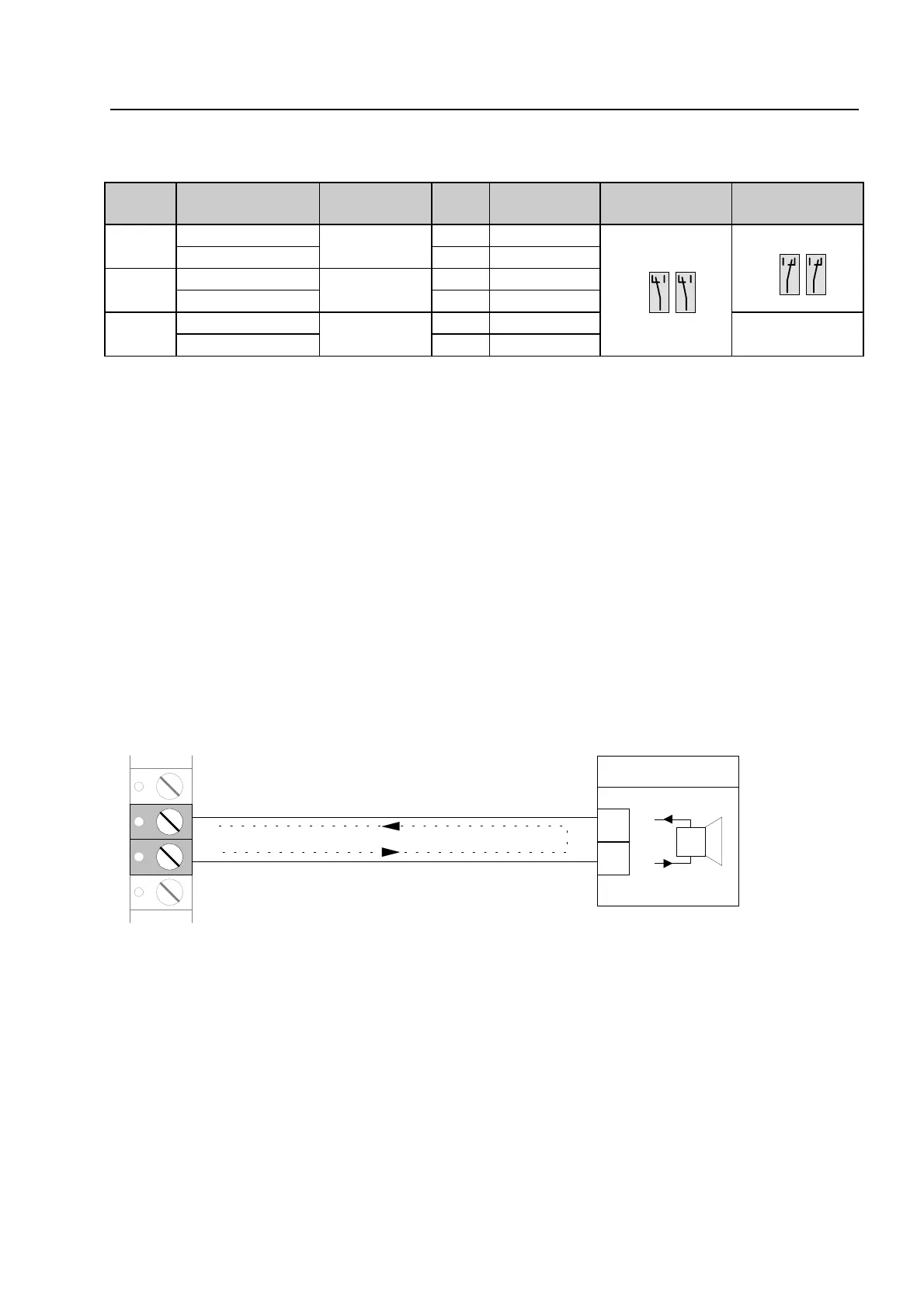
Wiring an external signalling device without loop monitoring
Example with relay K2 (terminal 5 and 6), non-monitored mode
3-relay module / 3-relay common trouble modu
NO
NC
NO
NC
NO
NC
NO
NC



 To Next Page