Page 66
Fire Alarm Computer 8000C / M
8.1.1
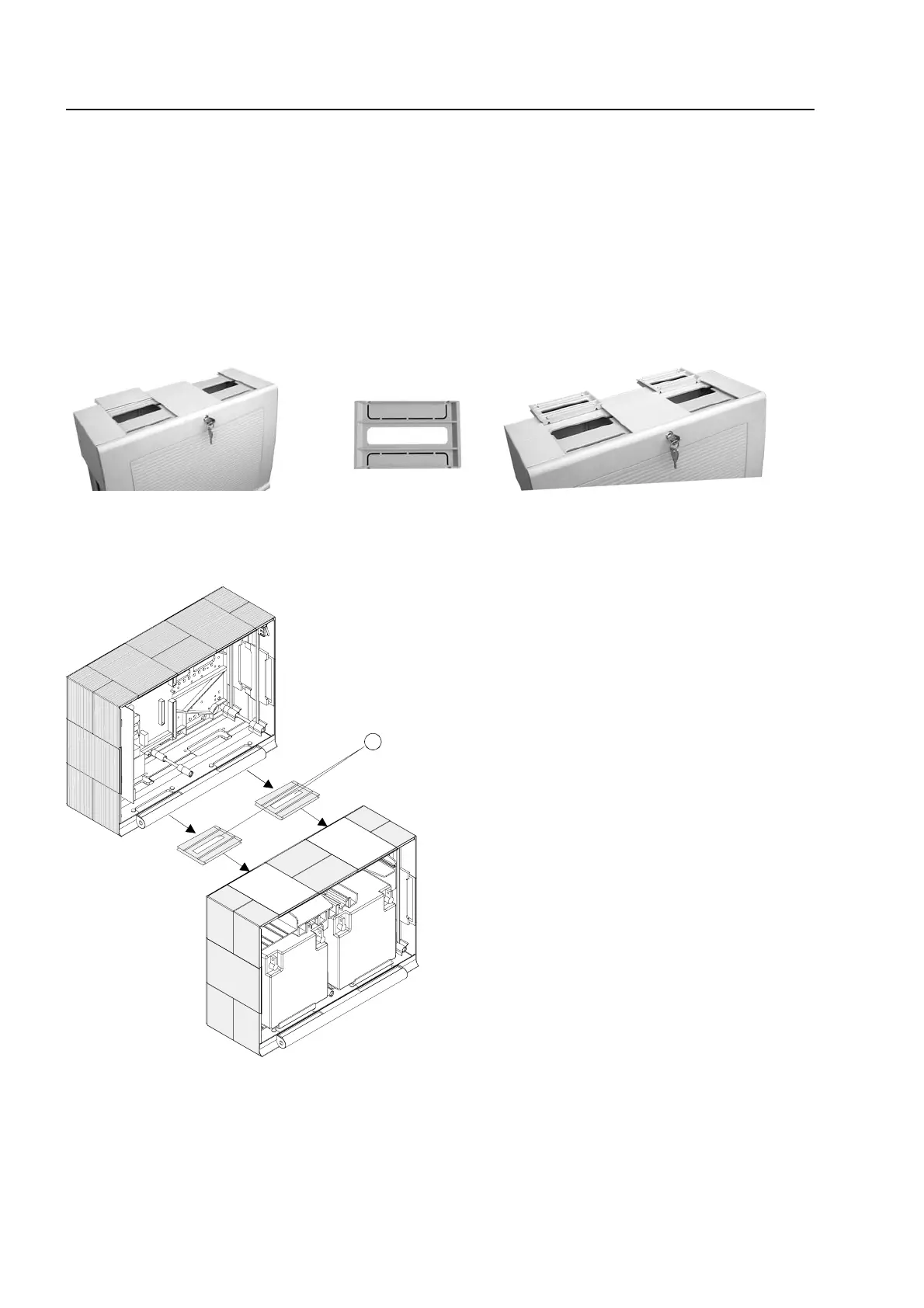
Connection between the central housing and the extension housing
The two connecting pieces must be used to connect the central housing and the extension
housing.
1. Remove the appropriate housing plates from the extension housing.
2. Push a connecting piece into each of the resulting gaps. Pay attention to the assembly
direction shown on the connecting piece.
3. Push the two housings together via the guide of the connecting pieces.
connection pieces
2 x
Fig. 12: Remove the housing plates - insert the connection pieces
Assembly example with extension housing, Item No: 789300
Fig. 13: Mechanical connection to connect the two housings
(A) connecting pieces with cable glands
ssembly



 To Next Page