Fire Alarm Computer 8000C / M
Page 75
8.6 Operating module / housing door
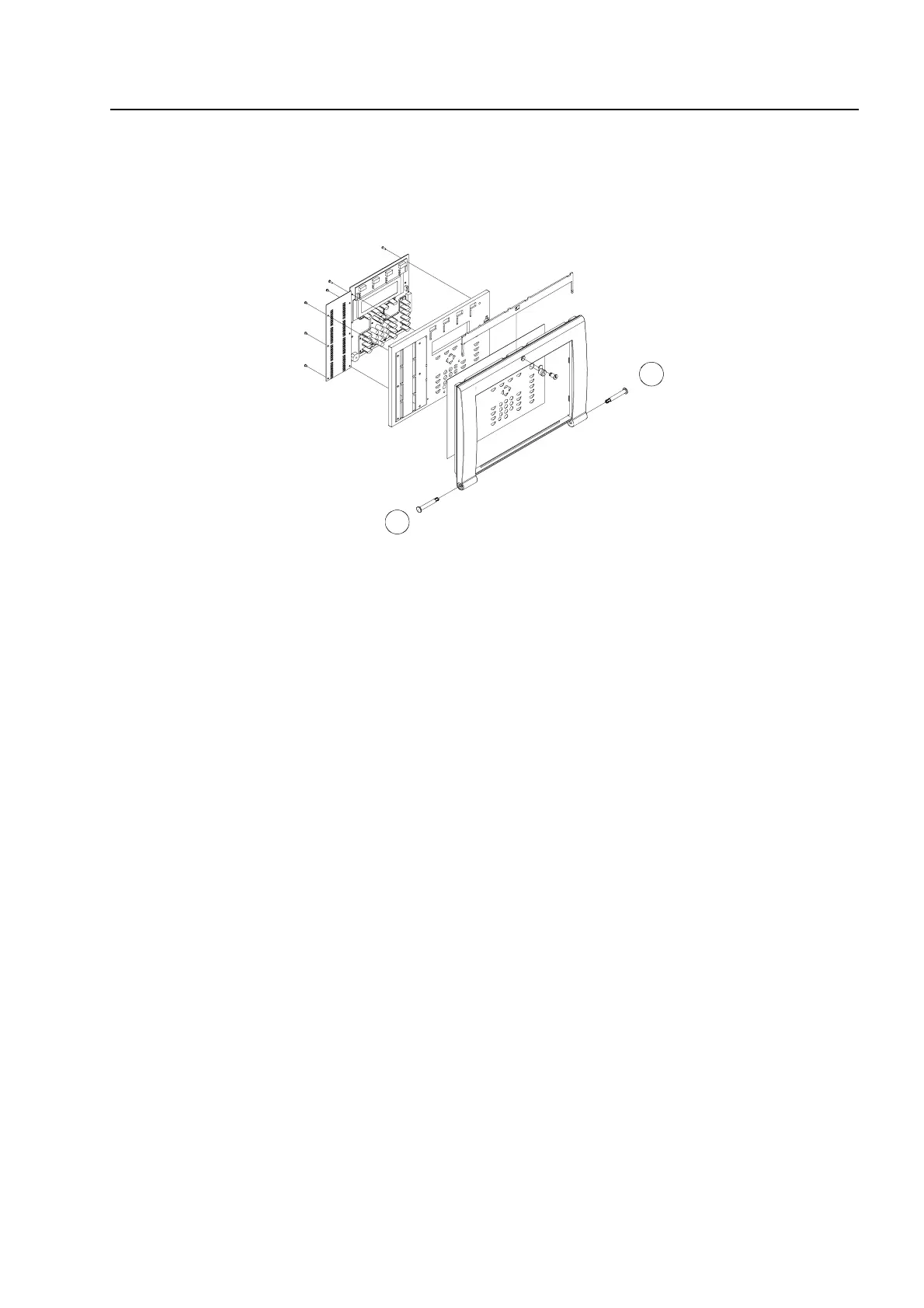
The operating module and the housing door are supplied fully pre-assembled. Depending on the
central unit’s extension configuration, for example with or without an installed printer or group
individual display, deviation from the illustration here is possible.
Fig. 21: Exploded illustration of the operating module / housing door
i
The operating module is hooked into the holder of the central unit’s housing with the two
retaining bolts.
☞
The operating module is not required for programming the FACP 8000C / M. The service
PC can also be directly connected to the programming connector of the basic module.
Using the ESSER service program TEDIS (optional) enables the operating module to be
completely simulated on the service PC with all functions.
8.6.1
Opening and closing the housing door
Opening
The housing door can be opened with the key vertical.
Closing
To close the housing door, the lock must be in the horizontal position. The key is not required. The
housing door can simply be pushed closed and engaged in the snap-type fastener.
The housing door key is always required to open the housing front.
Assemb



 To Next Page