268 Chapter 24 Dimmer monitoring
Dimmer rack status
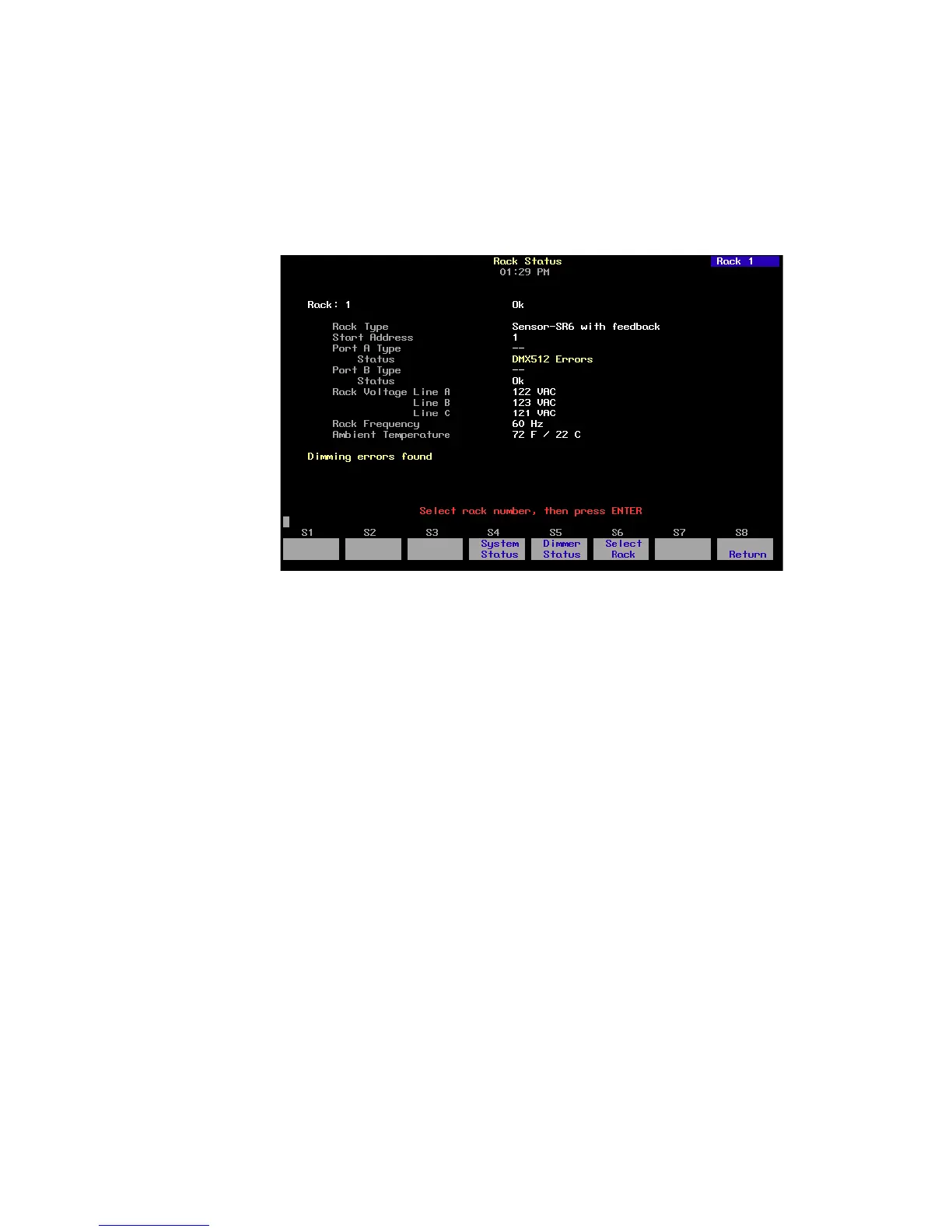
The Rack Status display provides information about specified dimmer
racks, including rack type, starting address, port information, voltage,
frequency, and ambient temperature.
Press [Setup] [9] [Enter] [2] [Enter] to access the Rack Status display.
Press [S6], Select Rack, [#] [Enter] to select a specific rack, [+] to select
the next rack, or [–] to view the previous rack.
• Rack type displays the type of Sensor rack this rack is. Possible rack
types include SR6, SR12, SR24, SR36, SR48, SP6, SP12, SP24, SP48,
and may be followed by AF if the rack is equipped with Sensor’s
Advanced Features option.
• Start address displays the lowest dimmer number in the rack.
• Port A/B type indicates whether the port is normal or Dimmer
Doubled. “--” indicates a normal port.
• Status indicates the present status of the port.
• Rack voltage displays the input voltage for each of the three phases
(A, B and C). Single phase racks only display values for A and C.
• Rack frequency displays the input frequency in hertz (Hz).
• Ambient temperature displays the temperature of the air drawn into
the rack by the rack’s fan. Ambient temperature is not displayed
unless the fan is running.
Rack error messages, if any, are announced beneath the ambient
temperature line.










 To Next Page