Express Two Scene Preset User Manual, v.3.1 53
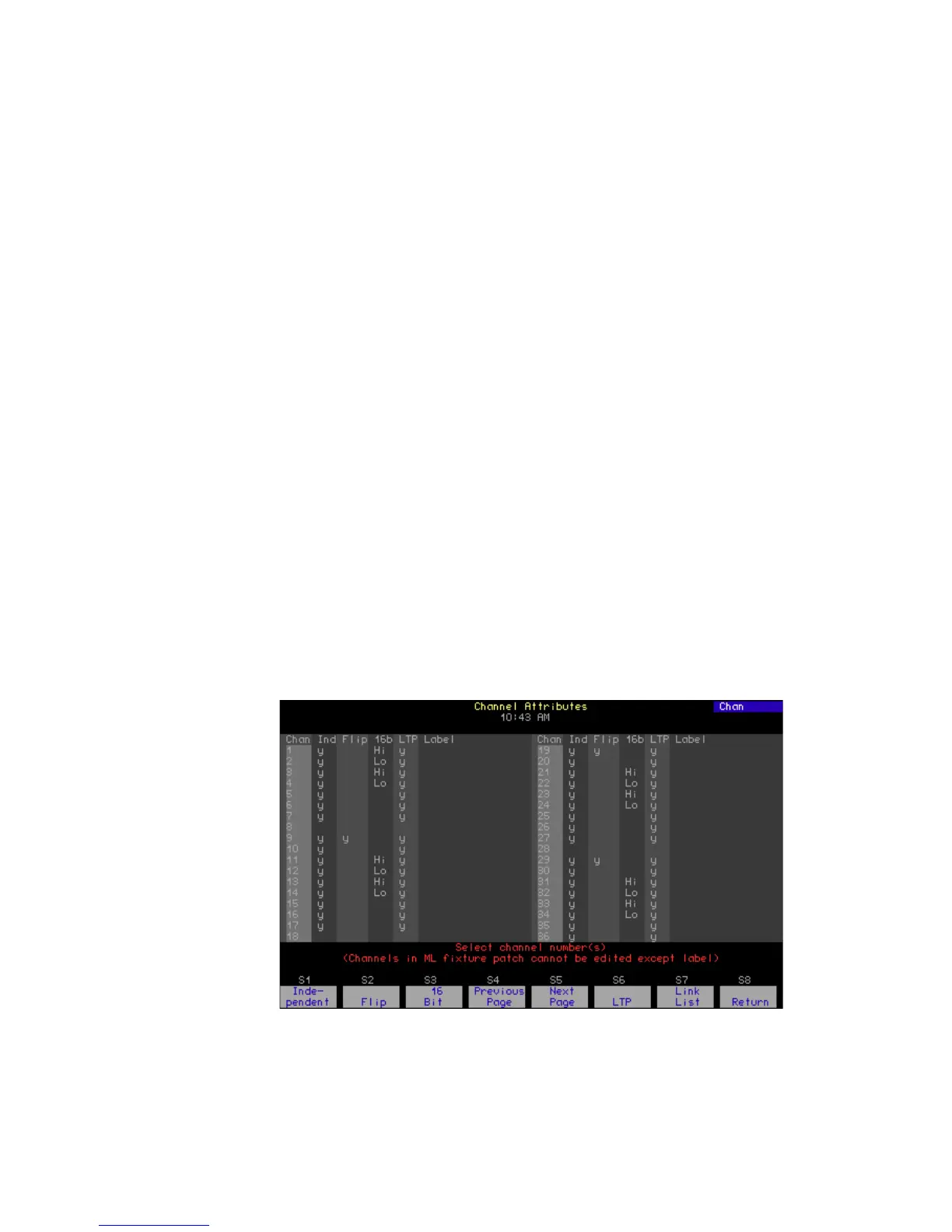
Channel Attributes display
The Channel Attribute display shows the following settings for every
console channel.
• Independent
Designates whether a channel is dependent upon or independent of
Grandmaster, Flash, Release, Solo, and Blackout control. Indepen-
dent channels have a “y” in the Ind field, while all others have no en-
try in the Ind field. You must press [Rel] twice, or in some cases, three
times to release independent channels.
• Flip
Means that the channel’s output is reversed. A flipped channel’s DMX
output is at full when the channel is set to zero and at zero when the
channel is set to full. In this display, a flipped channel is identified with
a “y” in the Flip field, while unflipped channels have no entry in the
Flip field.
• 16-bit
Designates whether a channel is used for 8-bit or 16-bit data. For 8-bit
data, there is no entry in the 16b field. For 16-bit data, the 16b field
can have a “Hi” or a “Lo” label signifying whether the channel sends
the higher or lower bits of a 16-bit control signal.
• LTP
Designates whether a channel obeys the Highest Takes Precedence
(HTP) or the Latest Takes Precedence (LTP) convention. HTP chan-
nels have no entry in the LTP field of the display, while LTP channels
are identified by a “y” in the LTP field.
• Label
You cannot assign labels to channels with an Express console. How-
ever, you may make labeling assignments for Express in Expression
Off-Line and those assignments will remain when the show is read
into an Express console. See Expression Off-Line, page 312.










 To Next Page