286 Chapter 25 Control interfaces
Real time programs
The console allows you to create up to 500 real time programs that can
run automatically when you’re not there. For example, you may wish to
turn on the work lights for a choir rehearsal between 7 PM and 9 PM on
Monday and Wednesday. Or, warm the filaments of your studio
instruments 15 minutes prior to your news program.
These programs run in real time, which means that they execute
periodically when pre-set conditions arrive. These conditions include the
time of day and either the day of the week or a date. The time settings can
be absolute, such as 7:00 a.m., or they can be related to your local sunrise
or sunset using the console’s astronomical clock feature.
You must do two things before you can properly execute a real time
program. First, you must set the real time clock. The procedure for setting
the clock is given under Scene mode, page 30. Second, you must enable
real time programs, which is explained in this chapter.
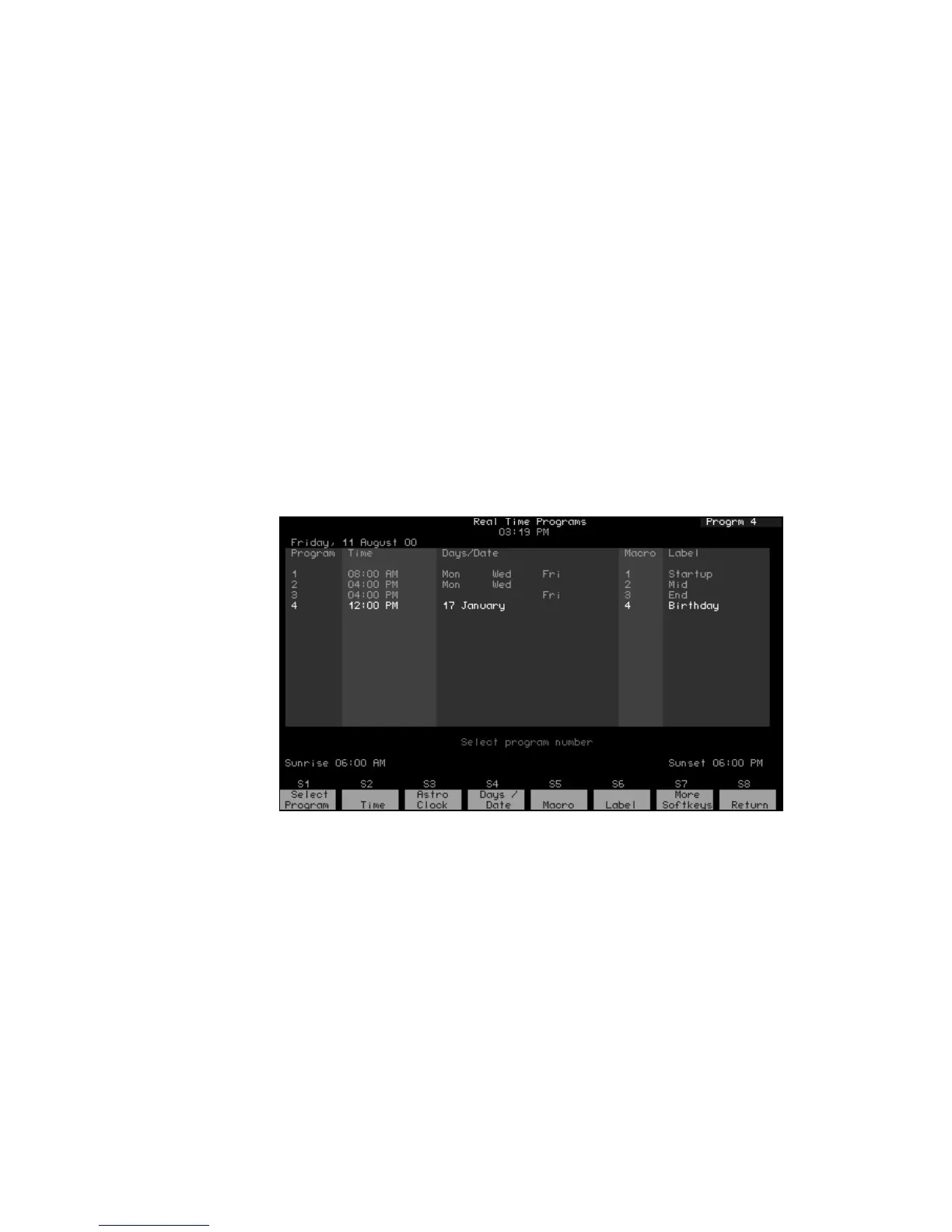
Go to the Real Time Programs display
Press [Setup] [1][2], Real Time Programs, [Enter] to go to the Real Time
Programs display.










 To Next Page