66 Chapter 6 Adding moving lights to the show
Loading personalities into the console
You may load additional personalities to your show if you find that the
default personalities are not sufficient for your needs. Any personalities
loaded to your show are saved with your show.
Load personalities to your show from a diskette. If you obtained the extra
personalities from ETC’s internet website, store them first on your hard
drive, preferably in the Shows directory set up by Expression Off-Line.
See the Expression Off-Line QuickGuide for information about using Off-
Line to create and edit shows for your console.
When you are ready to load personalities to your show, transfer what you
need from your computer to a diskette. The console loads all files from the
diskette to your show at once. Follow the procedure below to load
personality files.
1. Insert the 3.5-inch diskette in the console disk drive.
2. From the Personality Setup display, Press [S1], From Disk, [Enter].
3. Remove and store the diskette when the transfer is complete.
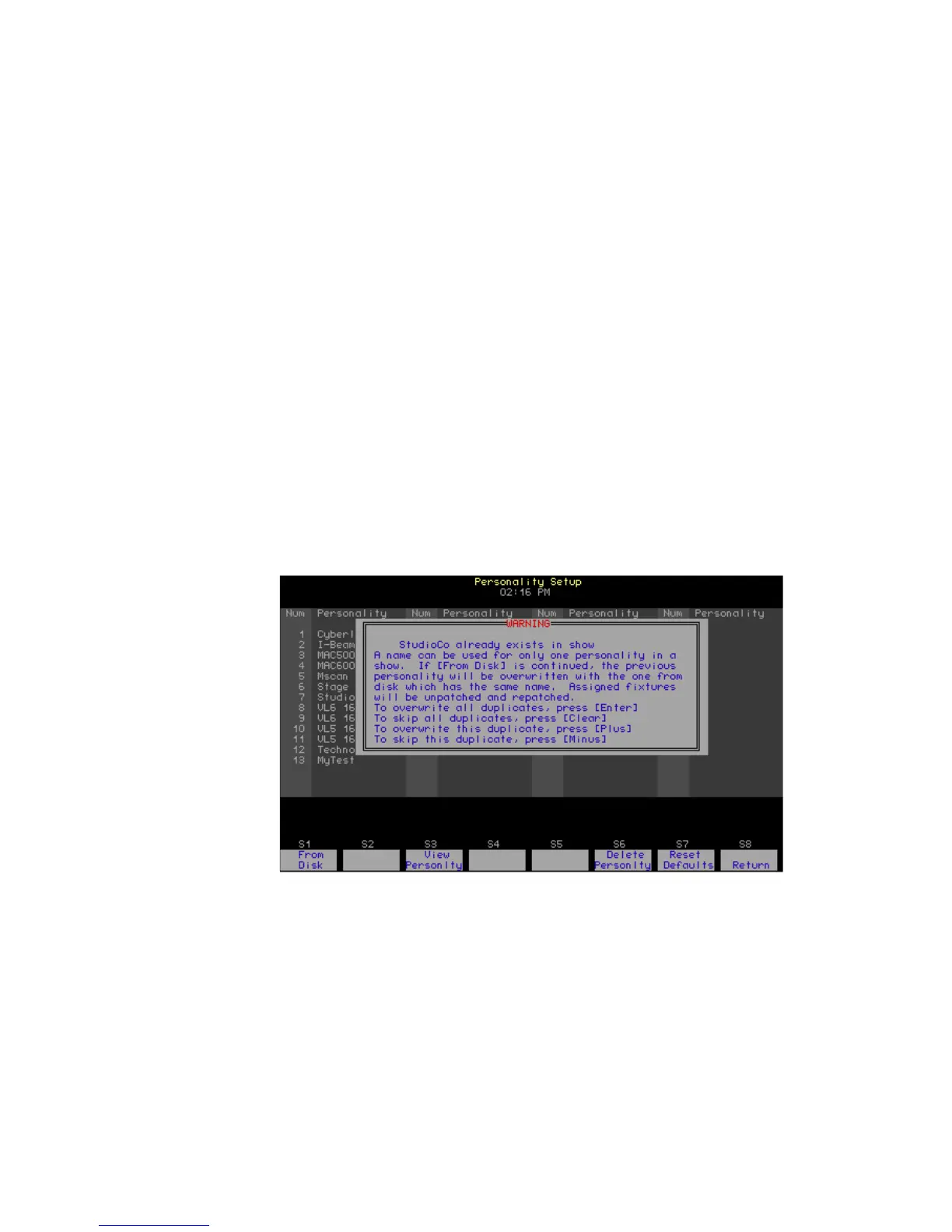
WARNING
- If possible, always load personalities before patching. If you
try loading a personality with the same name as one you already have in
your show, you will get the warning shown below. If you are replacing a
personality with one that assigns more channels, the automatic
repatching will cause erroneous overlapping. Such overlapping can cause
unexpected or inconsistent behavior from recorded elements such as
groups and cues used in the show. You may need to repatch fixtures.










 To Next Page