Express Two Scene Preset User Manual, v.3.1 325
Wiring remote macros
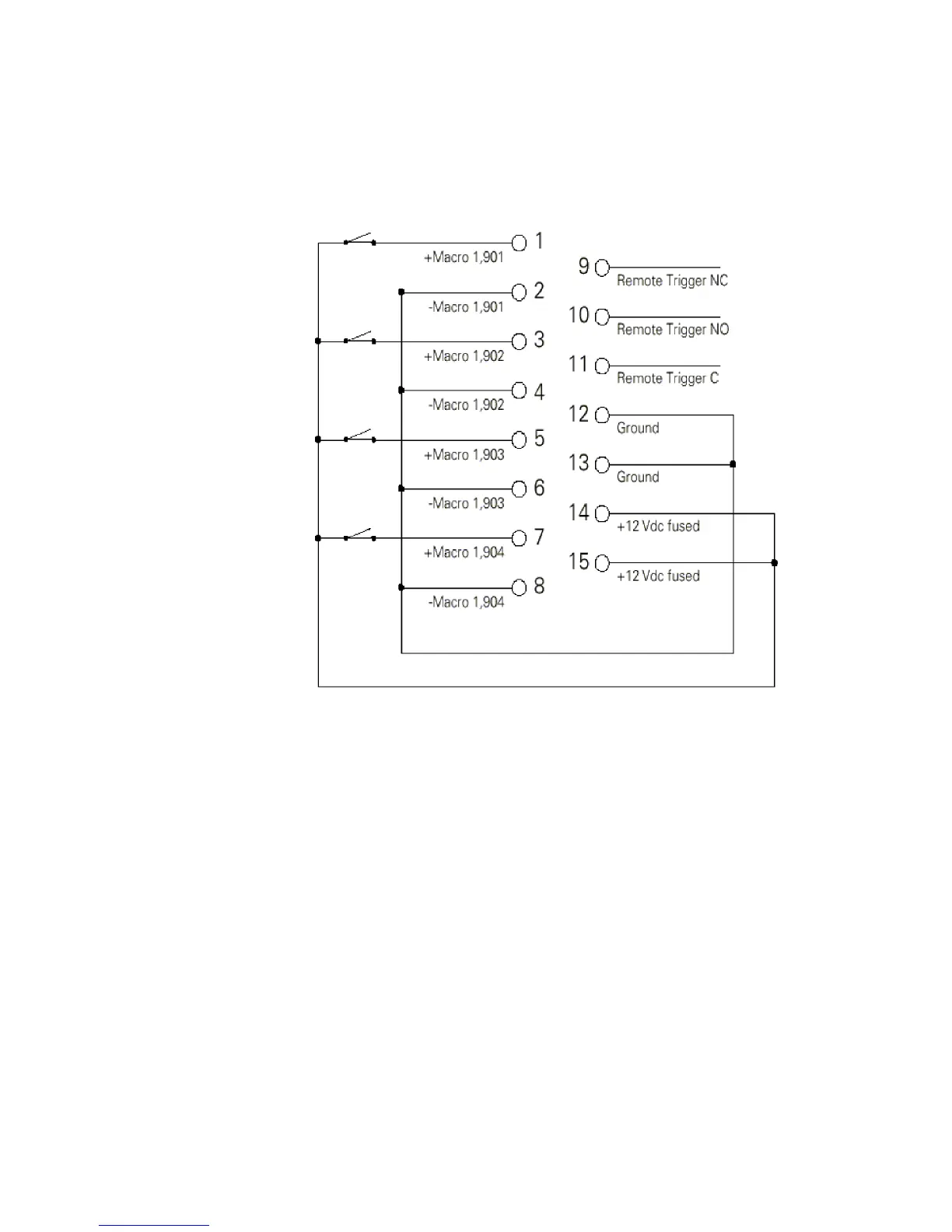
There are three typical ways to wire the Remote Go function:
1. Connect all -Macro pins (pins 2, 4, 6, and 8) to ground (pins 12 and 13)
and switch the leads connecting the +Macro pins (pins 1, 3, 5, and 7)
to +12 Vdc (pins 14 and 15) as shown in the following diagram.
2. Connect all +Macro pins (pins 1, 3, 5, and 7) to the +12 Vdc pin (pins
14 and 15) and switch the leads connecting the -Macro pins (pins 2,
4, 6, and 8) to the ground (pins 12 and 13).
3. Provide your own power supply that generates a 12 Vdc potential be-
tween the +Macro and -Macro pins and switch either of these leads.










 To Next Page