Operating Procedures: Stage Control
C O N F I D E N T I A L – FEI Limited Rights Data 5-41
Navigation Montage
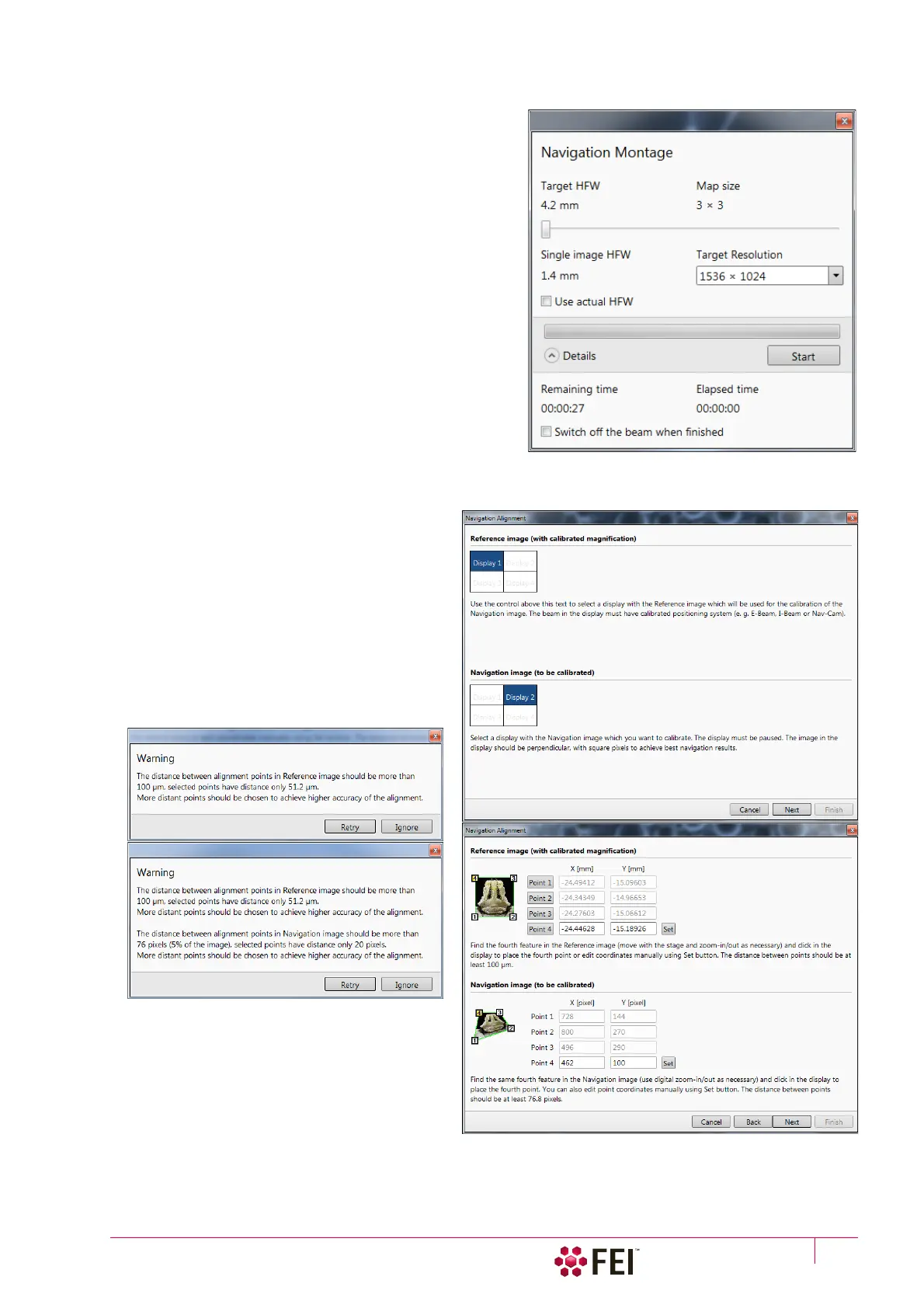
Set the Target HFW (Horizontal Field Width) by the slider,
which influences some information fields values:
• Map Size – the number of tiles
• Single Image HFW – HFW of each tile
• Remaining / Elapsed Time – time still needed for the
procedure completion / elapsed
• Target Resolution – navigation image pixel resolution
• Use actual HFW check box – when ticked the system does
not use automatically the HFW according to the
hardware configuration and sets the user one
This is convenient when the image corners are rounded
and imaging does not cover an entire area.
• Switch off the beam when finished check box
This is convenient to use in case a large Target HFW and
long dwell times are used to capture the Navigation
image, because the process can take a significant time to
complete.
Click the Start button to run the procedure. After a process
completion the Sample Navigation is then automatically set
on.
Navigation Alignment
This procedure in comparison to the Navigation
montage or Nav-Cam (option) enables to use any
loaded or paused Navigation image, which is
calibrated according to the live Reference image.
Follow the instructions given within the process
(6 dialogs) and calibrate 4 image points. If 2
points are sufficient for desired purposes, click on
the Compute 2pt alignment button to finish the
process after setting 2 align points.
When any point setting does not satisfy system
requirements an Warning message informs a
user.



 To Next Page