Software Control: Microscope Control Software
C O N F I D E N T I A L – FEI Limited Rights Data 3-33
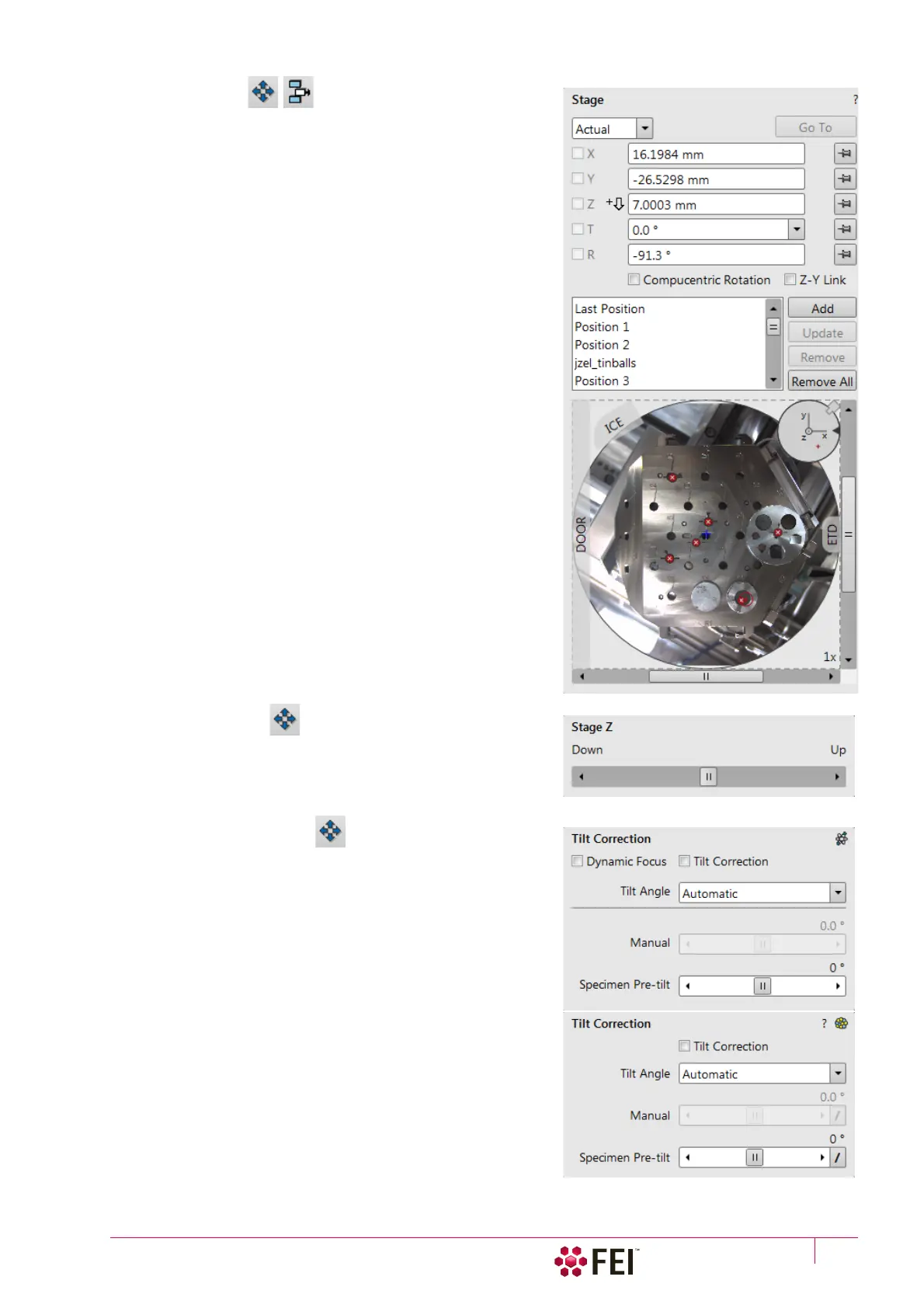
9. Stage Module
consists of elements enabling to:
• show numerical values of a particular position
• show the stage positions location in a visual map form and as a
list for selection
• navigate across the sample surface
Note
The stage movement can be aborted by pressing the keyboard Esc key.
Don't hesitate to do so if you are not sure that the initiated movement
is safe!
10. Stage Z Module
This module enables to slowly move the stage in the Z-axis
direction. The more the slider is pushed to the each side, the
faster is the stage motion. Clicking on the slider bar moves the
stage by a small step.
11. Tilt Correction Module
This module enables to correct the imaging distortion for the
electron and/or ion beams when tilting the stage.



 To Next Page