Software Control: Microscope Control Software
C O N F I D E N T I A L – FEI Limited Rights Data 3-35
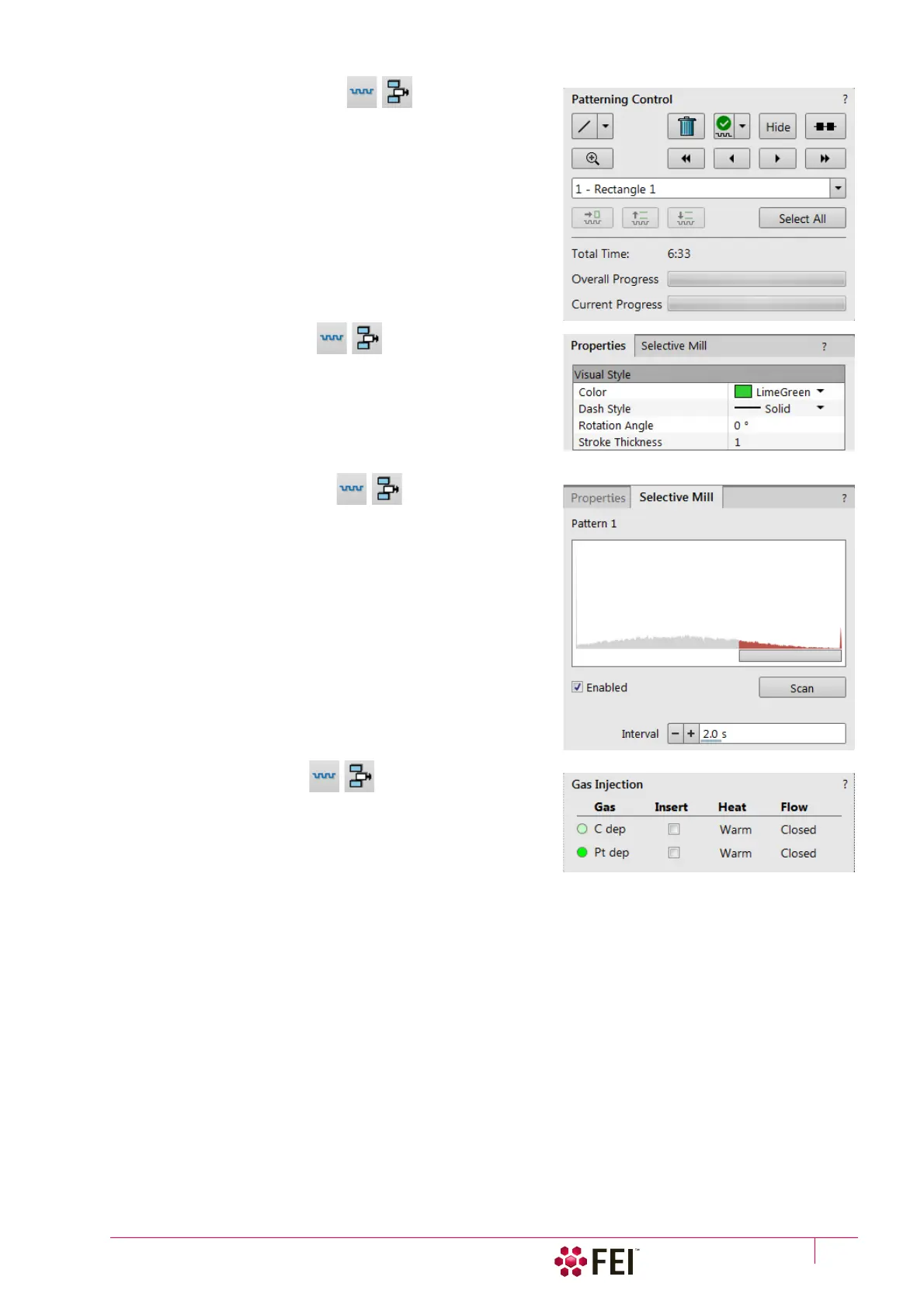
15. Patterning Control Module
A pattern type can be selected and handled by using the icon
buttons at the top of the module. It can be drawn in the selected
display and then it is shown in the pattern list with a number. The
pattern properties can be changed via Property module. The
Progress indicator shows the Overall / Current (pattern) Progress
(over time) of the active patterning.
16. Properties tab Module
Some features (Measurements, Annotations, Patterns) require an
individual set of parameters which are editable within this module
by clicking on the edit field or the down arrow to select a value.
17. Selective Mill tab Module
It is possible to mill only selective grey levels of the imaging (see
Chapter 5).
18. Gas Injection Module
Some applications require a special gaseous environment, which
is provided directly to the required area by the GIS’s (Gas
Injection System) installed on your system.



 To Next Page