54200
Users Manual
5-12
Operating
Different Teletext systems are selectable for 625 line systems.
•
Select the wanted Teletext system using the
digital
menu.
•
Press the
edit
softkey (F3).
The
TTX System
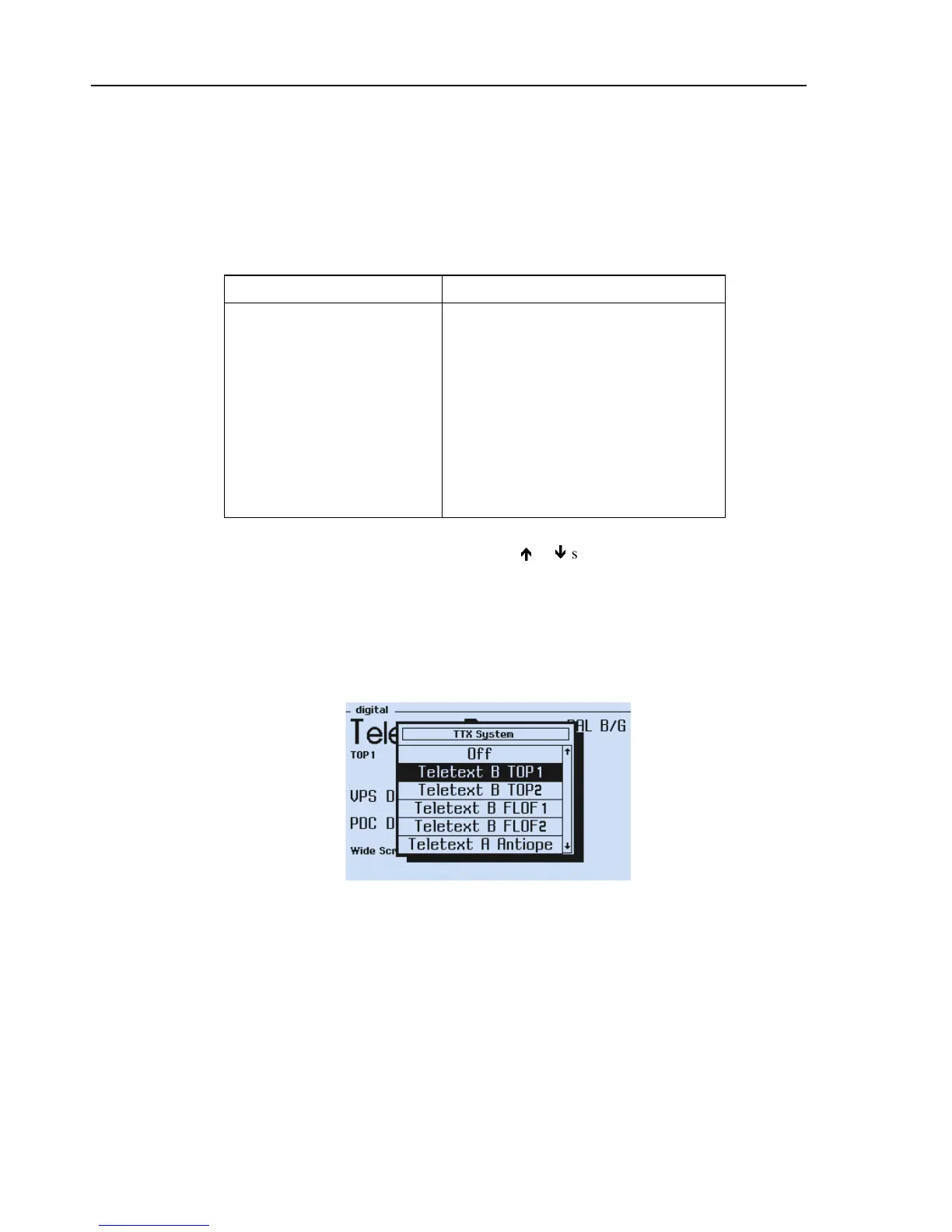
popup menu appears showing the Teletext systems and modes:
Table 5-5. Teletext Systems and Modes
Teletext System / Modes Remarks
Teletext B TOP 1
TOP teletext with VPT data on Page 300
Teletext B TOP 2
TOP teletext with PSF data on Page 300
Teletext B FLOF 1
FLOF teletext with VPT data on Page 300
Teletext B FLOF 2
FLOF teletext with PSF data on Page 300
Teletext A ANTIOPE
Teletext used in France
Teletext Auto
Operating mode. For details, see below
CC (Closed Caption)
See Section Closed Caption (CC)
Off
Teletext or CC switched off
•
Select the wanted Teletext system by the
é
or
ê
softkeys (F1 or F2).
•
Press the
enter
softkey (F5).
The
TTX Lines
popup menu appears.
•
Select
4
or
8
for the wanted number of TV lines in which Teletext data are transmit-
ted. In the ANTIOPE system and for SECAM only 4 lines are selectable.
•
Press the
enter
softkey (F5) to confirm your settings.
Figure 5-6. Digital Menu, Teletext System Popup
In the
Teletext Auto
mode 54200 automatically selects the correct teletext system to
the wanted TV system or country. If the user selects a SECAM system or France the
instrument generates the ANTIOPE teletext.
•
Select the
Teletext mode on your TV. Use a suitable TV with teletext facilities.
The TV will show the Index Page 100, see Figure 5-7.
Further teletext pages are called up by teletext page numbers using the TV remote
control, for example, Page 200.



 To Next Page