How to Use the Instrument
Operating via Keyboard
4
4-5
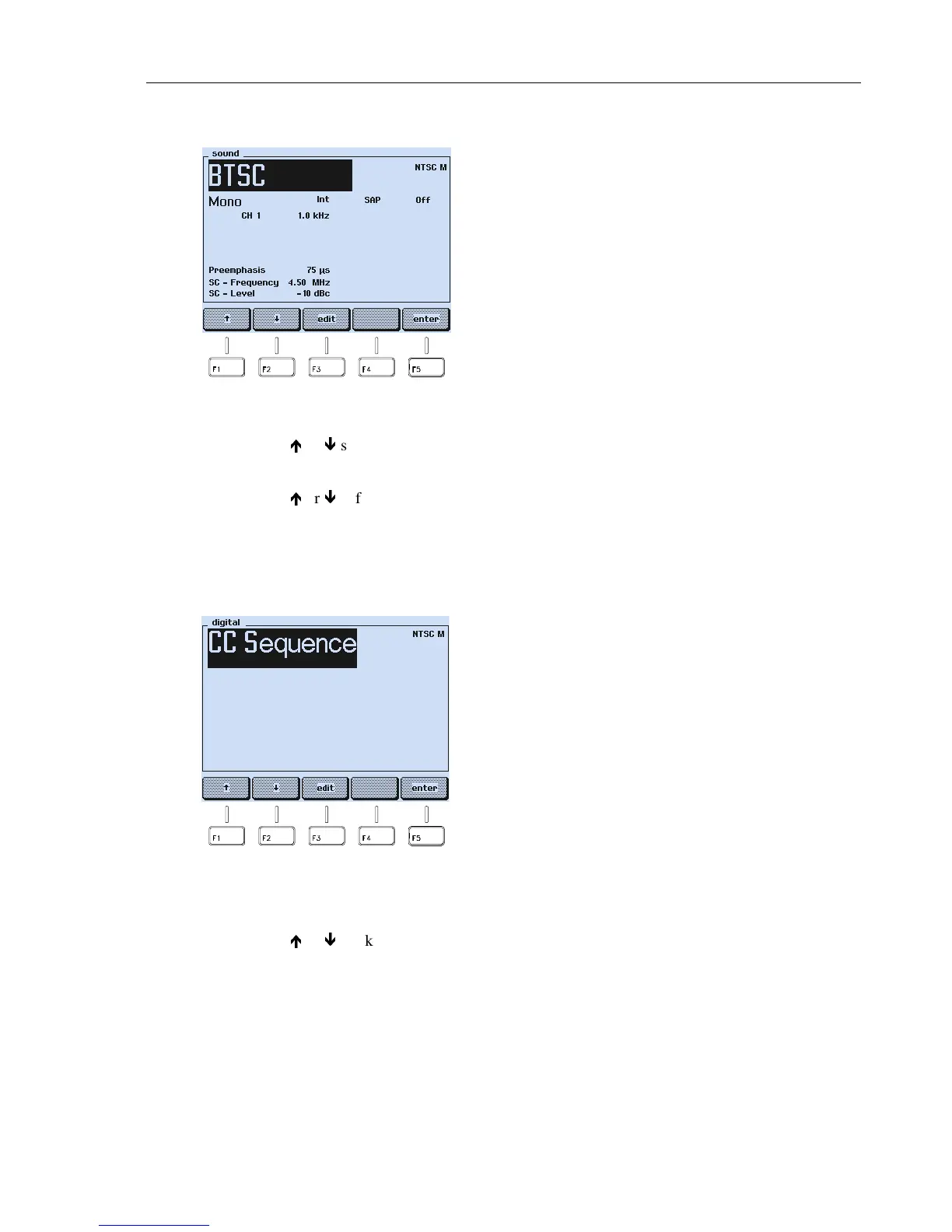
Sound Submenu
Figure 4-4. Sound Submenu
•
Press the
é
or
ê
softkey (F1 or F2) to select the parameter you want to change.
•
Press the
edit
softkey (F3). A popup menu with the selectable settings appears.
•
Press the
é
or
ê
softkey (F1 or F2) to select the required setting.
•
Press the
enter
softkey (F5) to confirm your setting.
•
Press the
enter
softkey (F5) again to return to the
main
menu.
Submenu for Digital Services
Figure 4-5. Submenu for Digital Services
•
Press the
edit
softkey (F3). A popup menu with the selectable settings appears.
•
Press the
é
or
ê
softkey (F1 or F2) to select the required setting.
•
Press the
enter
softkey (F5) to confirm your setting.
•
If you select the
CC
mode, an additional popup menu appears to select the memory
number or the sequence.
•
Press the
enter
softkey (F5) to confirm your setting.
•
Press the
enter
softkey (F5) again to return to the
main
menu.
Sound system: BTSC *
TV system: NTSC M
Sound mode: Mono *
Sound source: Internal *
Second Audio Program (SAP): Off *
Audio frequency for channel 1: 1.0 kHz *
Pre-emphasis: 75 µs *
Sound carrier frequency: 4.5 MHz
Sound carrier level: -10 dBc *
* Parameter can be changed in this submenu.
Digital Service: CC (Closed Caption) *
TV system: NTSC M
* Parameter can be changed in this submenu.
In the external video modulation mode the
digital services are not available. The display
only shows the selected TV system.



 To Next Page