Function Reference
Wide Screen Signalling (WSS)
5
5-15
Operating
Fluke 54200 with the WSS option transmits the WSS signal in PAL and SECAM
625 line systems. The WSS operating modes are:
Off
Auto
Manual
•
Select the wanted WSS mode using the
digital
menu.
•
Select
Wide Screen Signalling
by the
é
or
ê
softkeys (F1 or F2).
•
Press the
edit
softkey (F3).
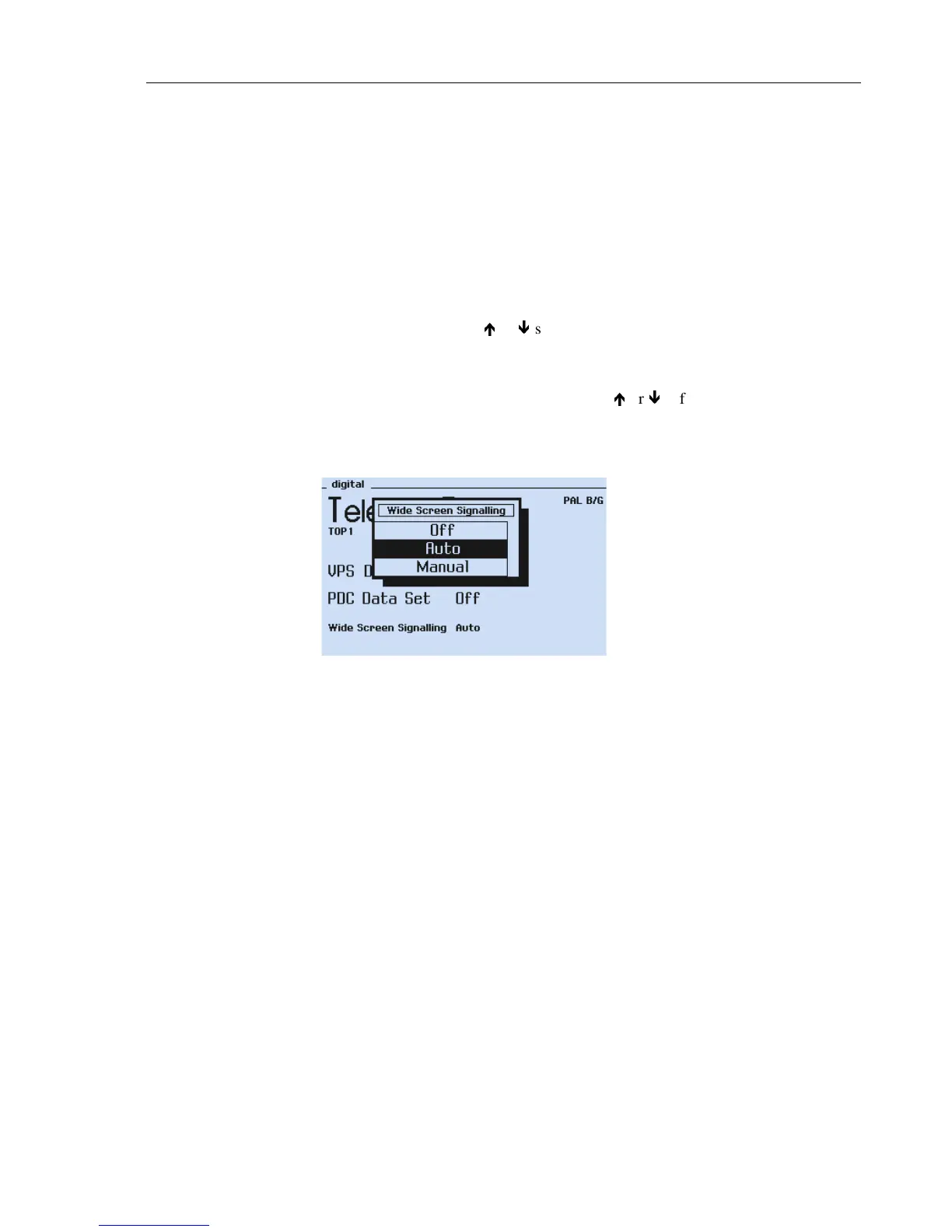
The
Wide Screen Signalling
popup menu appears.
•
Select the wanted WSS mode
Auto
,
Manual
, or
Off
by the
é
or
ê
softkeys
(F1 or F2).
•
Press the
enter
softkey (F5) to confirm your setting.
Figure 5-10. WSS Popup Menu
The WSS signal is transmitted in TV line 23 and is not visible on the TV screen.
If
Manual
is selected a popup menu appears. In this menu it is possible to change the
WSS bits independently. For details, see Section ‘WSS Manual Mode.’



 To Next Page