54200
Users Manual
5-34
Operating
Closed Caption and Text Service are available for the following TV systems:
NTSC, NTSC 4 (subcarrier 4.43 MHz), PAL 625 and PAL 525 line systems, and
SECAM.
•
Select the
digital
menu.
•
Press the
edit
softkey (F3).
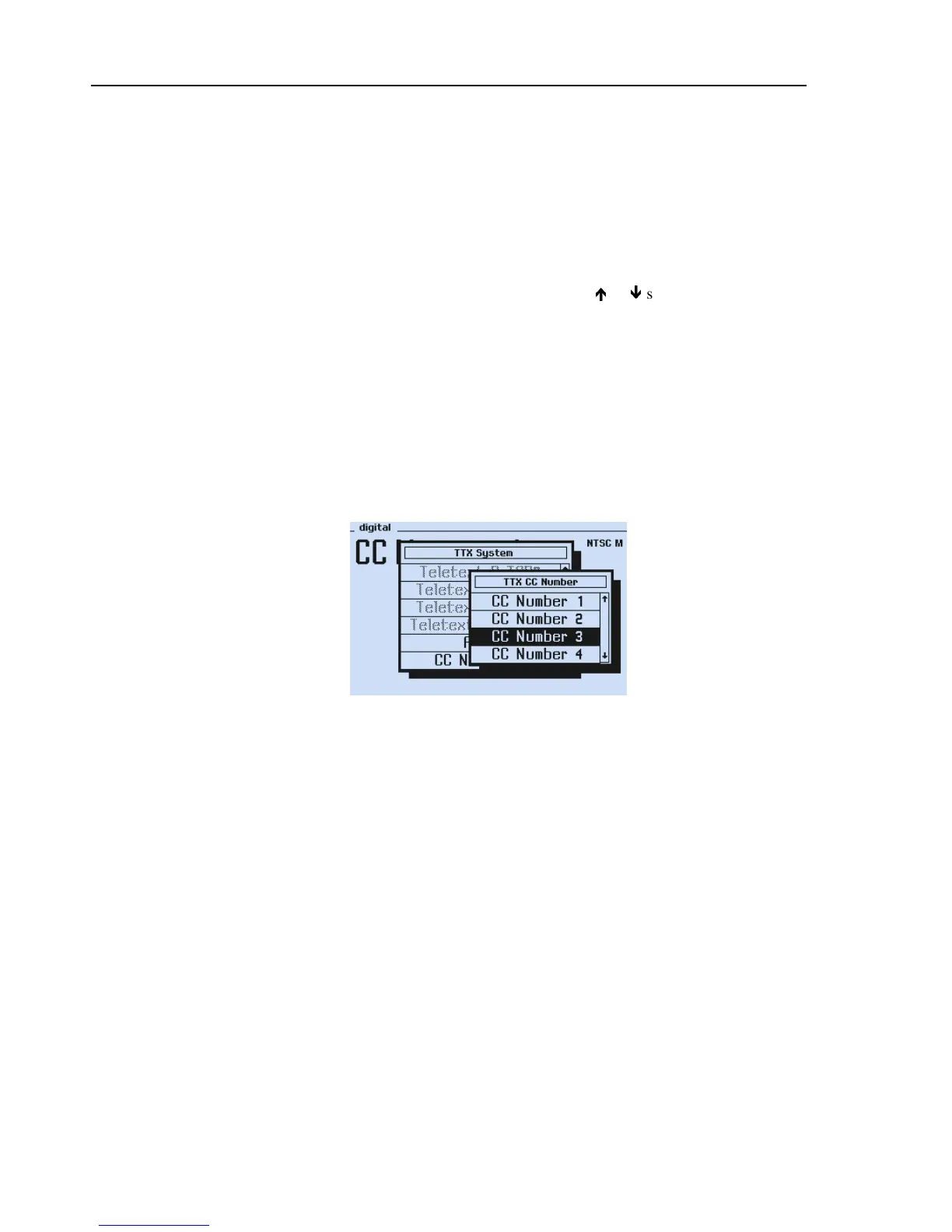
The
TTX System
popup menu appears.
•
Select
CC Number
respective
CC Sequence
by
the
é
or
ê
softkeys (F1 or F2).
•
Press the
enter
softkey (F5).
The
TTX CC Number
popup menu appears.
•
Select the requested Closed Caption setup (
CC Number 1
to
8
or
Sequence
).
•
Press the
enter
softkey (F5) to confirm your selection.
Closed Caption data are generated in TV line 21.
•
Switch on the Closed Caption function of your TV to get it visible on screen.
Select the
TTX System
popup menu to switch off Closed Caption.
Figure 5-28. Digital Menu with Closed Caption



 To Next Page