54200
Users Manual
4-4
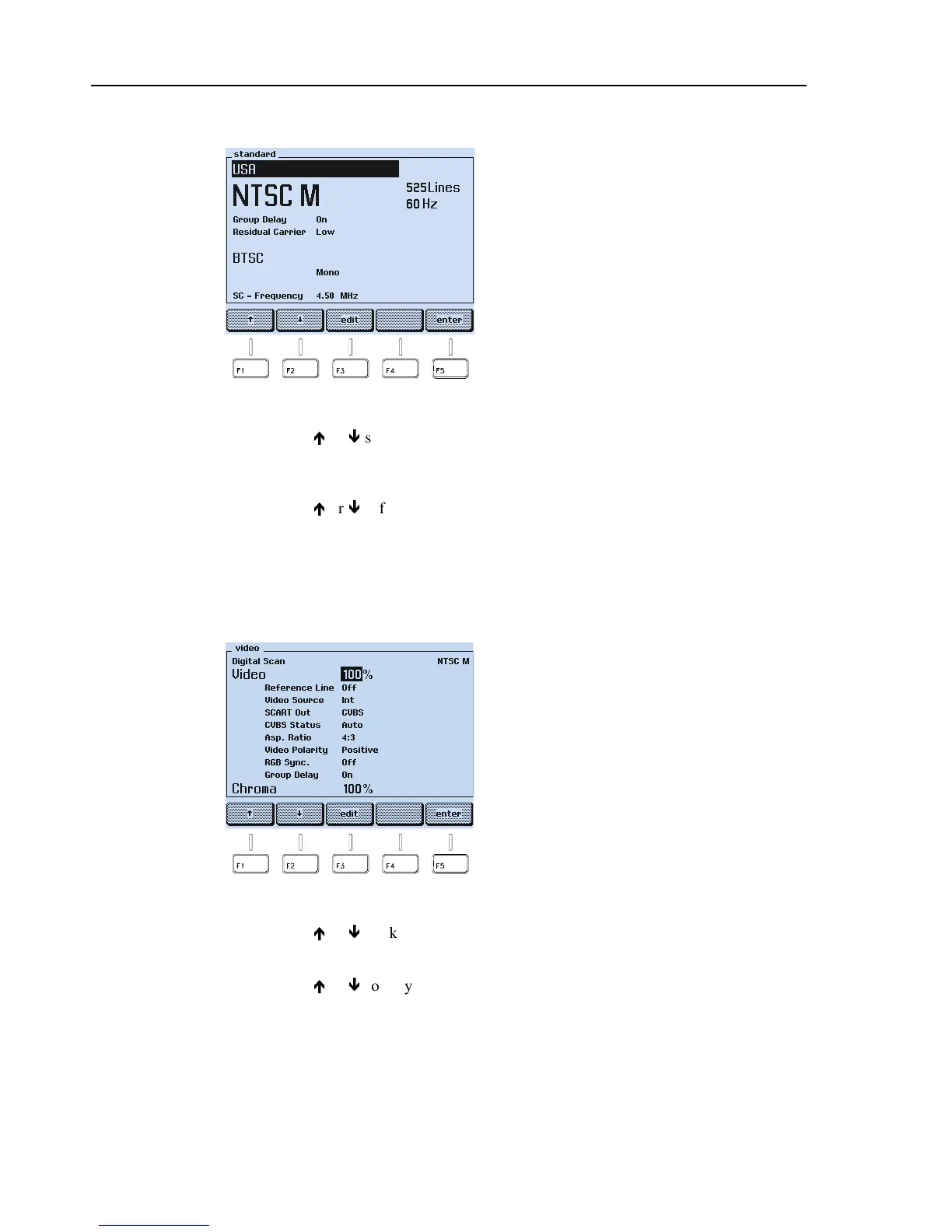
TV Standard Submenu
Figure 4-2. TV Standard Submenu
•
Press the
é
or
ê
softkey (F1 or F2) to select the parameter you want to change. The
selected parameter is indicated reverse video.
•
Press the
edit
softkey (F3). A popup menu with the selectable settings appears.
•
Press the
é
or
ê
softkey (F1 or F2) to select the required setting. Settings shown in
grey are not accessible due to the selected TV system.
•
Press the
enter
softkey (F5) to confirm your setting.
•
Press the
enter
softkey (F5) again to return to the
main
menu.
Video Submenu
Figure 4-3. Video Submenu
•
Press the
é
or
ê
softkey (F1 or F2) to select the parameter you want to change.
•
Press the
edit
softkey (F3). A popup menu with the selectable settings appears.
•
Press the
é
or
ê
softkey (F1 or F2) to select the required setting.
•
For the Video and Chroma amplitude, key in the value using the numerical keypad.
•
Press the
enter
softkey (F5) to confirm your setting.
•
Press the
enter
softkey (F5) again to return to the
main
menu.
Country with standard settings: USA *
TV system: NTSC M *
TV lines per frame: 525
Field frequency: 60 Hz
Group delay: On *
Residual carrier: Low *
Sound system: BTSC *
Sound mode: Mono
Sound carrier frequency: 4.50 MHz
* Parameter can be changed in this submenu.
Test pattern: Digital Scan
TV system: NTSC M
Video amplitude: 100% *
Insertion Reference Signal
IRS17 (Reference Line): Off *
Video source: Internal *
Scart output signal: CVBS *
CVBS status: Auto *
Aspect Ratio: 4:3 *
Video polarity: Positive *
Sync in RGB signal: Off *
Group delay: On *
Chroma amplitude: 100% *
* Parameter can be changed in this submenu.



 To Next Page