How to Use the Instrument
Operating via Keyboard
4
4-7
•
Keys that prepare the instrument for numerical inputs using popup menus on the
display:
−
The
FREQ
key
−
The
LEVEL
key
−
The
STORE
key
−
The
RECALL
key
•
Keys to enter digits or characters:
−
The keys in the numerical keypad
•
Keys with different functions, depending on the selected operating mode and
submenu:
−
The softkeys
F1
to
F5
. The current function of the keys is shown in the assigned
fields in the display.
Instrument Settings
TV Standard
You can select the required TV system using the
edit
function and the
é
or
ê
softkey
(F1 or F2) in the
standard
submenu. To ease the TV system selection, the instrument
offers a pre-defined country list with the standard settings for each listed country. With
this list you can nearly cover the TV systems used worldwide. You can call up the list in
the
standard
submenu.
Pre-defined Country List
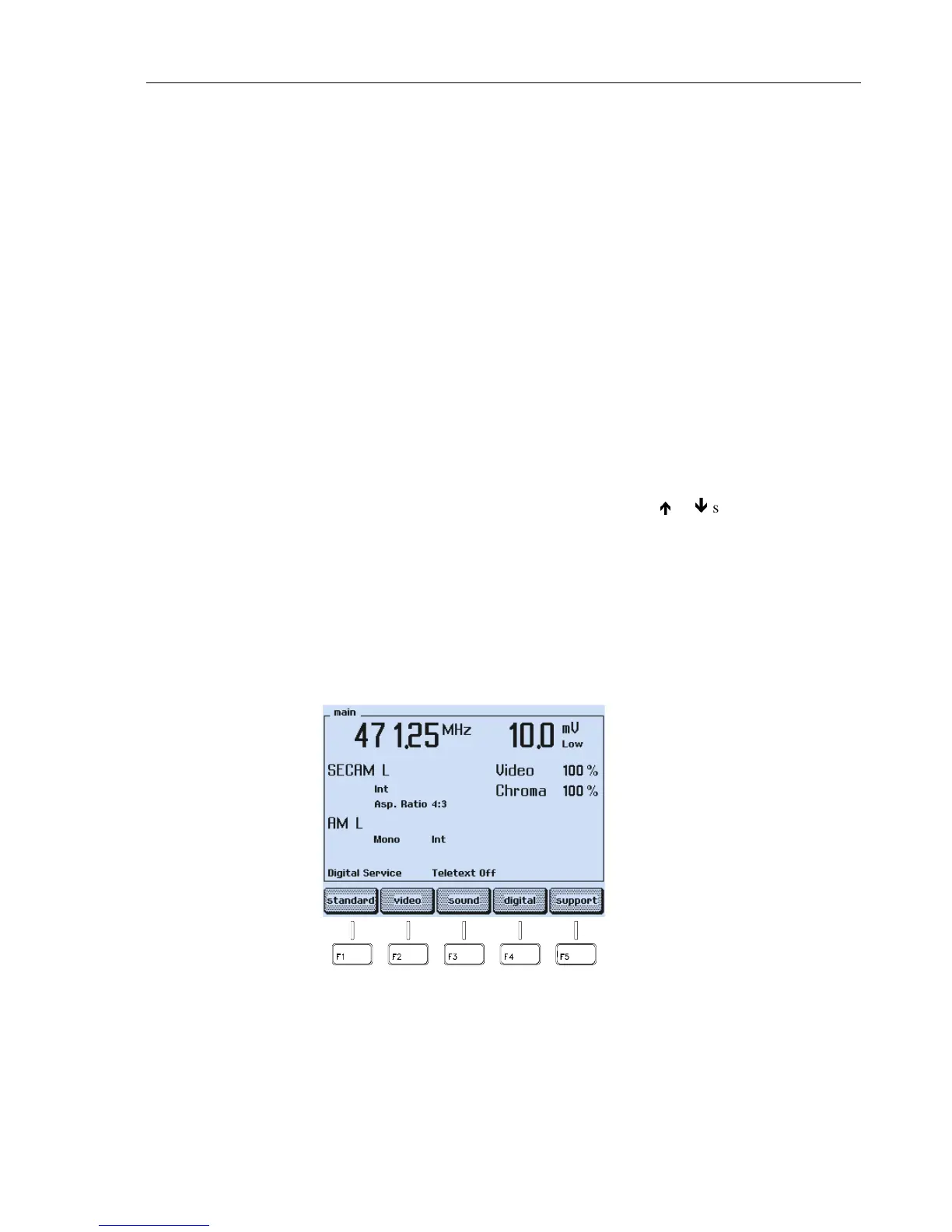
If the instrument shows a different screen than the
main
screen, press the
enter
softkey
(F5) until the
main
screen appears.
Figure 4-7. Submenu Selection



 To Next Page